.svg)
For security reasons, you can restrict user searches so that your users can only search for user accounts that are assigned a specific level of access.
To access the User search account type setting:
-
Open the User settings page.
To open the User settings page:
-
In the FileCloud admin portal's left navigation bar, scroll down and click Settings. Then, on the Settings navigation page, click Misc

-
In the inner navigation bar on the left of the Settings page, expand the Misc menu, and click User, as shown below.
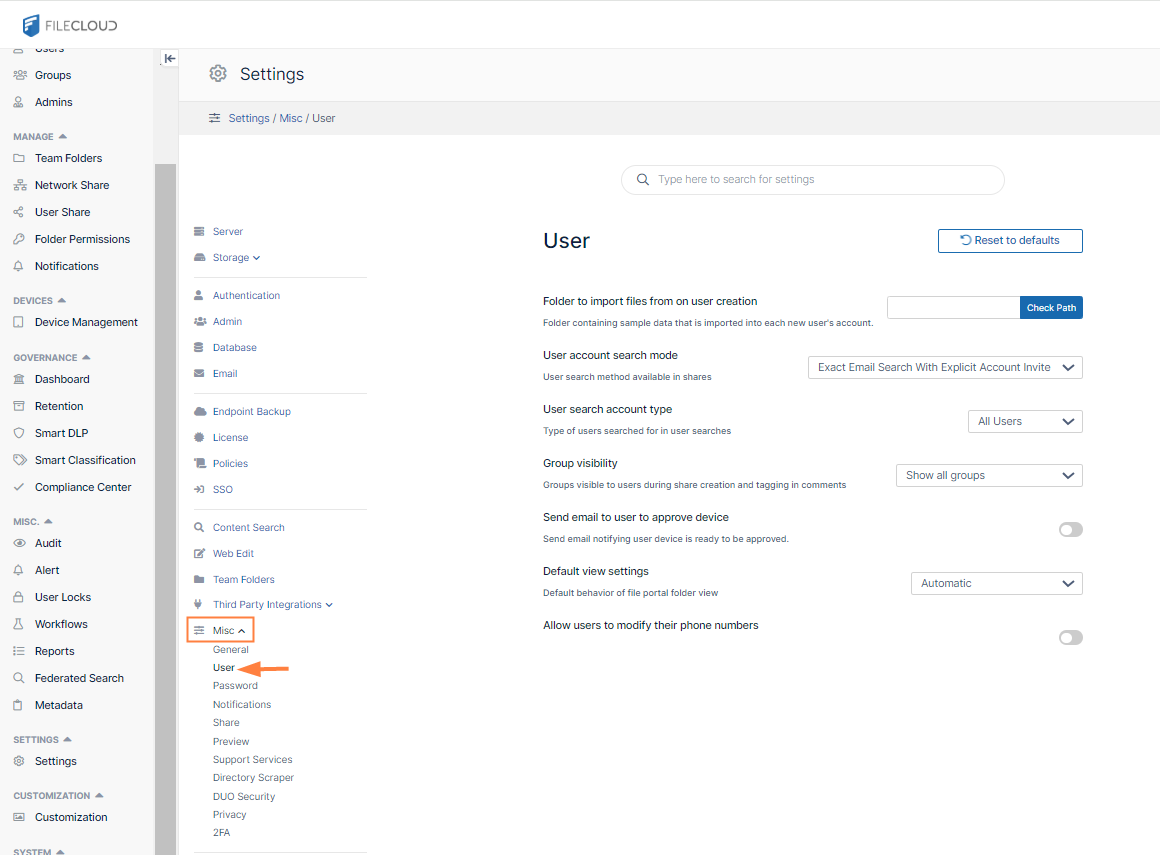
The User settings page opens.
-
-
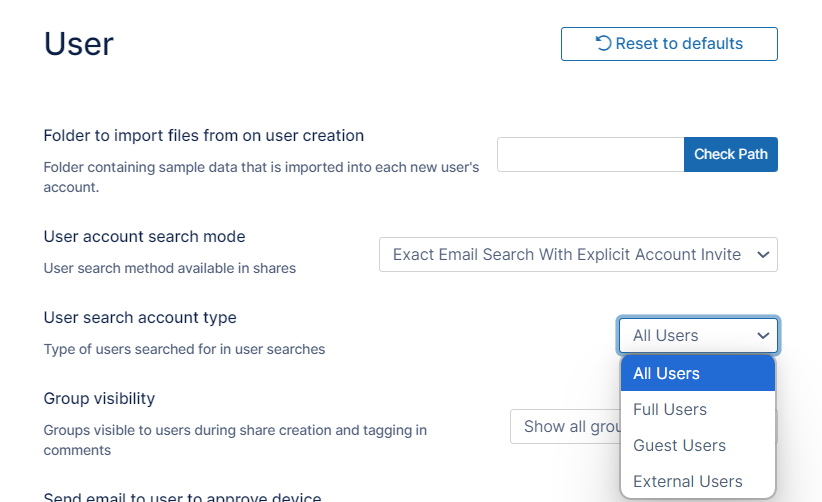
Click the User search account type drop-down list:
-
Choose the account type to search on, and click Save.
|
User account type |
Level of access |
|---|---|
|
ALL |
No restriction of account searches |
|
FULL |
An account with full access has its own private cloud storage space in the "My Files" area. These users can:
|
|
GUEST |
An account with guest access level has restricted access to the FileCloud system. These user accounts do not have private cloud storage. These users can:
|
|
EXTERNAL |
An account that can only be used to access the User Portal through a Web browser. External Accounts can:
External Access accounts can only be local user accounts. |