.svg)
You can share a file or folder from File Browser.
To share a file or folder:
-
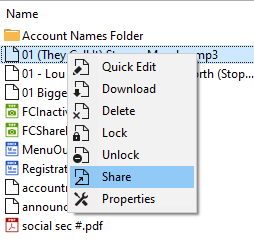
Right-click the item you want to share, and select Share.
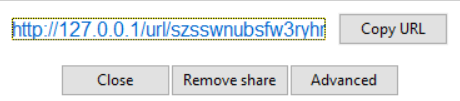
A box with a link to the share opens:
-
This link is public by default and can be accessed by external users.
-
When you share the link with someone, they can access the file even if they do not have a FileCloud account.
-
You can set advanced options to share the file or folder privately, too.
-
-
To copy the URL to your clipboard, click Copy URL.
Use the URL you copied to share your item. -
To share privately or access advanced share options click Advanced.
A Manage share for file dialog box opens.
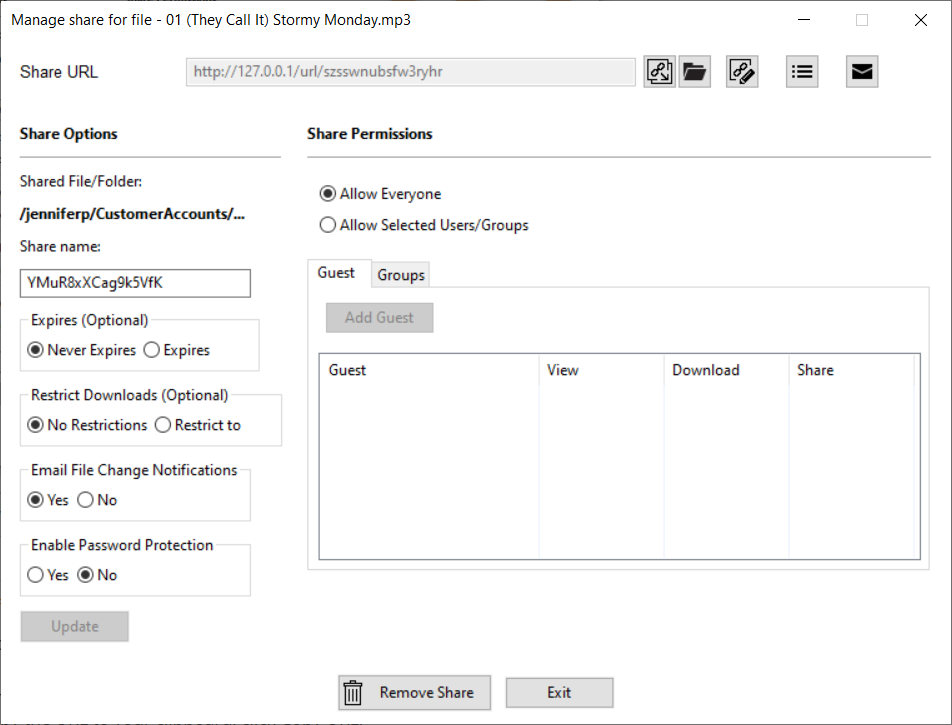
See the section Sharing Files and Folders for complete information about sharing and instructions on using advanced share options.