.svg)
Color tag metadata enables you to assign colors to files and folders for categorization and searching.
For admins
For more information about color tag metadata, see Working with Built-In Metadata.
To apply a color tag to a file or folder:
-
Open the FileCloud App.
-
Navigate to the file or folder you want to apply the color tag to.
-
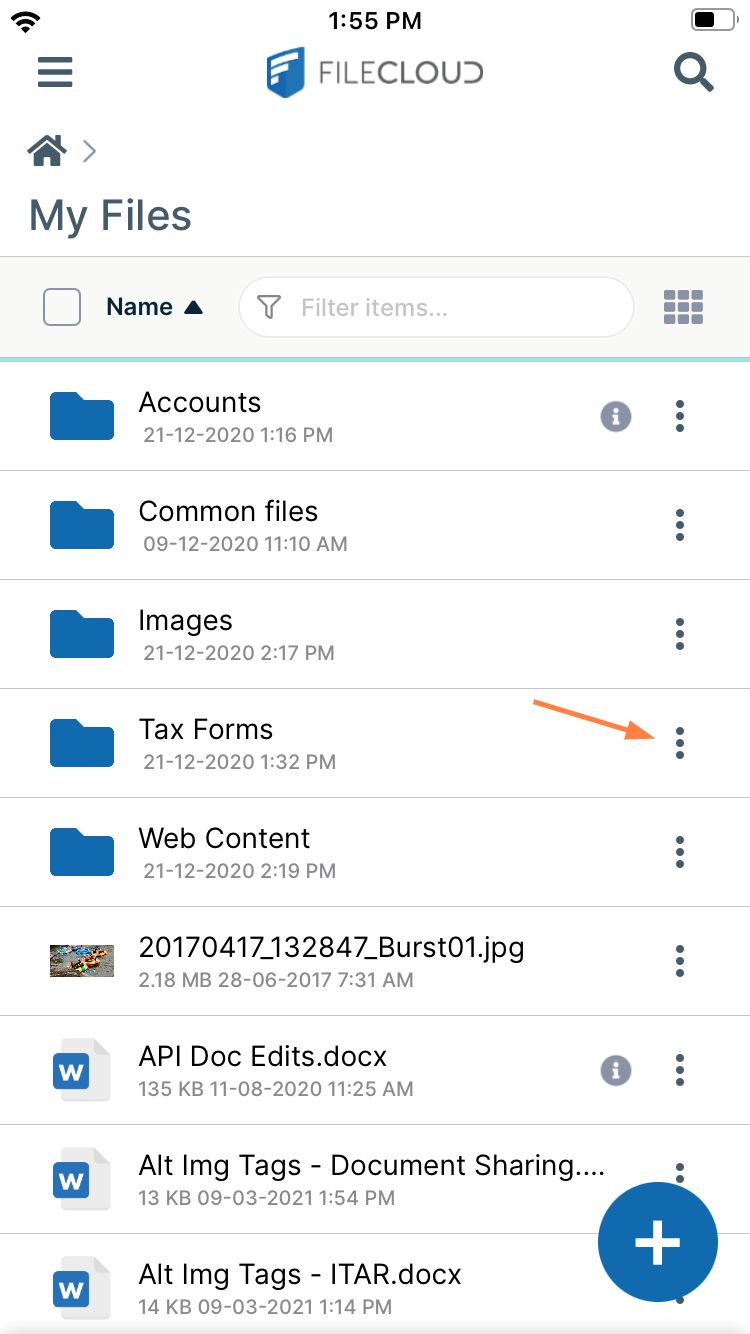
Tap the more (three dot) icon next to the file or folder.
-
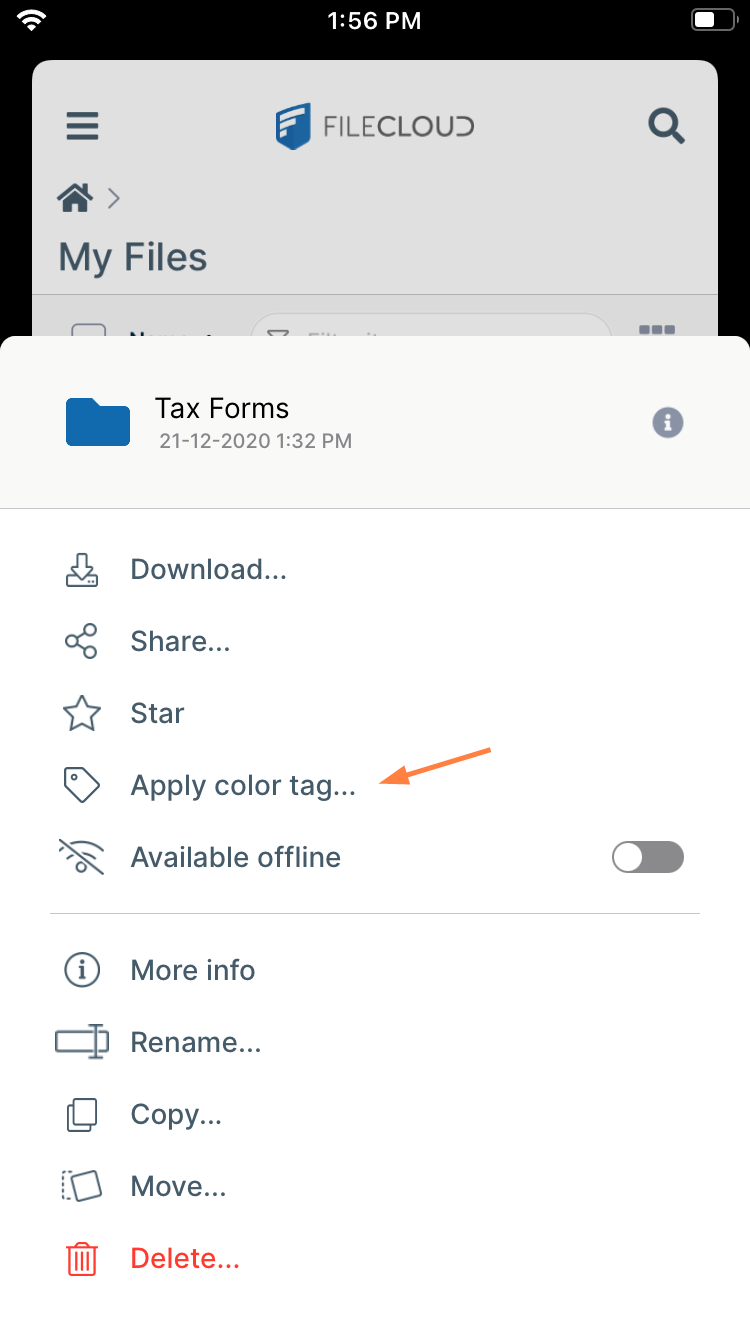
Tap Apply color tag.
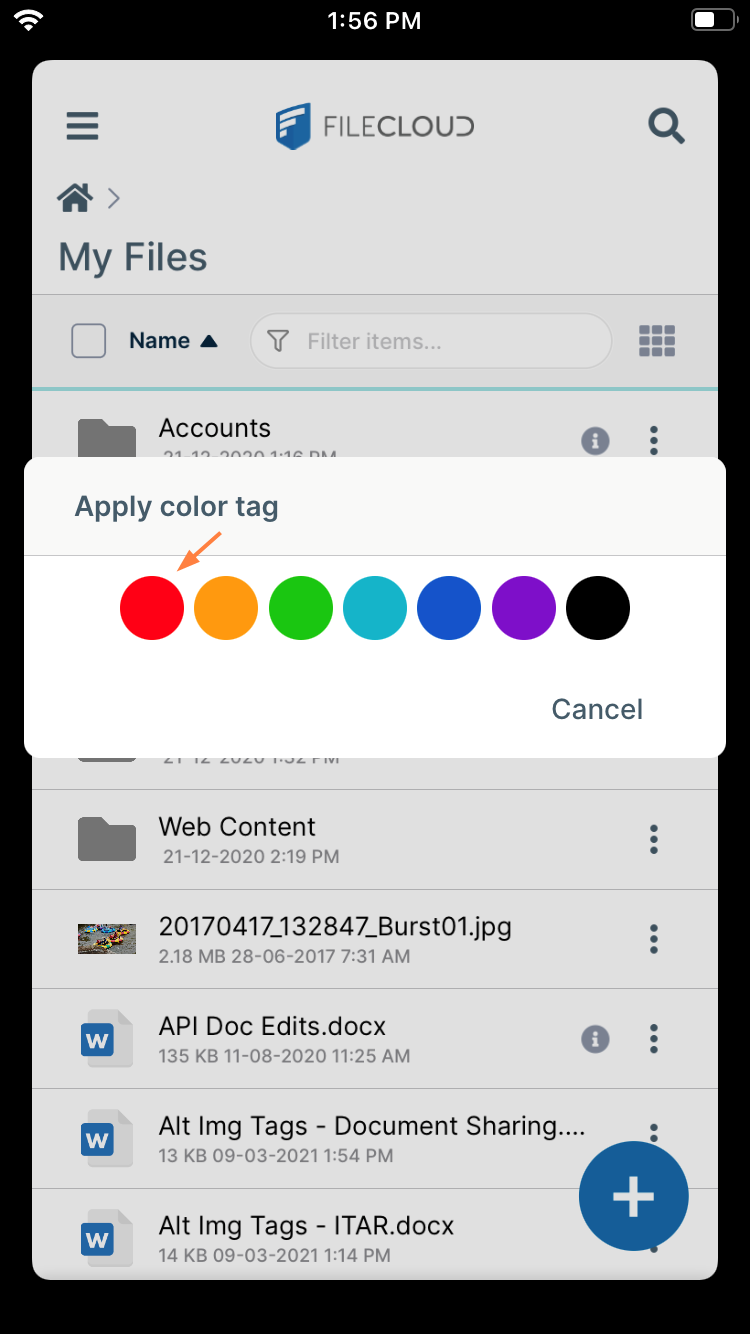
A pop-up displays colors. -
Tap the color that you want to apply.
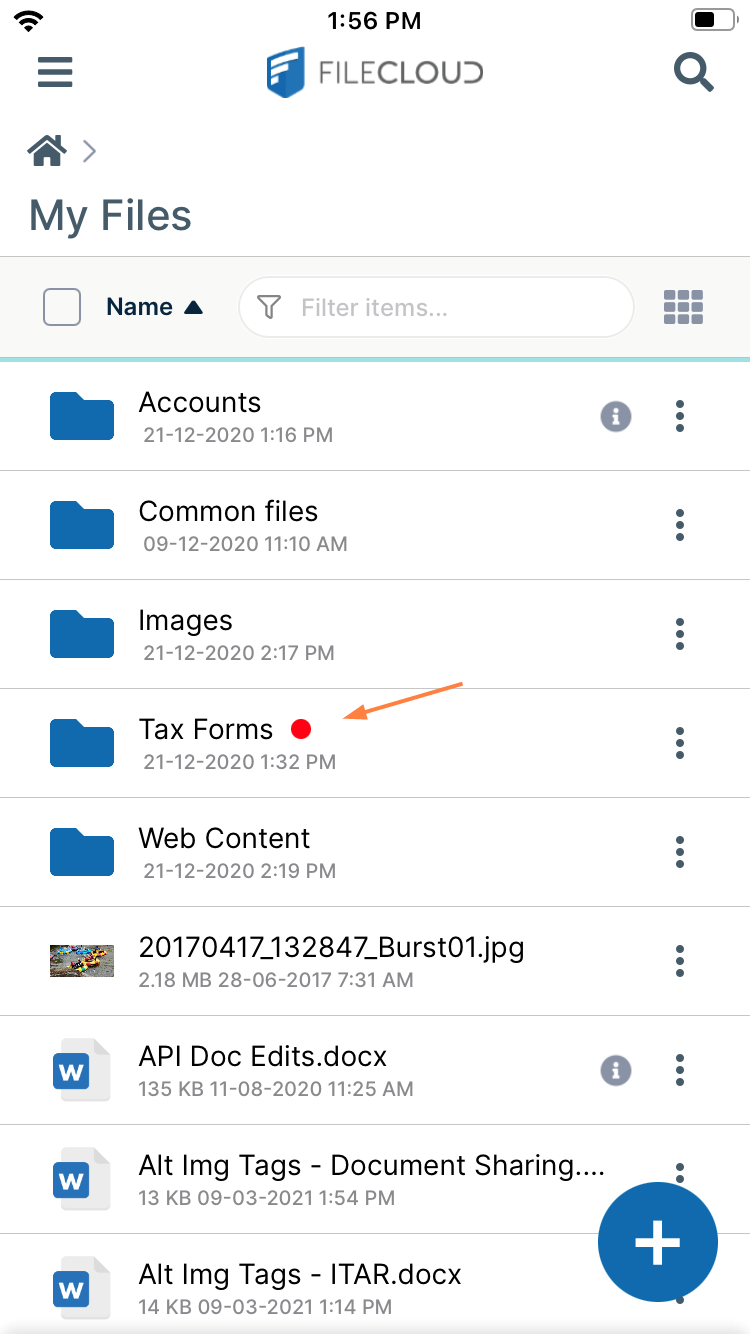
The color tag appears next to the file or folder.