.svg)
Smart Classification does not apply metadata to files over a specified size, but you can add metadata to those files manually. Beginning in FileCloud 20.1, you can configure your system to search for files without metadata.
Find files without metadata:
-
Open the configuration file:
Windows: XAMPP DIRECTORY/htdocs/config/cloudconfig.php
Linux: /var/www/config/cloudconfig.php -
Add the line:
define('TONIDOCLOUD_SHOW_FILES_WITHOUT_METADATA', true); -
In the navigation bar, click Metadata.
Now the upper-right corner of the Manage Metadata Sets screen displays a Files Without Metadata button.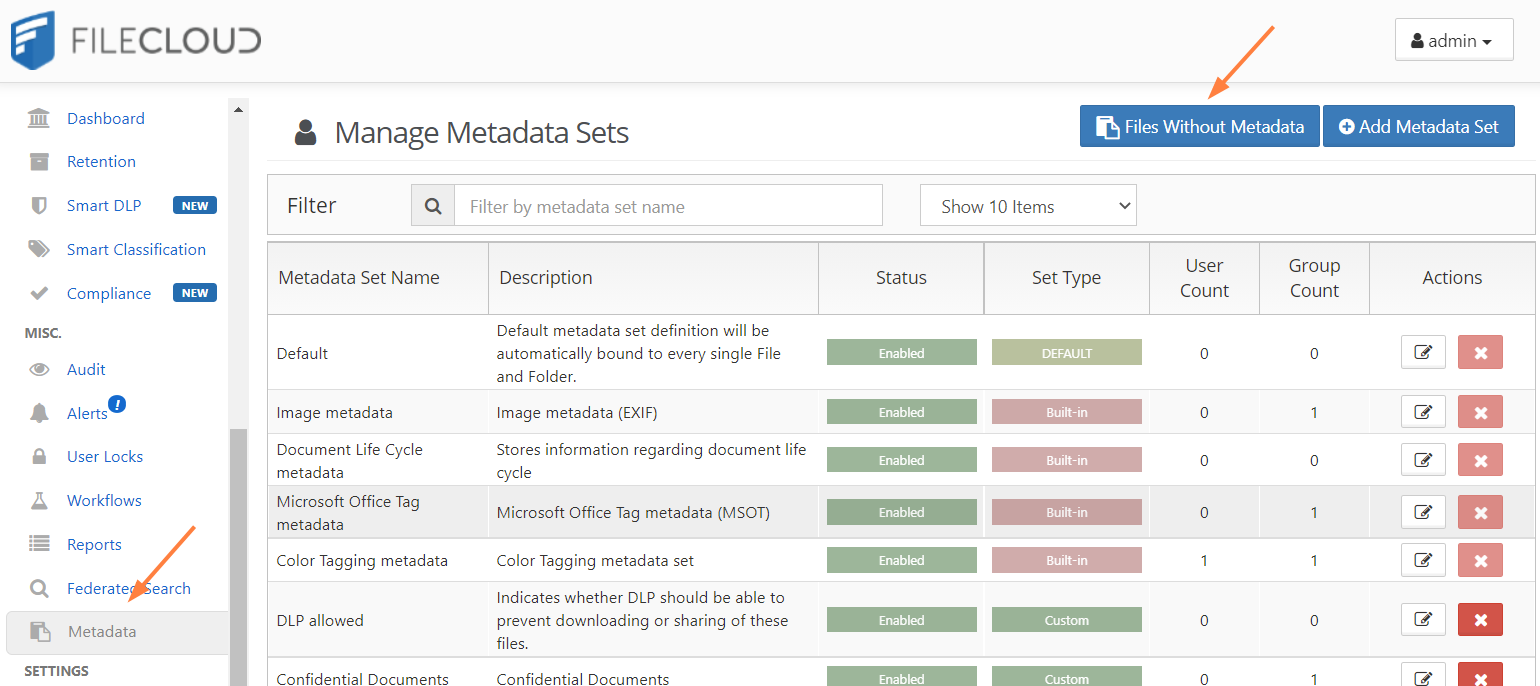
-
To display a list of files without metadata, click Files Without Metadata.
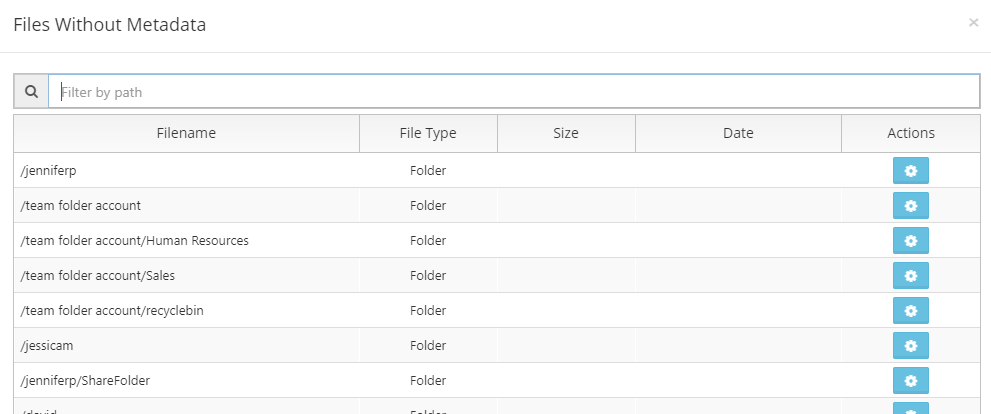
Add metadata from the Files Without Metadata list
-
Follow the procedure above to access your Files Without Metadata list.
-
Across from a file, click the button under Actions.

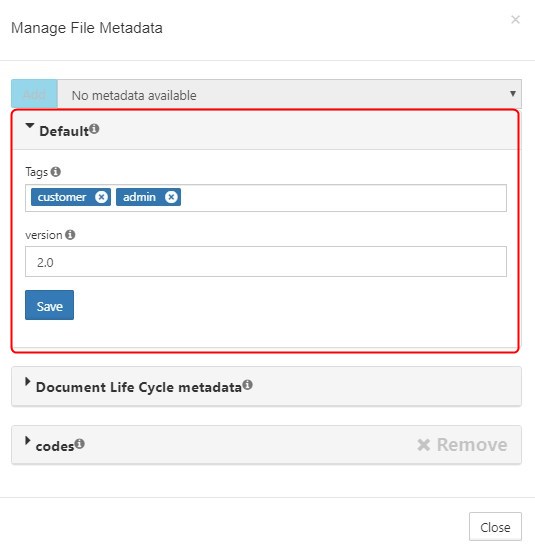
The Manage File Metadata window opens.
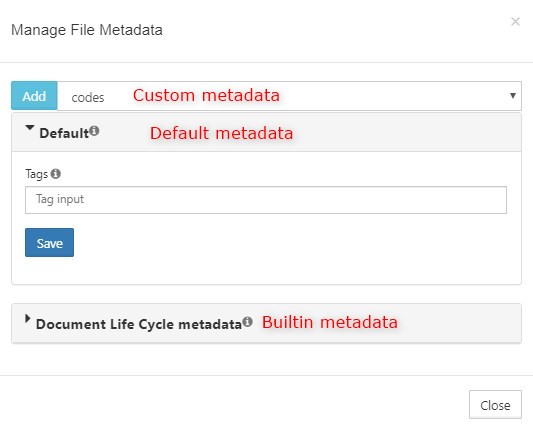
The top drop-down list holds custom metadata, the drop-down list below that holds default metadata, and any drop-down lists below that hold built-in metadata. -
To add a custom metadata set, choose it in the drop-down list and click Add.
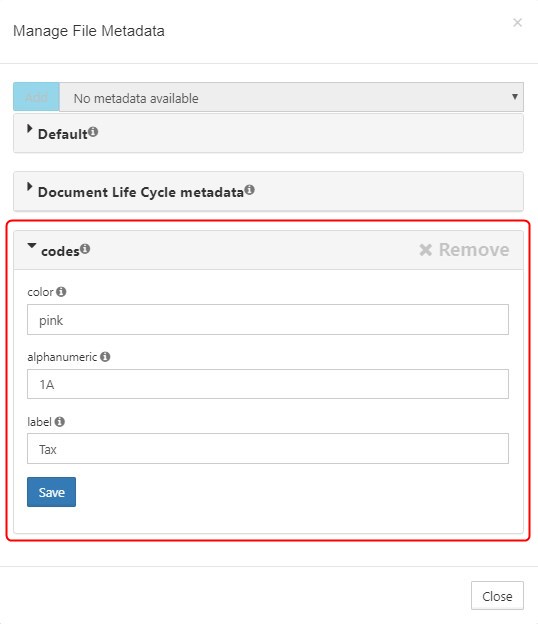
It is added below the other metadata sets. -
Add or change values in any of the metadata fields.
-
You can update the value of fields that appear in the Default metadata set.. Expand the section, and add or change the values in the metadata fields, and click Save.
-
You can view, but not update the values in built-in metadata sets. Expand the sections to view the metadata and any values they have.