.svg)

FileCloud is a cloud-agnostic enterprise file services platform. You can self-host it on your on-premises servers and private data centers, or you can host it on public cloud IaaS providers like AWS, Azure or Google Cloud.
A self-hosted solution such as FileCloud offers the same features and benefits as public cloud SaaS services, but doesn’t have many of the drawbacks of public cloud SaaS services, including:
-
Issues related to control over critical enterprise and customer data
-
Concerns about security and privacy of data
-
Issues connected to regulatory compliance for many industries
-
Issues related to data residency, sovereignty and ownership of critical data
-
Lack of customization: organization branding and custom terms of service
FileCloud allows you to run your own private cloud storage and sync solution for your employees, customers and clients allowing complete control of your organizational data. FileCloud also allows you to securely provide access to existing organizational file shares (Windows NTFS File Shares, CIFS, NFS, etc.) through a web portal and mobile apps without requiring a VPN.
The Underlying Architecture
FileCloud software is typically installed on a server (Linux or Windows). There is an admin portal to configure and manage the system.
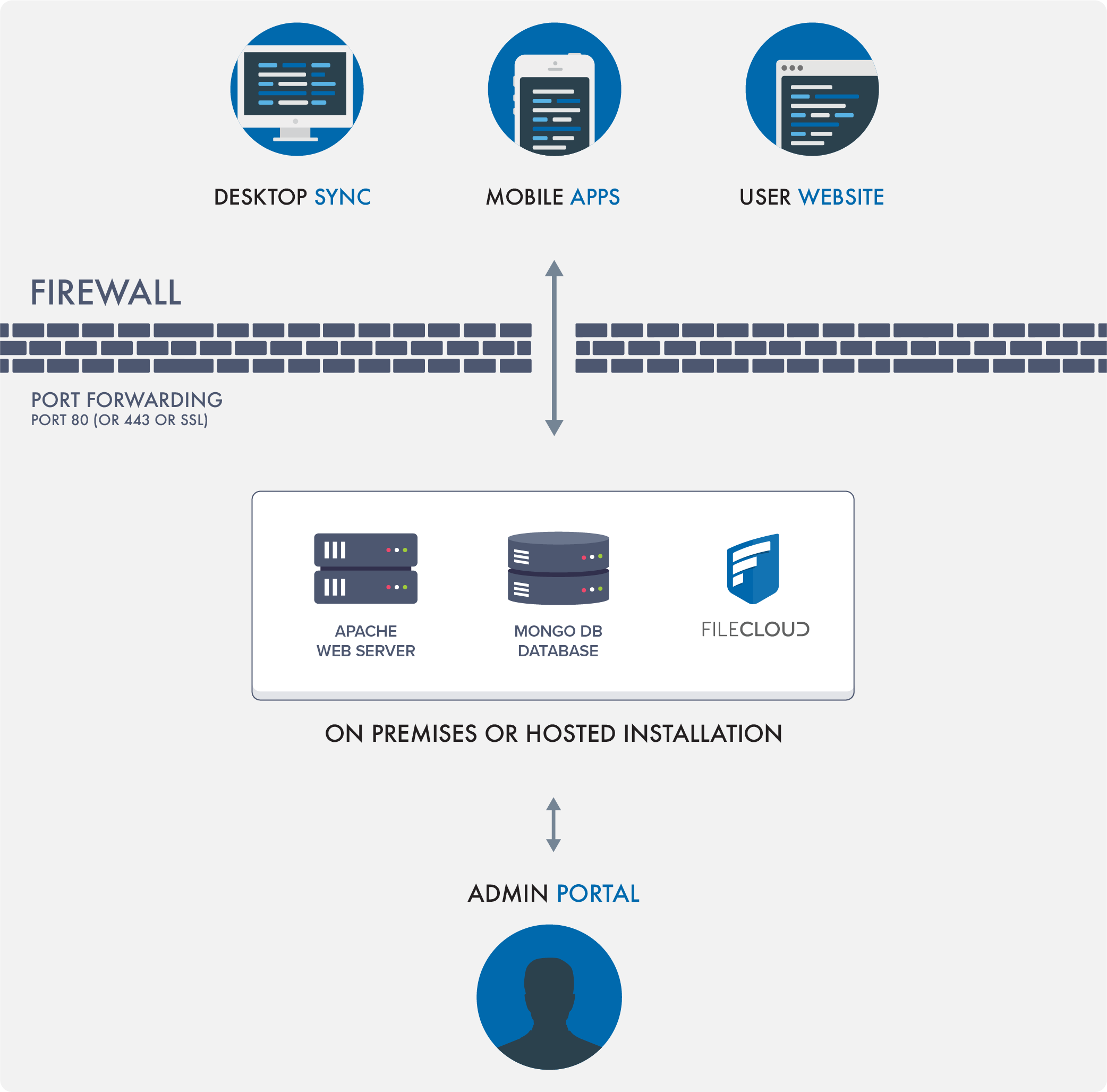
Once configured, users can access FileCloud using:
-
Web browsers
-
Mobile apps
-
Desktop clients that keep their desktop folders in sync
See a quick video on the FileCloud Architecture basics.
FileCloud Storage
FileCloud can manage and make available two types of storage:
Managed Storage (My Files):
Managed Storage (My Files) is fully managed storage that is maintained by FileCloud. Users get storage quotas and can access, share, and sync all files in managed storage. This is available in the My Files folder.
Network Shares:
Admins can optionally make existing organizational folder shares available through FileCloud. Such shares can be accessed via web browser or mobile apps for instant remote access wherever you are. This is available in the Network Shares folders.
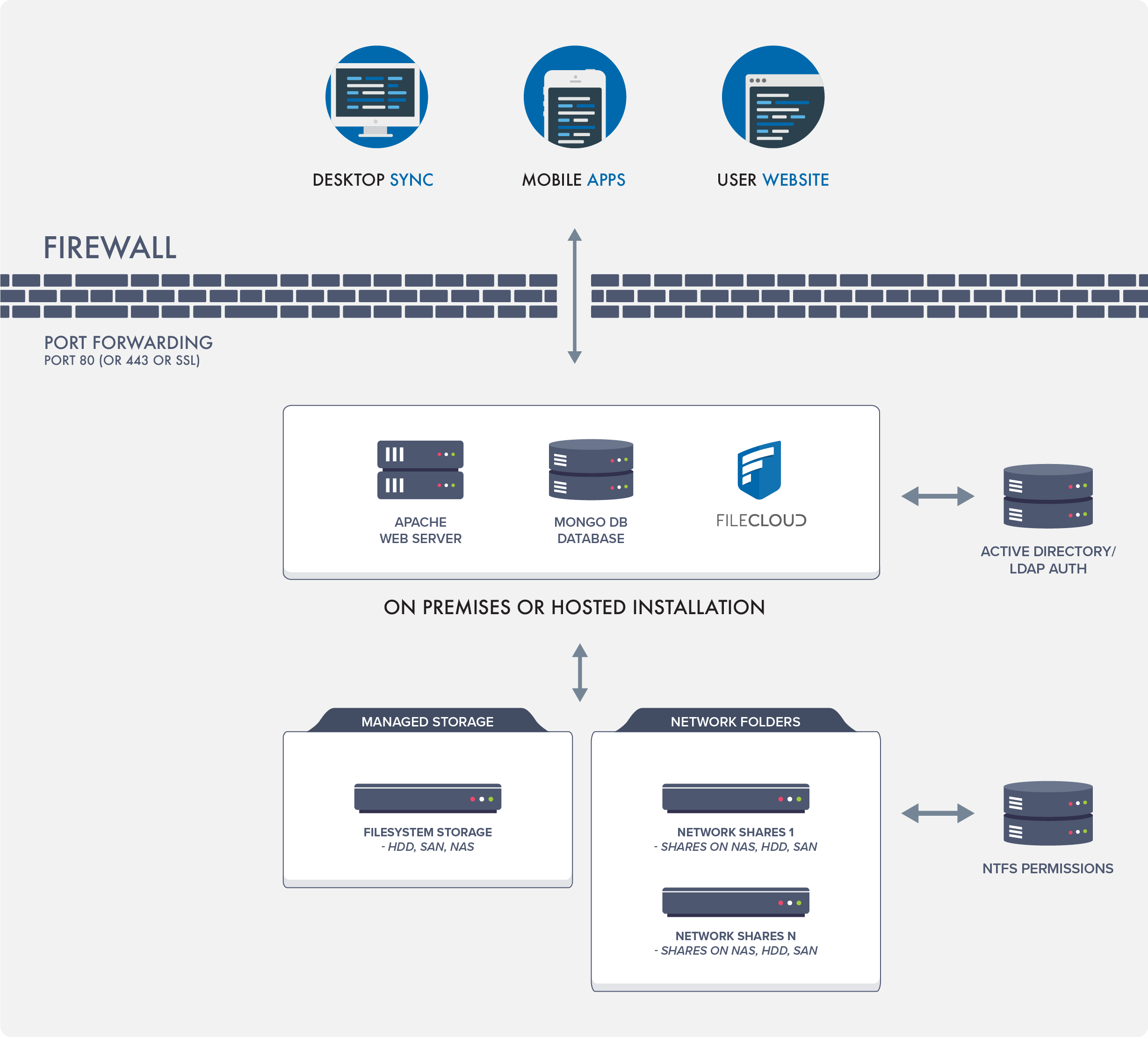
See a quick video on the differences between Managed Storage and Network Shares.
|
Feature |
Managed Storage |
Network Shares |
|---|---|---|
|
Connection |
HDD, NAS Drive, CIFS, NFS Network Shares, Amazon S3, Azure Blob Storage |
CIFS, NFS Network Shares, Amazon S3, Azure Blob Storage |
|
Sync |
Yes (Realtime) |
Scheduled sync 30 mins, 60 mins etc.
|
|
FileCloud Drive |
Yes |
Yes |
|
Offline Access |
Yes via Sync App |
Yes via Sync App's Offline Access |
|
Read NTFS Permissions |
NA |
Yes |
|
Previous Versions Support |
Yes |
Yes |
|
Recycle Bin Support |
Yes |
Yes |
|
Text Search |
Yes |
Yes, when indexing is enabled |
|
Metadata |
Yes |
Yes |
|
Governance - Retention |
Yes |
No |
|
Content Classification |
Yes |
No |
|
DLP |
Yes |
Yes |
|
DRM |
Yes |
Yes |
|
Workflows |
Yes |
Yes |
|
Zero Trust File Sharing |
Yes |
No |
|
ServerSync |
Yes |
No |
|
ServerLink Support |
Yes |
No |
|
Path Limits |
No Limits |
Subject to 256 max path limits when network shares are in Windows |
Large Deployments
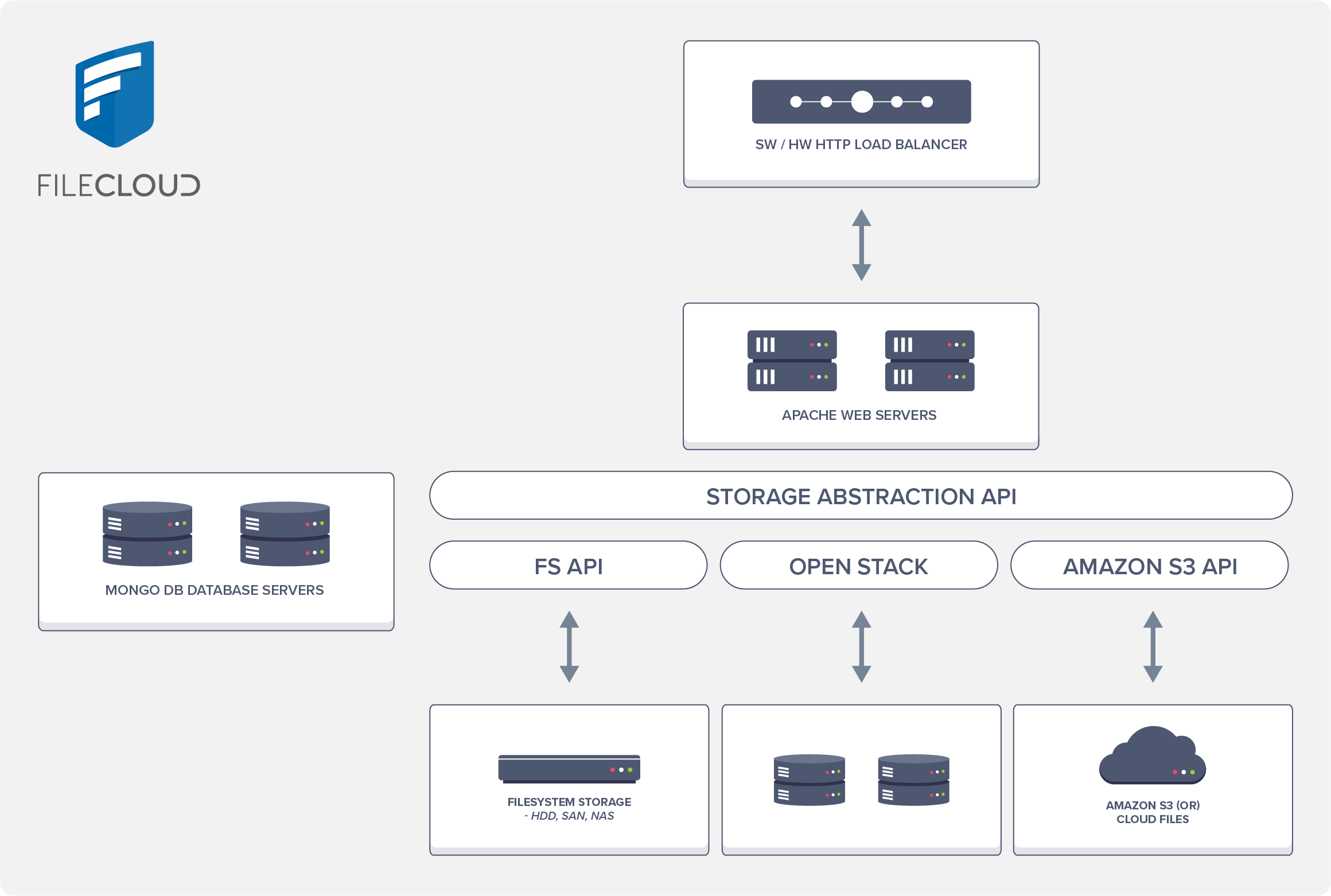
For small deployments, you can use FileCloud with Local Storage configuration.
For larger deployments, use redundant object storage systems like OpenStack or Amazon S3.
We also recommend using a HA configuration with a database cluster when running a system with many users.
Additional Resources
FileCloud Tour
Blog
Vote for new features!