.svg)
As an administrator, you can manage the files that are stored on your FileCloud Server site.
This allows you to protect and maintain your system in the following ways:
-
Remove user files infected with a virus
-
Remove files belonging to a user that no longer has an account
-
Move folders for teams
-
Download, copy and move files at a user's request
-
Manage your storage space limits by moving or deleting files
-
Copy and move files and folders between two FileCloud users
How do I access user storage management settings?
To access user folder and files settings:
-
Open a browser and log on to the Admin Portal.
-
From the left navigation menu, select Users.
-
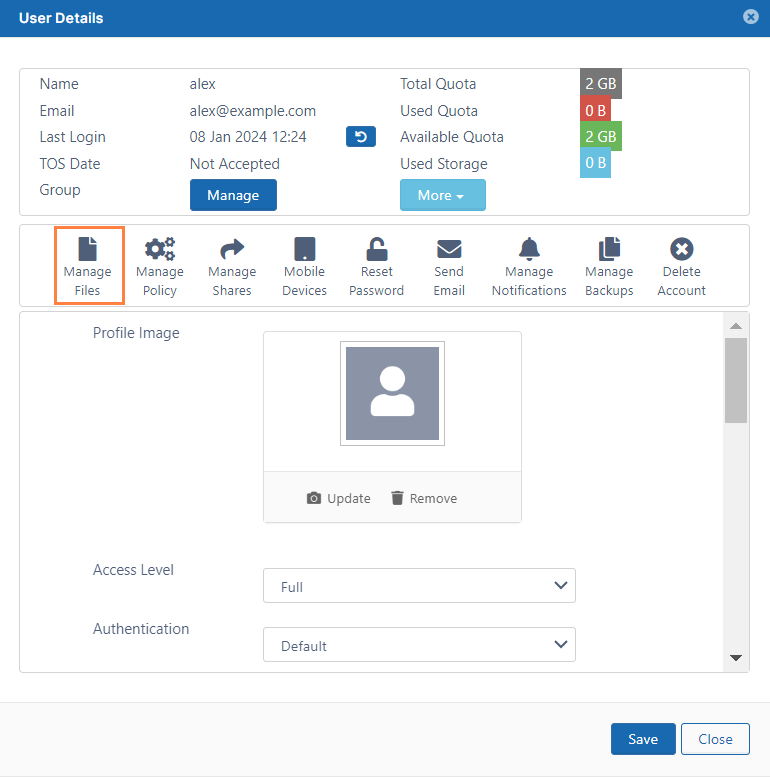
On the Manage Users page, select a user, and then click the Edit icon

.
-
On the User Detail dialog box, click Manage Files.
-
The Manage Files for <User> window opens.
How do I limit admin access to users' files and folders?
If you do not want the main administrator or admin users to have unlimited access to user files and folders, you can configure your system to prevent them from performing all of the following actions:
-
download a file
-
delete a file or folder
-
rename a file or folder
-
move a file or folder
-
copy a file or folder
To limit admin access to user files and folders:
-
Open the configuration file:
Windows: XAMPP DIRECTORY/htdocs/config/cloudconfig.php
Linux: /var/www/config/cloudconfig.php -
Add the line:
define("TONIDOCLOUD_DISABLE_ADMIN_USER_DATA_ACCESS", true); -
Save and close cloudconfig.php.
Now when an admin attempts to perform one of the above actions to a user file or folder, a message similar to the following appears: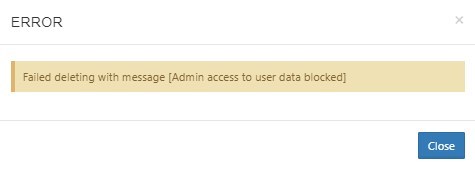
In this section:
-
Add Folder-Level Permissions to User Folders -
Copy and Move User Files -
Download User Files and Folders -
Cancel User Uploads in Progress -
Delete User Folders and Files -
Clear a Recycle Bin -
Remove a User's Old File Versions -
Remove Incomplete User Uploads -
Restore a Previous File Version -
Critical Section Cleanup Tool -
Change the Name of the Zip File for Multiple File Downloads