.svg)
Propagating changes
Once changes to the metadata set definition are saved the background process runs, which propagates changes made to the set definition to metadata_values collection that stores user provided attribute values. This is done to keep both collections in-sync and to increase performance for end-user metadata actions. Metadata info properties (name, description, status) are updated, permissions are omitted as they're not used in the metadata_values collection and the main task is to keep attributes in sync. There are three main use cases that are served by the task:
-
New attribute is added - attribute definition is added to each associated metadata_values document. Default value provided for this attribute is used.
-
Existing attribute is changed - attribute definitions is updated for each associated metadata_values document. Existing values remain untouched even when default value was updated (the new value will be used for newly associated file objects but not for existing records).
-
Attribute was deleted - attribute definition is removed for all associated file objects. Values are removed accordingly. This operation cannot be reverted so all values for this attribute will be lost.
Notes:
-
The Default Metadata set is a special type and cannot be renamed.
-
When an existing attribute is removed all associated values will be removed. This operation cannot be reverted.
To edit an existing metadata set:
-
Open a browser and log in to the admin portal.
-
From the left navigation pane, under Misc., click Metadata.
-
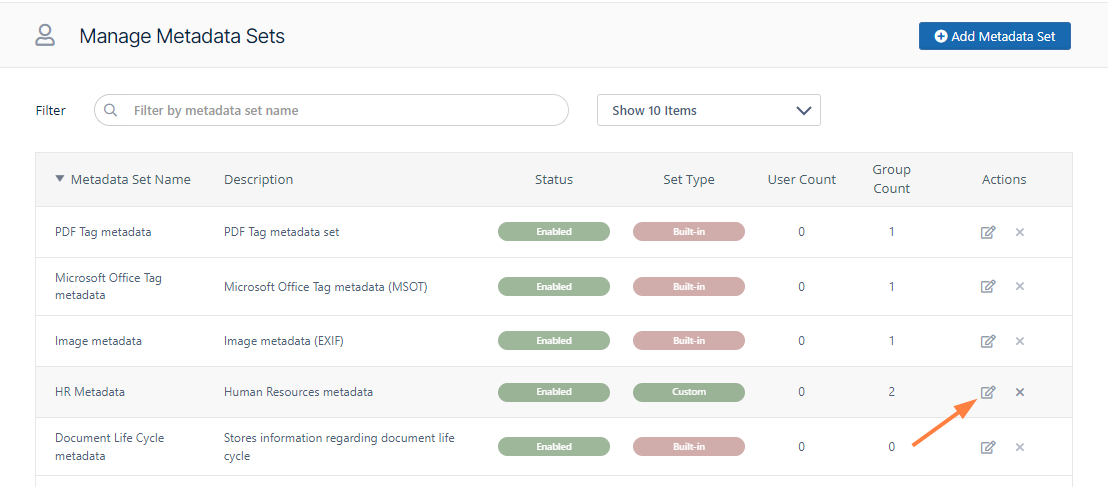
In the row of the set you want to edit, under Actions, click the edit button.
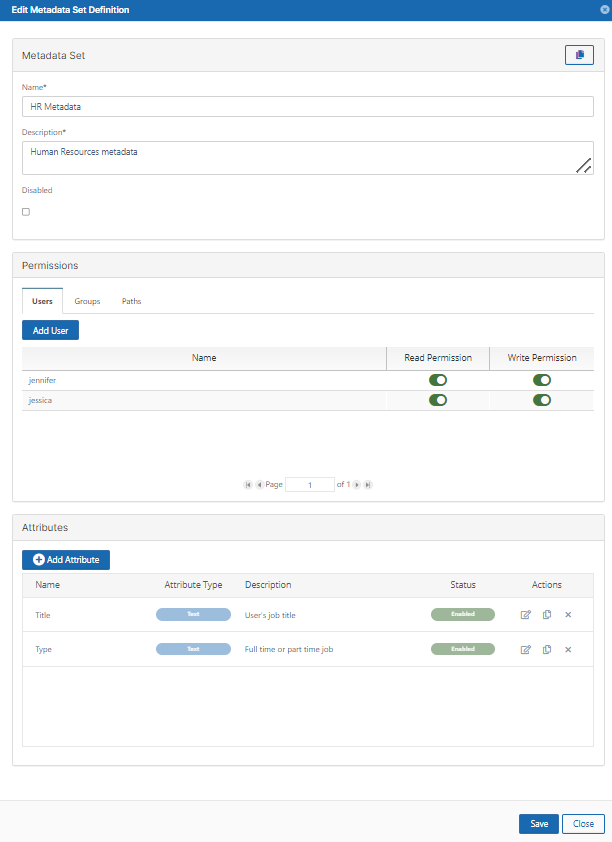
The Edit Metadata Set dialog box opens.
-
Edit properties, permissions and attributes.
-
Click Save.