.svg)
You can search for and replace specific names, emails, and IP addresses with a non-traceable ID in the activity logs.
This action cannot be undone.
The process does not make activity outside this FileCloud instance anonymous. This includes any backup system, web site logs, or database server logs. You must search and remove references from those separately.
To anonymize user data:
-
Open the Privacy settings page.
To go to the Privacy settings page
-
In the FileCloud admin portal's left navigation bar, scroll down and click Settings. Then, on the Settings navigation page, click Misc

-
In the inner navigation bar on the left of the Settings page, expand the Misc menu, and click Privacy, as shown below.
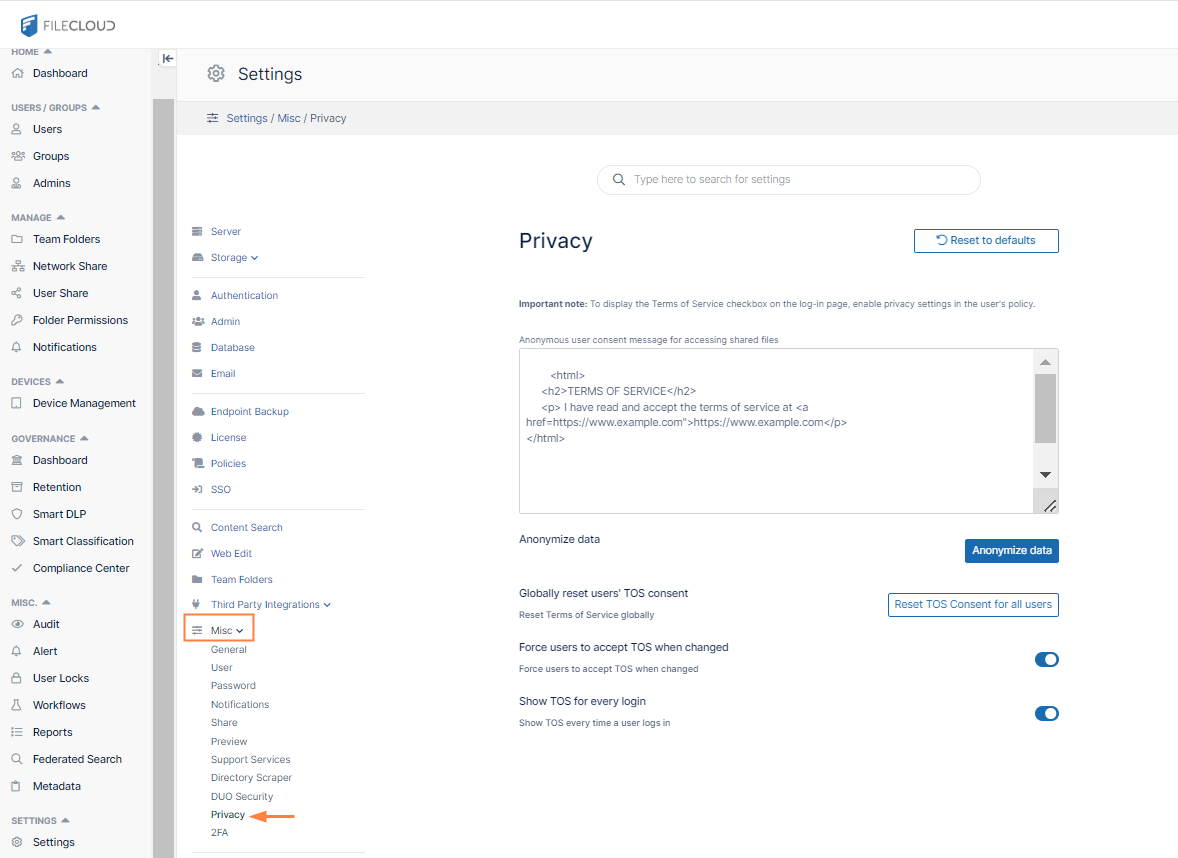
The Privacy settings page opens.
-
-
Click Anonymize data.
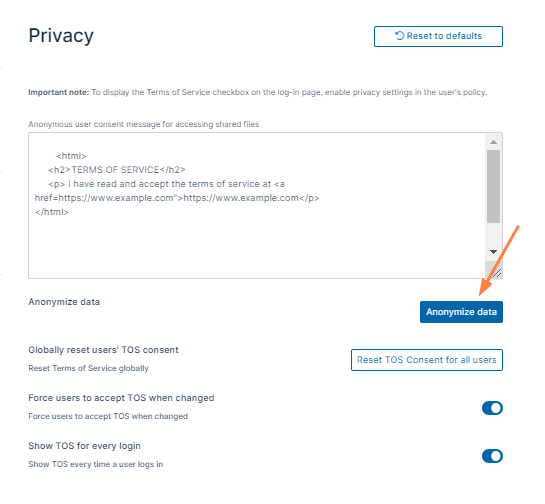
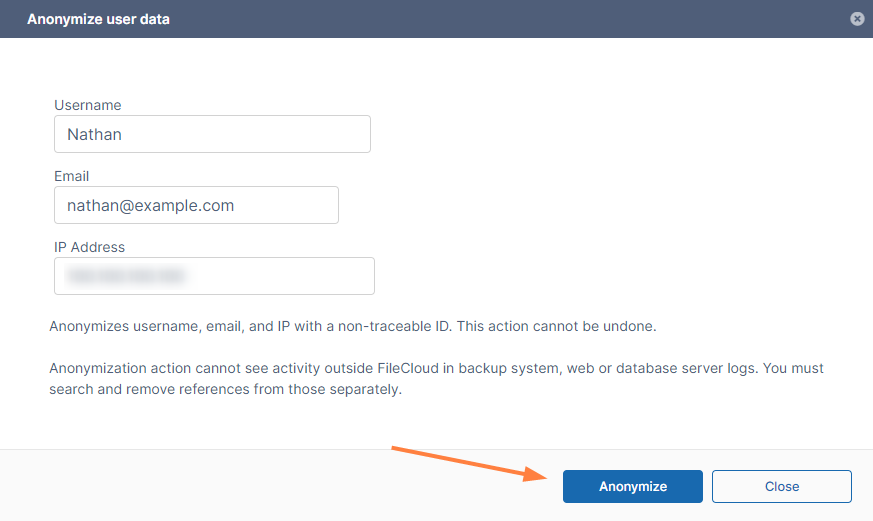
The Anonymize user data dialog box opens. -
Type in the username, email, and IP address you want to replace with a non-traceable ID.
-
Click Anonymize.