.svg)
Before completing the following procedures, configure Apache Web Server. See SSO Configuration Step 1 on the page SAML Single Sign-On Support for configuration instructions.
This article describes how to integrate OneLogin as an SSO provider with FileCloud.
Pre-requisite: The mcrypt module must be installed on FileCloud. In Windows, it should be installed by default. In Linux, if mcrypt is not installed, it must be installed
OneLogin: Create App Connector
-
Login into the OneLogin web UI.
-
Click Apps > Add Apps.
-
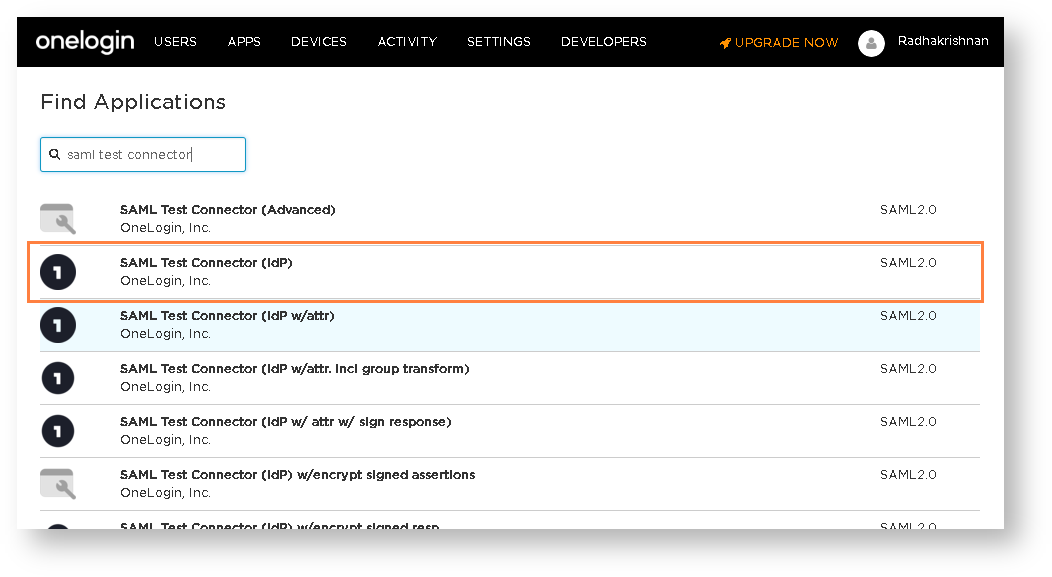
Search for SAML Test Connector and select SAML Test Connector (IdP).
-
In the add screen, enter a name for the connector. For example, something like FileCloud Connector.
-
Click Save.
-
Open the created connector and click the Configuration tab.
-
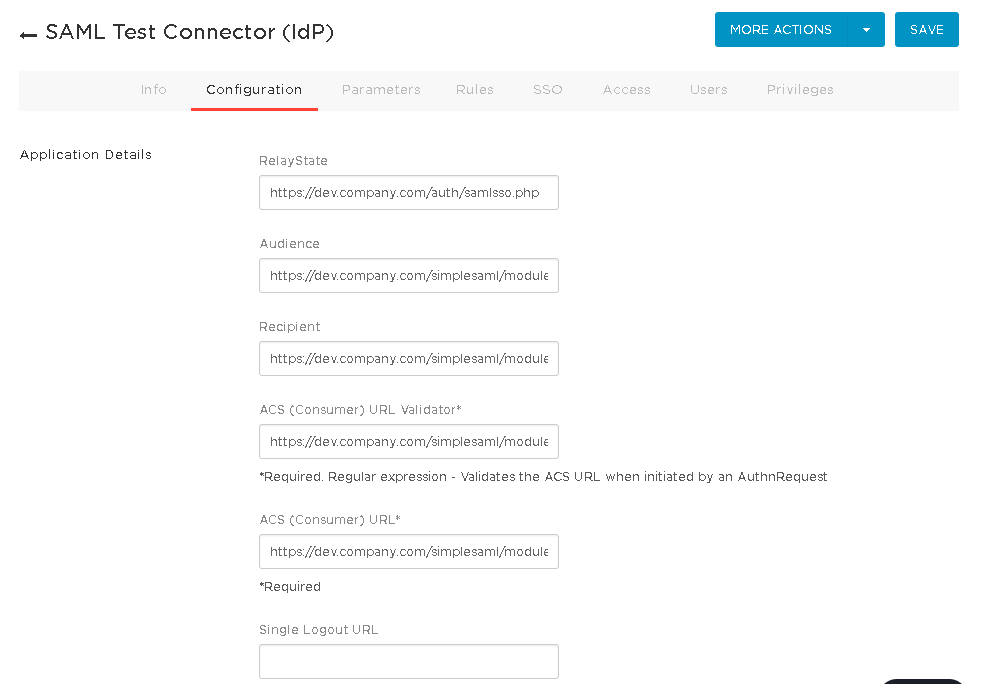
Fill the following values into the configuration tab. Replace dev.company.com with your FileCloud site.
Configuration
Value
RelayState
Audience
https://dev.company.com/simplesaml/module.php/saml/sp/metadata.php/default-sp
Recipient
https://dev.company.com/simplesaml/module.php/saml/sp/saml2-acs.php/default-sp
ACS (Consumer) URL Validator*
https://dev.company.com/simplesaml/module.php/saml/sp/saml2-acs.php/default-sp
ACS (Consumer) URL*
https://dev.company.com/simplesaml/module.php/saml/sp/saml2-acs.php/default-sp
-
Once the configuration tab is completed, click the Parameters tab.
-
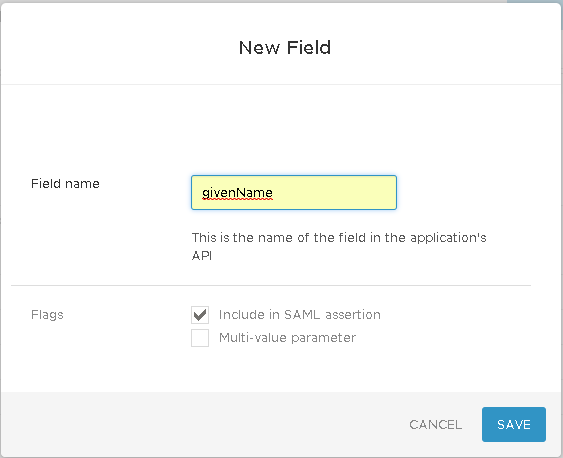
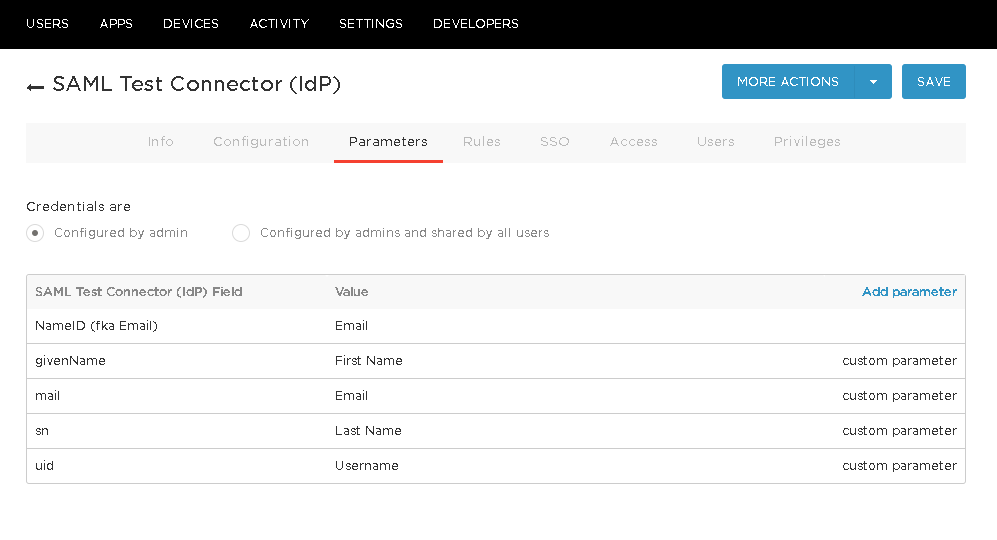
Add the following four parameters:
-
Save these changes. Then click the SSO tab.
-
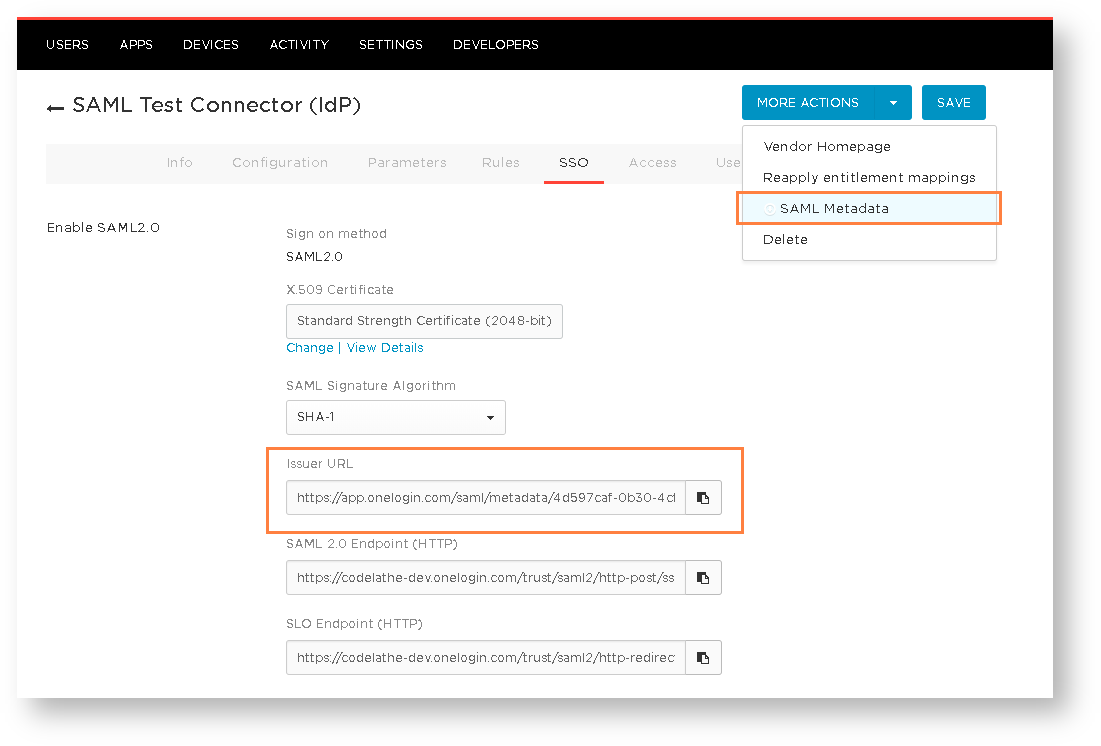
In the SSO tab, copy and save Issuer URL.
-
Click More Actions > SAML Metadata and download the metadata file.
-
Finally, add users to the newly created FileCloud Connector either individually or as group.
Integrate FileCloud with OneLogin SSO
-
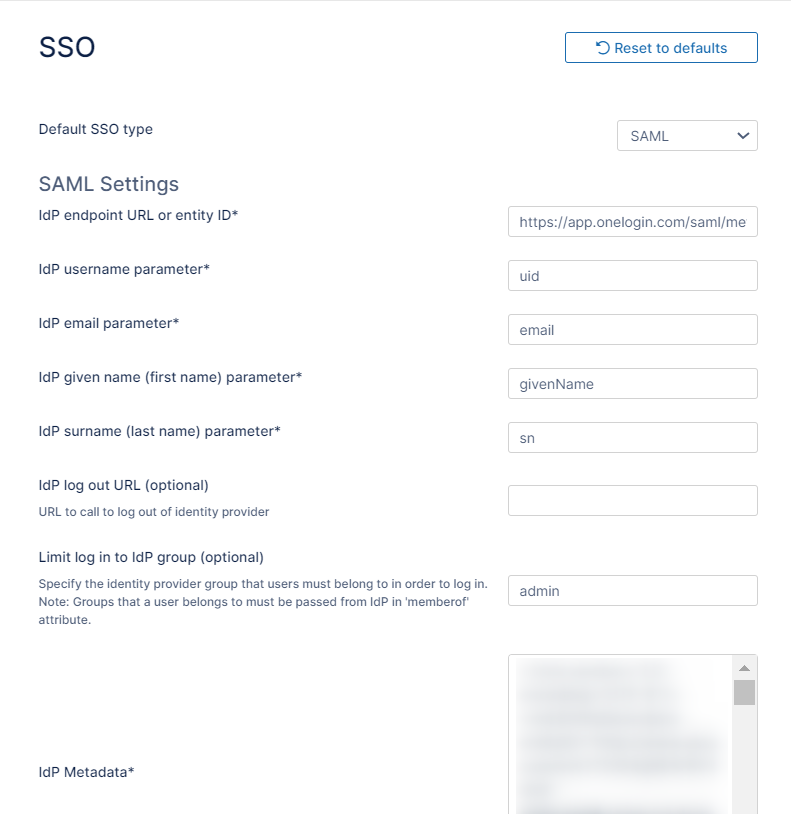
In the FileCloud admin portal's left navigation bar, scroll down and click Settings. Then, on the Settings navigation page, click SSO.
The SSO page opens. -
In Default SSO Type choose SSO.
-
Use the following table to fill in the SAML configuration.
SAML Settings
Value
IdP Endpoint URL
Issuer URL saved in the previous section from OneLogin SSO tab
IdP Username Parameter
uid
IdP Email Parameter
mail
IdP Given Parameter
givenName
IdP Surname Parameter
sn
IdP Metadata
Copy and the paste the contents of SAML metadata from OneLogin.
-
Save the changes.