.svg)
This action:
-
Is recorded in the Audit log as: "Action performed by ADMIN"
-
CANNOT be undone
As an administrator, you can delete older versions of files that are stored on your FileCloud Server site.
-
This allows you to free up space when previous versions of a file are not needed anymore.
-
This can also be used to clean up storage space for users who no longer have a FileCloud Server account for your site.
This action does not remove the current version of a file, only all older versions saved on the FileCloud Server.
How do I know if there are previous versions of a file?
-
Open a browser and log on to the admin portal.
-
From the left navigation menu, select Users.
-
On the Manage Users page, select a user, and then click the Edit icon.
-
On the User Detail dialog box, click Manage Files.
The Manage Files for <User> window opens. -
Navigate to the file.
-
Click the Previous Versions button.
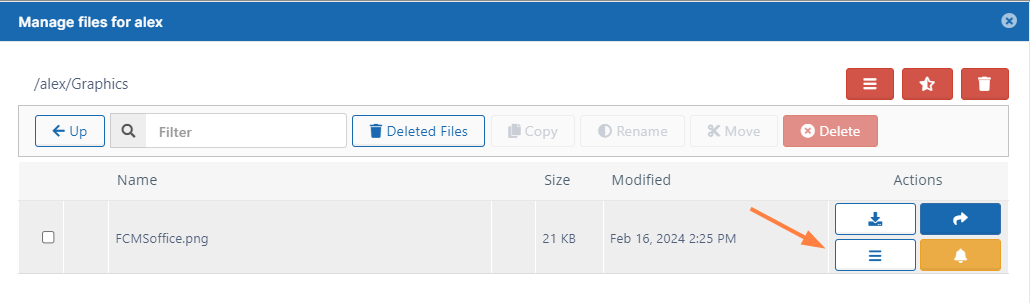
If there are previous versions they appear in the listing that opens:

To remove all old versions of a file:
-
Open a browser and log on to the admin portal.
-
From the left navigation menu, select Users.
-
On the Manage Users page, select a user, and then click the Edit icon.
-
On the User Detail dialog box, click Manage Files.
The Manage Files for <User> window opens. -
Navigate to the file.
-
Click the Remove All Old Versions icon.
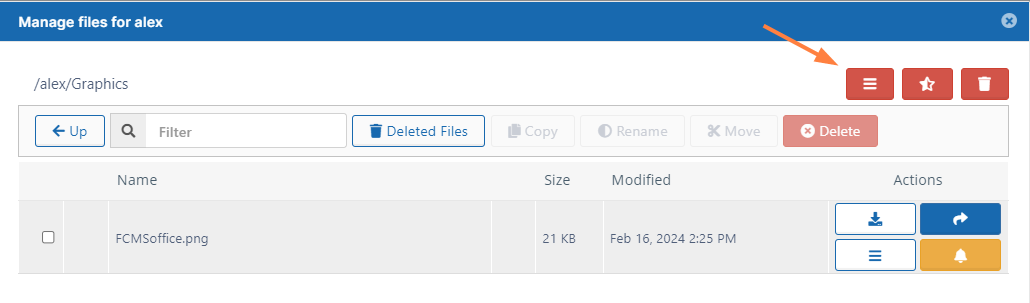
-
In the Confirm dialog box, click OK.
All old versions of the file are deleted.