.svg)
FileCloud supports enabling basic authentication for users through a policy setting.
To enable basic authentication:
-
Add the setting for basic configuration to cloudconfig.php:
-
Open cloudconfig.php.
-
Windows Location : C:\xampp\htdocs\config\cloudconfig.php
-
Linux Location : /var/www/html/config/cloudconfig.php
-
-
Add the following and save:
define("TONIDOCLOUD_ENABLE_BASIC_AUTHENTICATION",1);
-
-
In the FileCloud admin portal's left navigation bar, scroll down and click Settings. Then, on the Settings navigation page, click Policies

The Policies settings page opens. -
Click the Edit icon in the row for the users' policy.
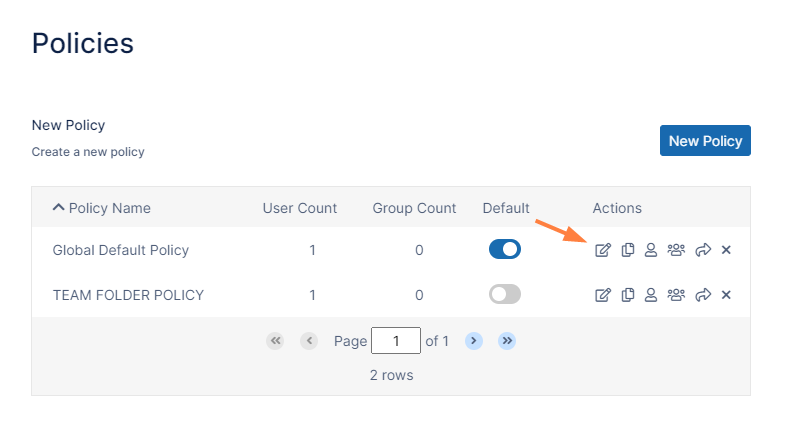
The Policy Settings dialog box opens. -
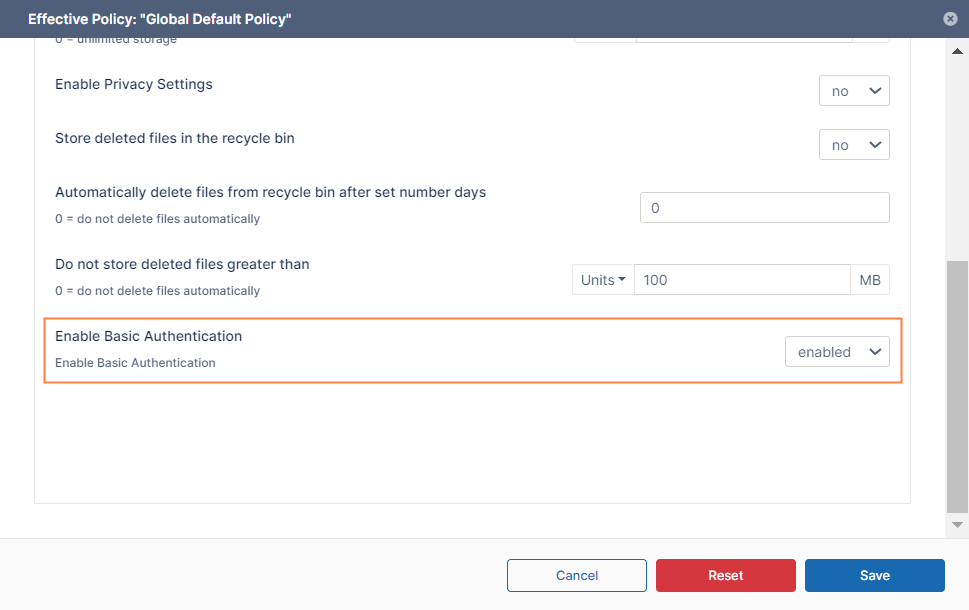
Scroll to the bottom of the policy's General tab.
-
Set Enable Basic Authentication to enabled.
-
Click Save.
-
To enable specific users to use basic authentication, assign the policy to them.