.svg)
The issue with an expiration date automatically changing to the day before has been fixed in FileCloud Server version 18.2 and later.
As a FileCloud administrator, you can set up a user account to be temporary, and configure it to expire.
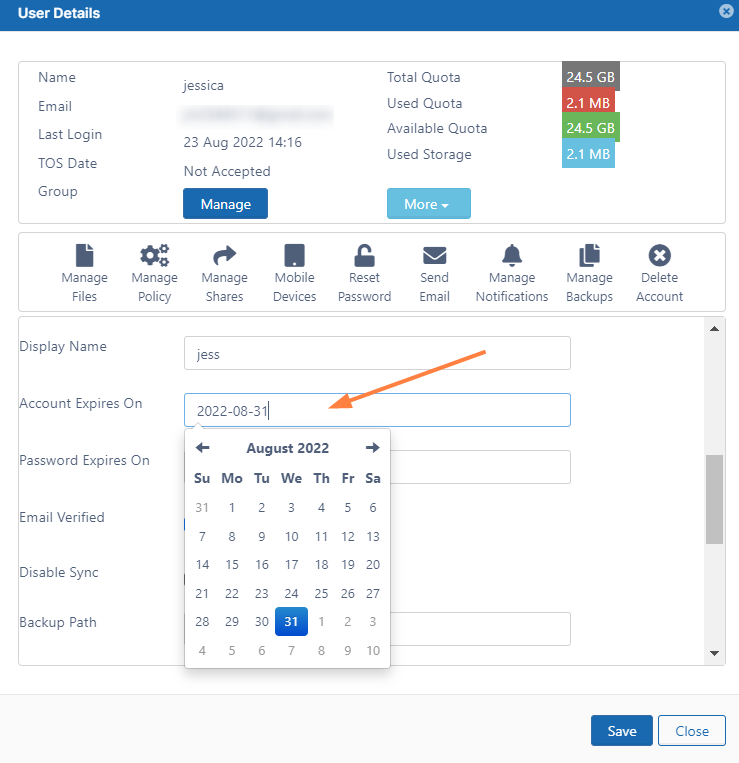
To see a user's details and what they have permission to do:
-
Open a browser and log on to Admin Portal.
-
From the left navigation panel, click Users.
-
In the users list, click on the row of the user.
-
Click the edit icon (

-
Scroll down to see the Account Expires On field.
-
To see a calendar and select a date, click the text box.
-
To save your changes, click Save.