.svg)
Default is a special metadata set that is automatically associated with every File Object when it is created, copied, uploaded, etc.
-
For already existing File Objects it will be associated when the file or folder is accessed for the first time.
-
Exactly one Default Set exists in FileCloud - it cannot be deleted, but administrators can customize attributes and permissions or disable it.
-
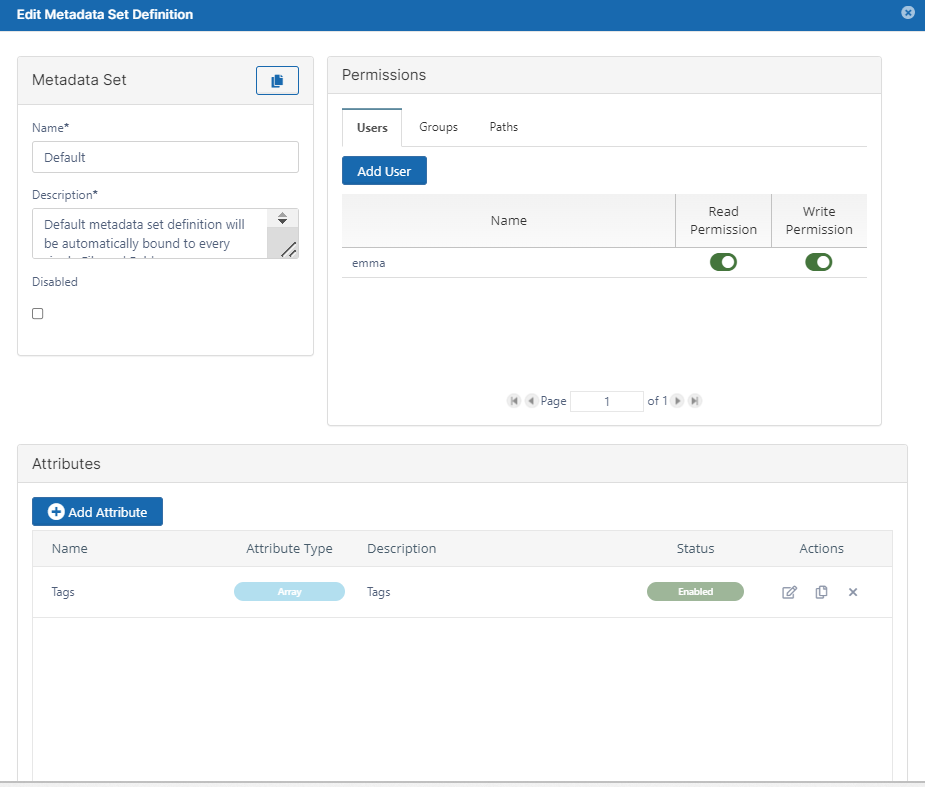
Out of the box it is shipped with a single predefined attribute of Array type - Tags.

The following attributes can be edited in the DEFAULT metadata set:
|
|
Description |
Options |
|---|---|---|
|
Name |
Title for the metadata set. |
|
|
Description |
By default, says: Default metadata set definition will be automatically bound to every single File and Folder. |
|
|
Disabled |
Stops the metadata set from being automatically bound to every new file and folder. |
|
|
User Permissions |
Grant access to specific users to:
For more information, read Managing Metadata Permissions |
|
|
Group Permissions |
Grant access to specific groups to:
For more information, read Managing Metadata Permissions |
|
|
Path Permissions |
File Objects in this location will have the metadata set applied For more information, read Managing Metadata Permissions |
|
|
Array |
A number of custom values (tags) provided by the administrator |
|