.svg)
The following problem may appear in versions of FileCloud prior to version 22.1 and for customers who do not run Apache as a service in FileCloud 22.1 and later.
Problem:
A command prompt appears when Apache is running.
Solution:
-
Open the httpd.conf file
-
in Windows:
c:\xampp\apache\conf\httpd.conf
in Linux:
Ubuntu location: /etc/apache2/apache2.conf
RHEL location: /etc/httpd/conf/httpd.conf
-
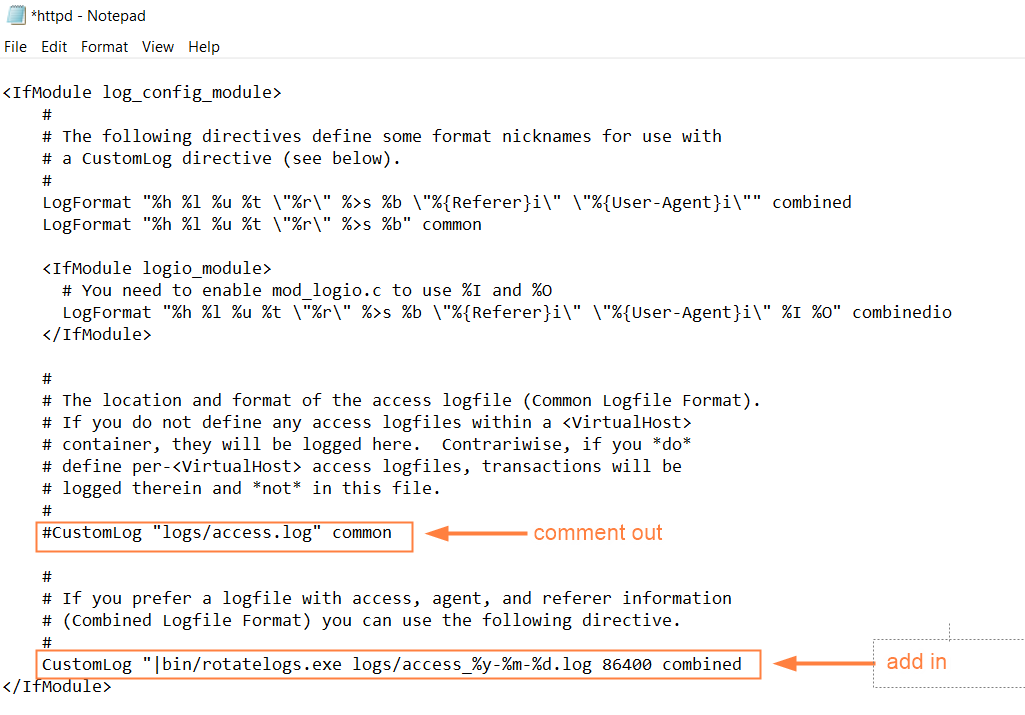
Find the CustomLog command.
-
Comment out:
CustomLog "logs/access.log" common -
Add:
CustomLog "|bin/rotatelogs.exe logs/access_%y-%m-%d.log 86400 combined
-
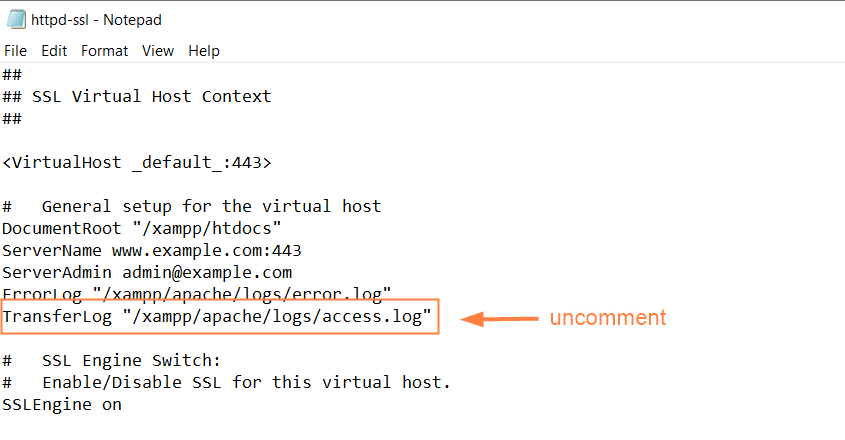
Open the httpd-ssl.conf file.
in Windows:
c:\xampp\apache\conf\extra\httpd-ssl.confin Linux:
/etc/apache2/sites-available/default-ssl -
Find and uncomment the TransferLog command: