.svg)
When a user's storage quota is unlimited in FileCloud, Windows automatically assigns 15 GB as the storage limit for Drive. This can be changed through a user's Drive configuration file, using the drivedefaultstorageingb setting. It can also be changed centrally for all Drive users.
To centrally configure default Drive storage in your registry:
-
Make sure that the users whose storage you want to apply this to have unlimited storage set in User Storage Quota in their policy settings.
-
Open your Registry Editor.
-
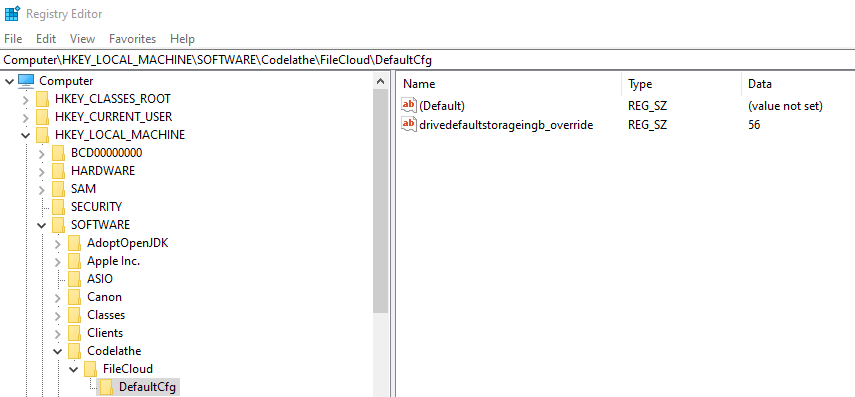
Navigate to HKEY_LOCAL_MACHINE\SOFTWARE\CodeLathe\FileCloud\DefaultCfg.
-
Create the setting drivedefaultstorageingb_override and set it equal to the new storage quota in GB.
For example, here it is set to 56GB: