.svg)
Patterns are named sets of regular expressions that allow administrators to easily label and identify commonly used or important regexes.
Creating and Modifying a Pattern
1. Click on 'Manage Pattern Group'
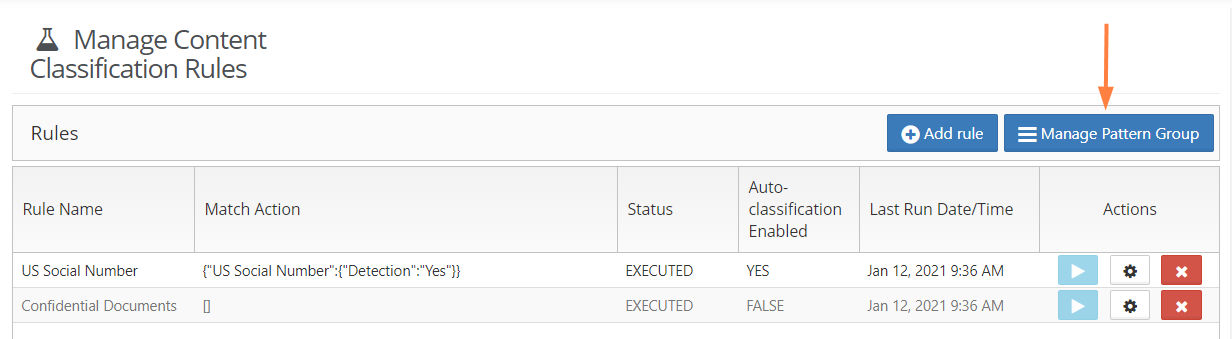
2. To create a new Pattern, click on Add New Pattern.
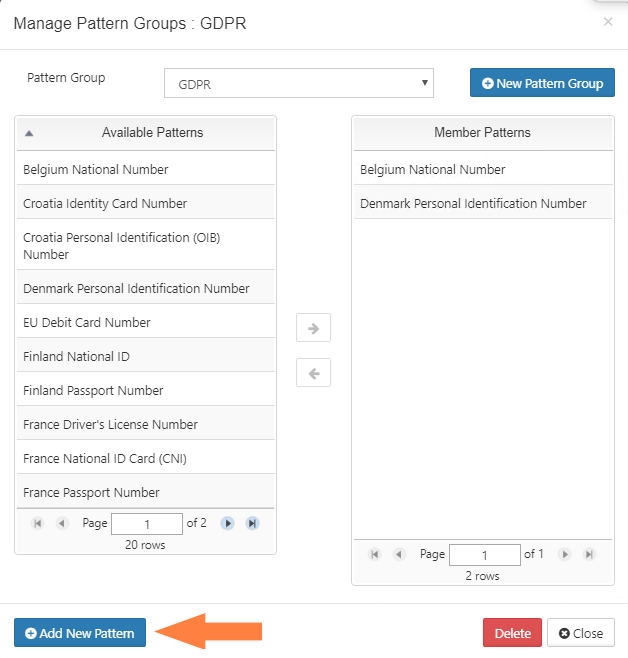
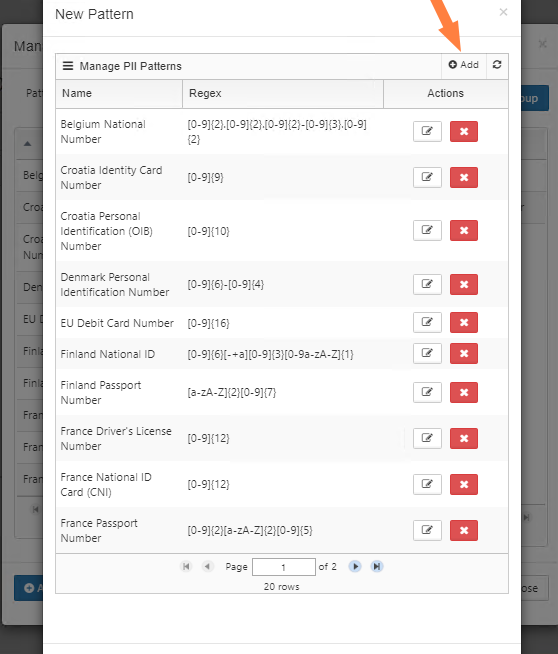
3. Click on +Add button and enter the pattern details in the modal that pops up.
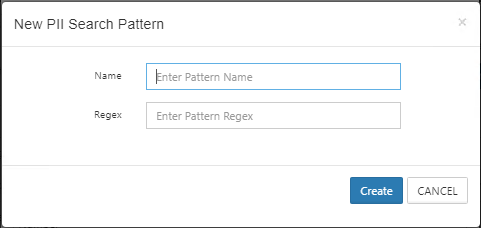
4. Once you have created your pattern, you should now be able to use it in a Content Classification rule or group it together with other patterns in a Pattern Group.