.svg)
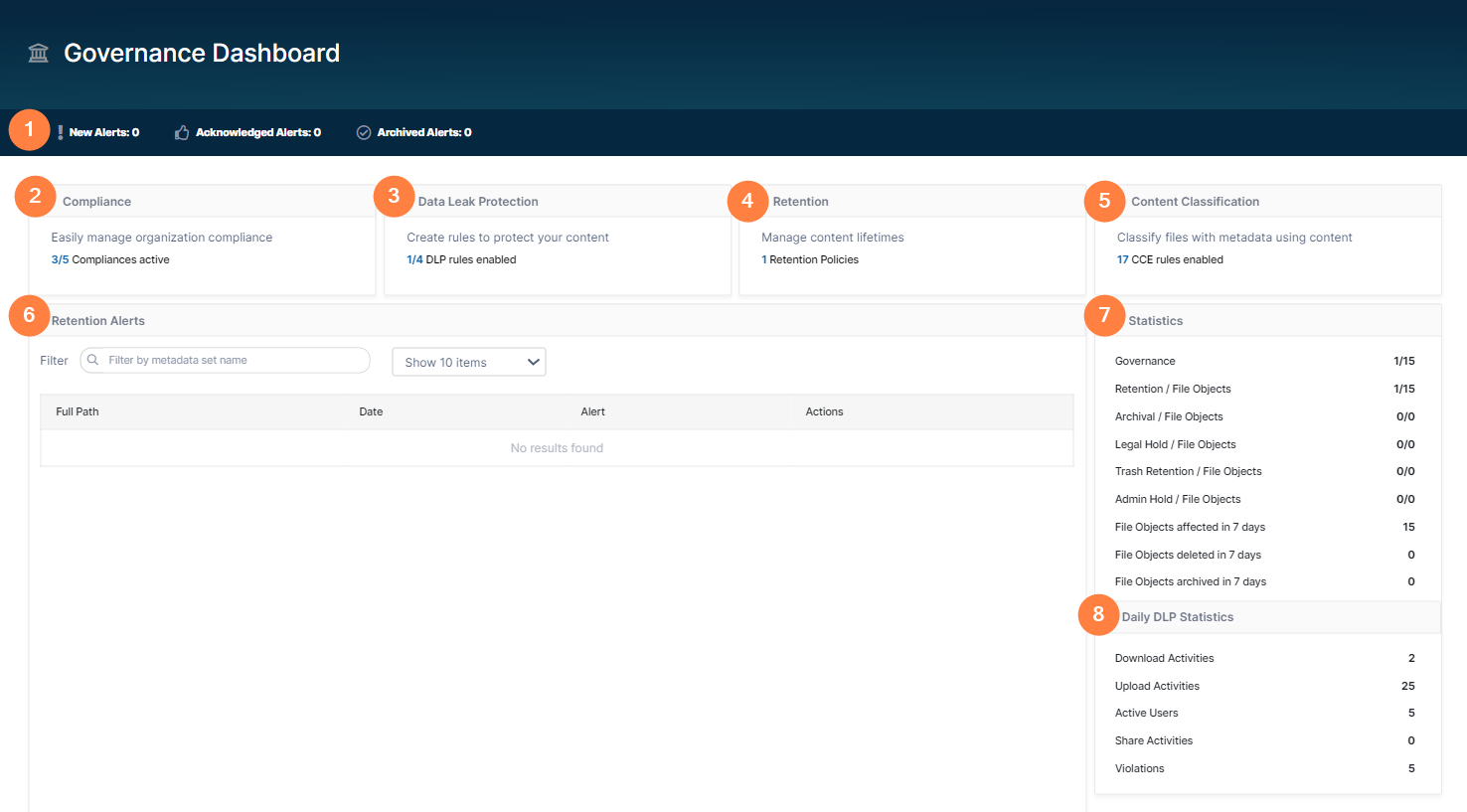
The Governance Dashboard displays retention alerts as well as retention and DLP statistics to help you keep track of retention policies and violations of DLP rules.
|
1 Alert type buttons |
Clicking each button displays a list of the alert type (New, Acknowledged, or Archived) in the Retention Alerts table. |
|
2 Compliance |
Number of compliances activated. |
|
3 Data Leak Protection |
Number of data leak protection rules enabled. |
|
4 Retention |
Number of retention policies configured (enabled or disabled). |
|
5 Content Classification |
Number of content classification rules enabled. |
|
6 Retention Alerts |
Lists current alerts for files and folders that have retention policies added to them.
|
|
7 Statistics |
Statistics of :
|
|
8 Daily DLP Statistics |
DLP violations occurring in the last 24 hours. |

