.svg)
To remove a share from the original shared file or folder
-
Hover over the shared file or folder and click the Share icon.
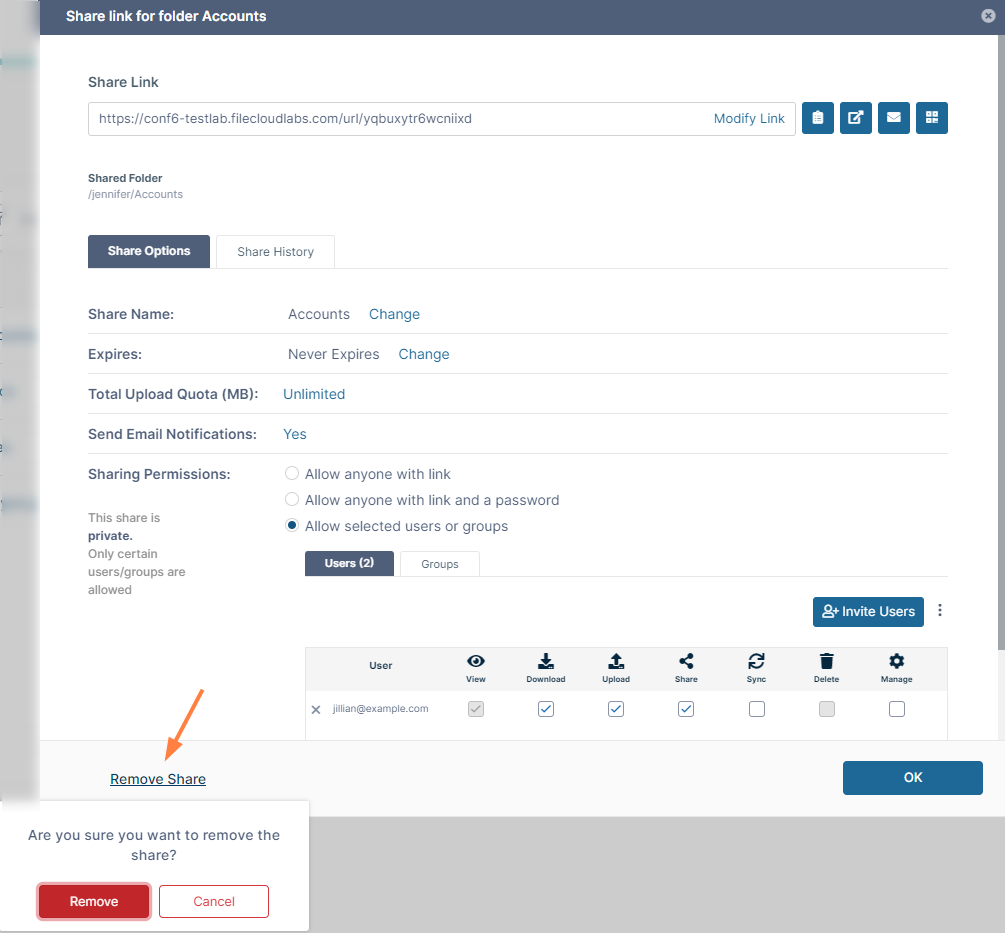
The Share Link dialog box opens. -
In the lower-left of the dialog box, click Remove Share.
-
Click Remove in the confirmation dialog box.
The share is removed.
To remove a share from the Shared by Me folder
-
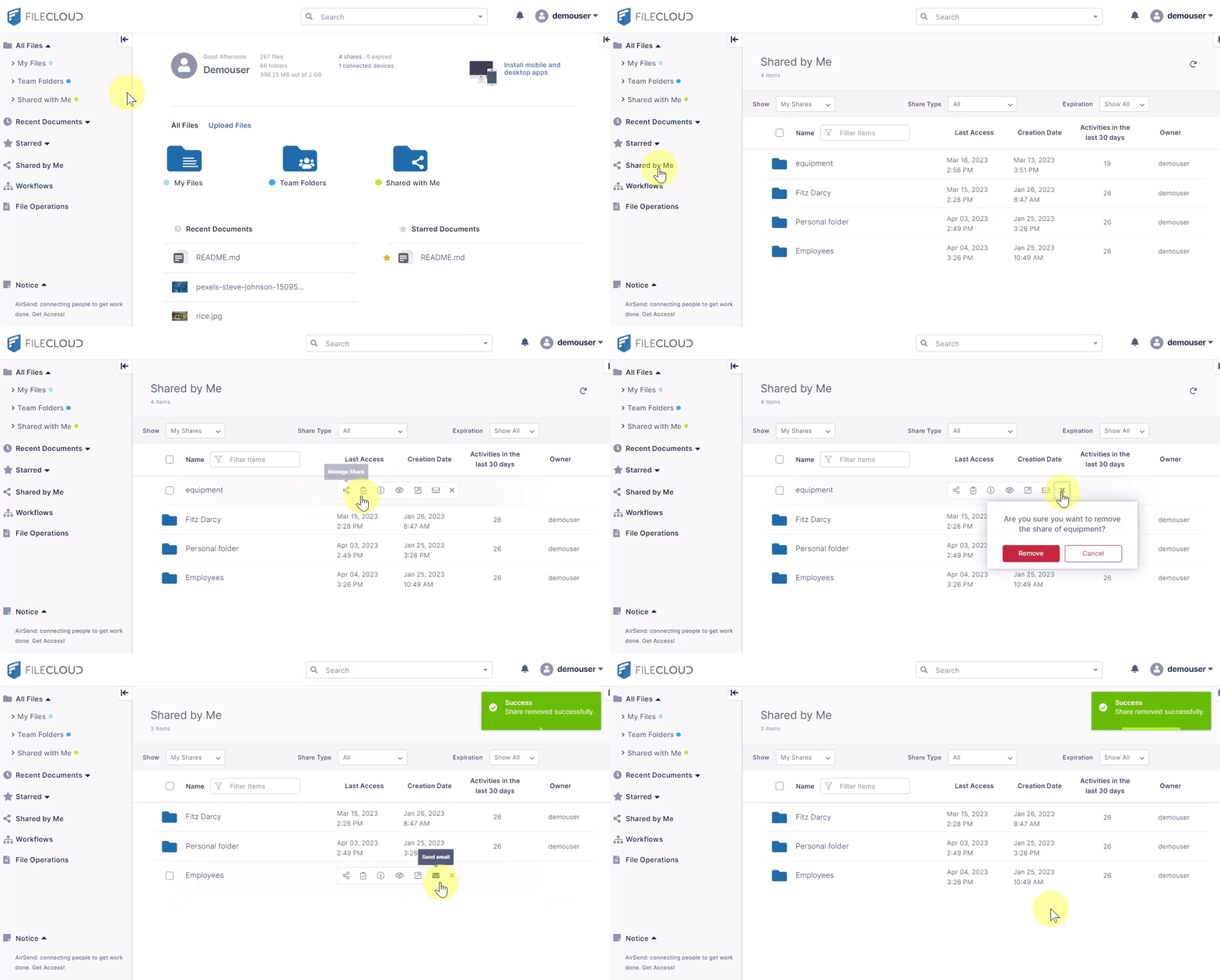
In the FileCloud navigation pane, click Shared by Me.
The files and folders shared by you are listed in the main section of the screen. -
Hover over the shared file or folder and click the x.
-
Click Remove in the confirmation dialog box.
The share is removed.