.svg)
When you share a file privately with a user, by default, the user has permission to view and download the file. You can add additional permissions for each user.
On the Share Link dialog box, in the Sharing Permissions section, you can check and uncheck permissions:
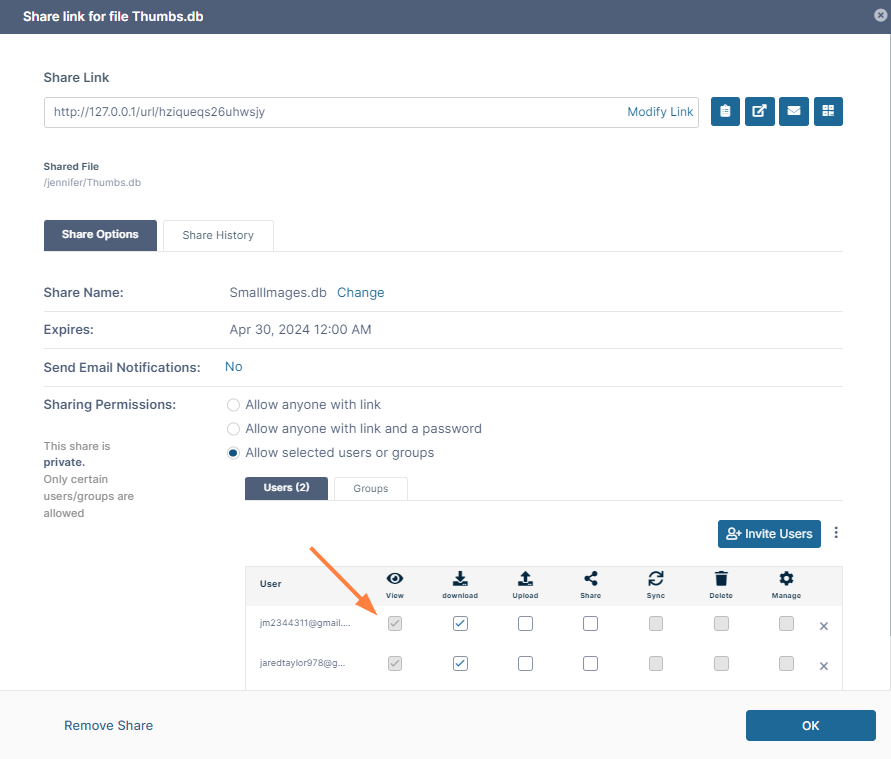
The following table includes definitions of each permission.
|
Permission |
Description |
|---|---|
|
View |
Every user with access to a share has view access. You cannot remove view access directly. |
|
Download |
Download permission allows a user to save the file. |
|
Upload |
Upload permission enables a user to upload the shared file. |
|
Share |
Share permission allows a user to re-share files or folders with other users.
|