.svg)
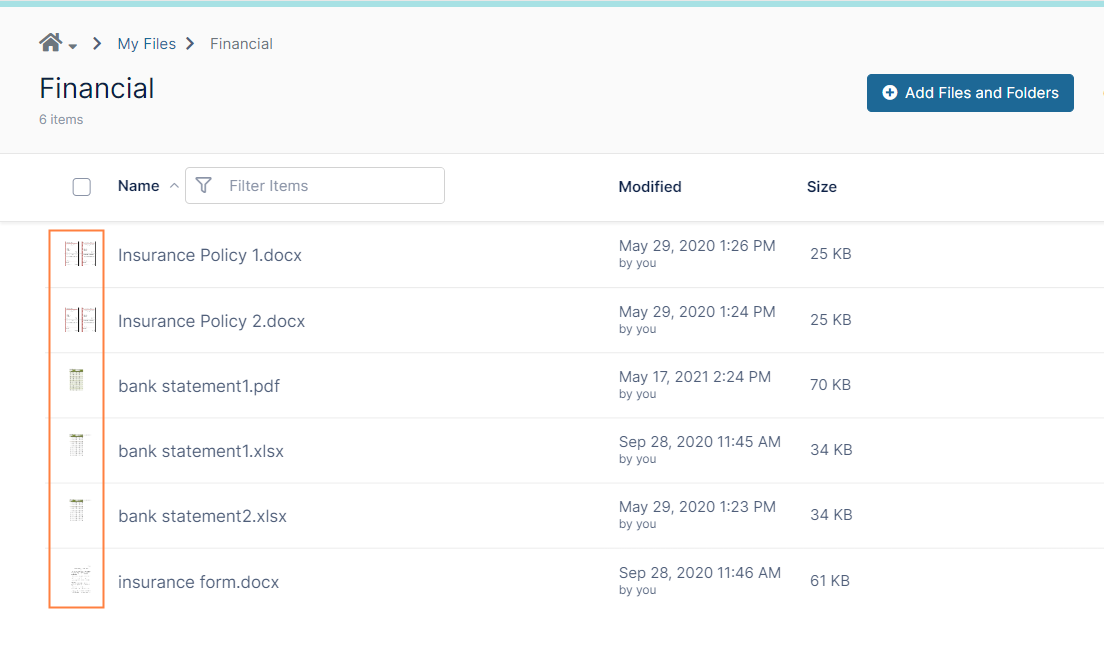
Administrators can enable thumbs for all office documents (DOC, DOCX, PDF, PPT, PPTX etc.,).
A thumb, also known as a thumbnail file, contains a small JPEG icon representing the application that created the document or the document type.
To display thumbnails, FileCloud uses a document converter server.
Before enabling the use of thumbnails you must:
Install and Run FileCloud Document Converter
Note: FileCloud always displays thumbs for graphic files (jpg, png, ...) regardless of this setting.
To enable thumbnails for a document in FileCloud:
-
Open the Preview settings page.
To open the Preview settings page
-
In the FileCloud admin portal's left navigation bar, scroll down and click Settings. Then, on the Settings navigation page, click Misc

-
In the inner navigation bar on the left of the Settings page, expand the Misc menu, and click Preview, as shown below.
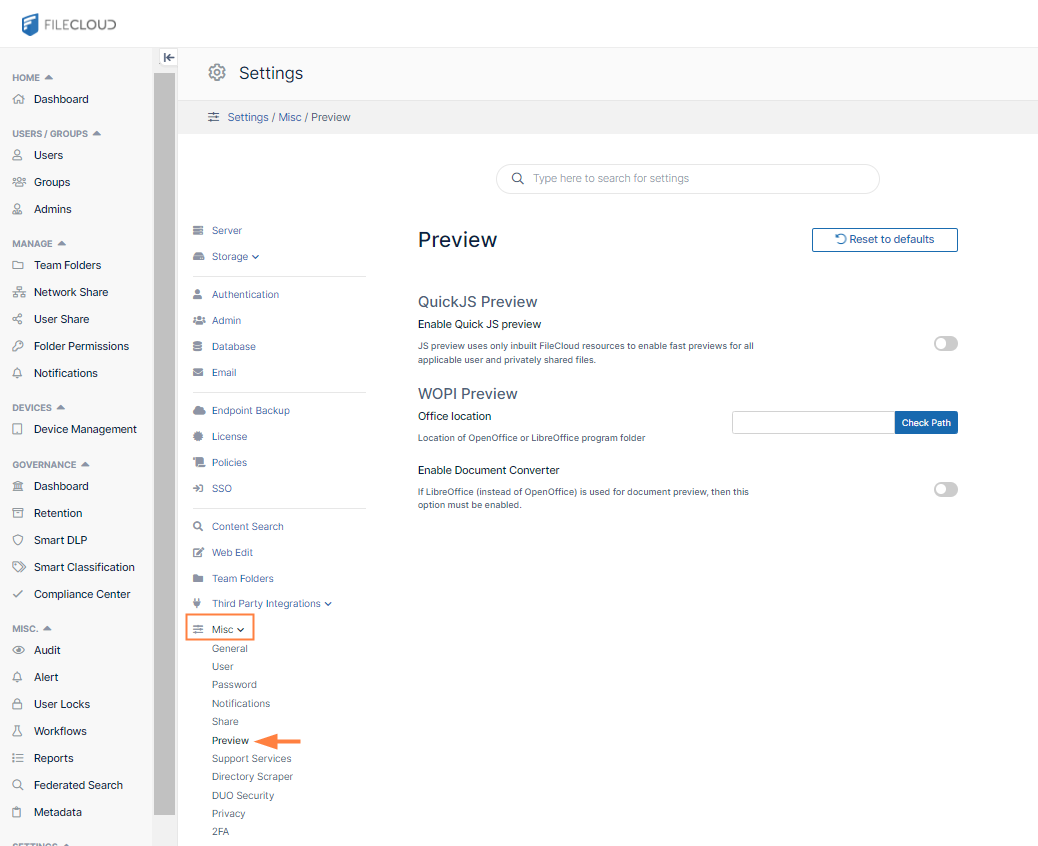
The Preview settings page opens.
-
-
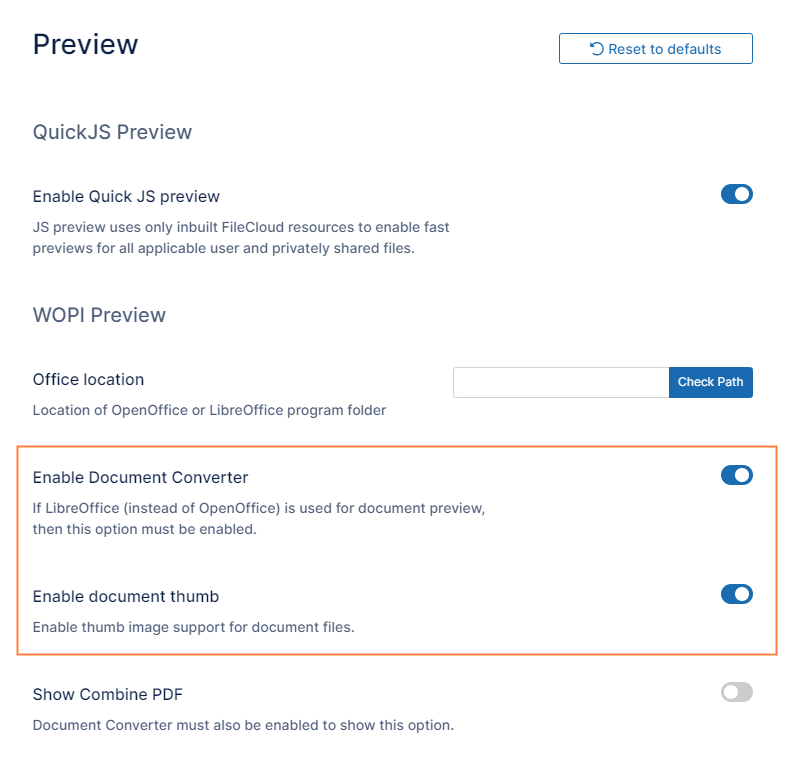
Activate Enable Document Converter.
Additional fields appear. -
Activate Enable document thumb.
Now when a user logs on to the user portal, the file listing will show the thumbnail: