.svg)
You can allow a user to uploaded changes to a file and create another version of a file. This is called file versioning.
-
This allows users to have an older version of the file on the site
-
Users can download a previous version
-
Users can remove previous versions to save space
File versioning can be used with the following storage types:
-
Managed
-
LAN-Based Network Folders
-
Managed S3
How do I know if there are previous versions of a user file?
-
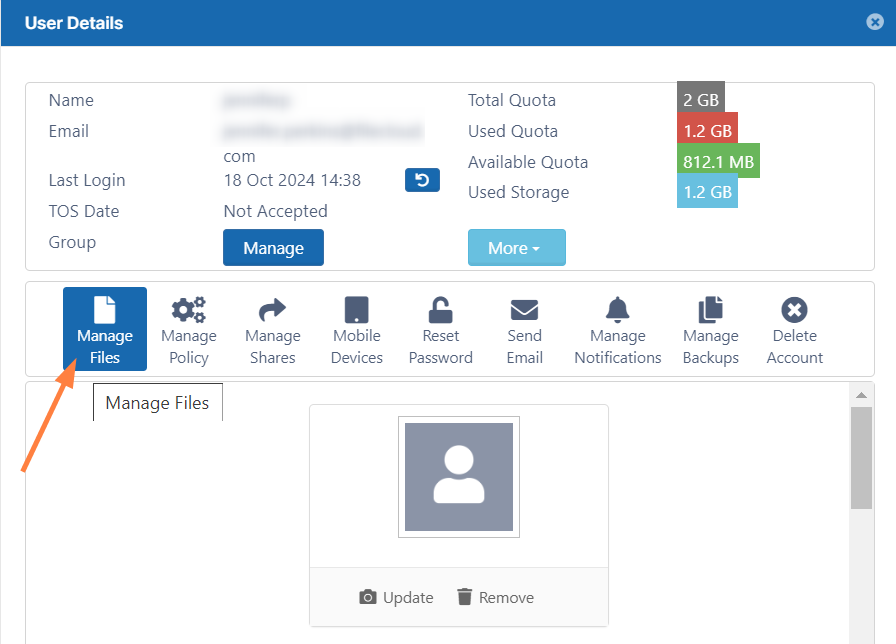
Open the user's details and click Manage Files.
-
In the Manage files screen, navigate to a file and click its Versions icon

.

-
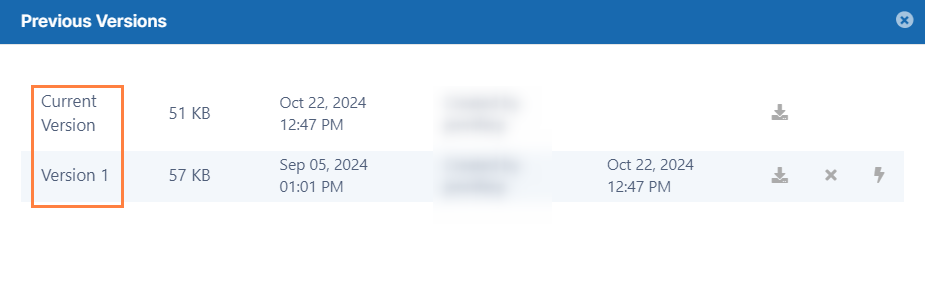
The Previous Versions window opens and lists all versions of the file.
If file versioning is causing issues, you can turn it off.
-
File versioning can cause loss of data when a user accidentally overwrites a file with the same name.
-
Users may be storing too many unnecessary versions of a file and are taking up too much space.
When you configure file versioning, use the following values:
|
Option |
Setting |
Result |
|---|---|---|
|
Number of old versions to keep for each file |
-1 |
The user tries to upload another version but the upload will FAIL |
|
Number of old versions to keep for each file |
any number greater than 0 |
When the user uploads a new version of a file, it is saved, and the latest <Number of old versions to keep for each file> versions are kept. |
To manage file versioning:
-
In the FileCloud admin portal's left navigation bar, scroll down and click Settings. Then, on the Settings navigation page, click Storage

The Managed Storage settings page opens by default. -
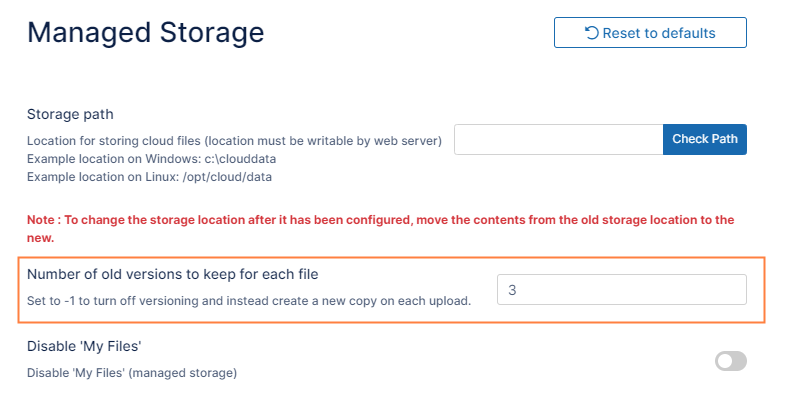
In Number of old versions to keep for each file type in -1 to turn versioning off or any number greater than 0 to use versioning.
-
To save your changes, click Save.