.svg)
When you log in as superadmin, the Manage Sites screen opens.
-
Storage Quota column - the current storage quota and the maximum allowed storage quota limit in GB for that site.
-
Users column- the current user count and maximum allowed limit for that site.
Please note that in order for the current storage quota and current users to be calculated a Cron job must be set up by the admin.
Figure 1. Admin portal for superadmin management of multi-tenant sites.
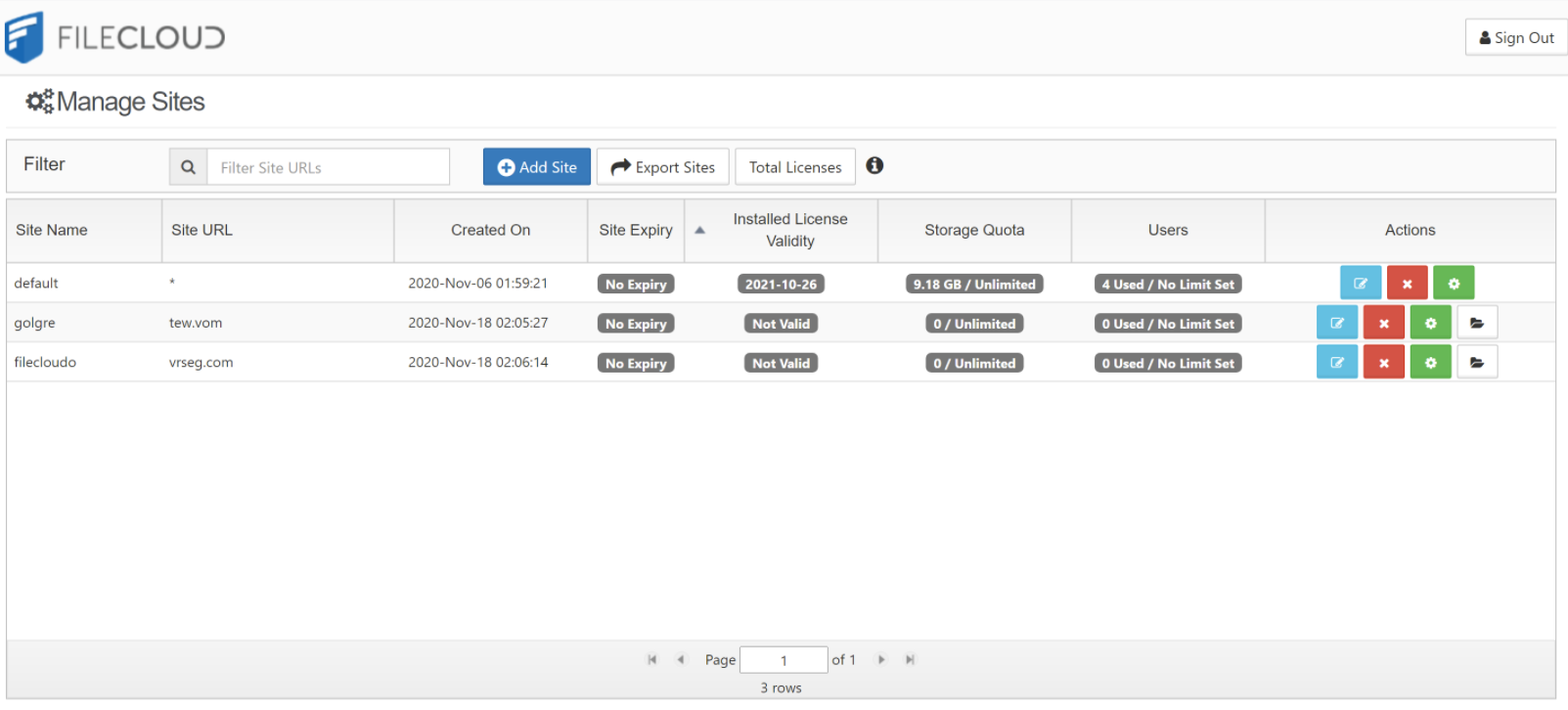
Since the report runs only once a month, updates to Installed License Validity may be delayed.
What do you want to do?
Add a new site
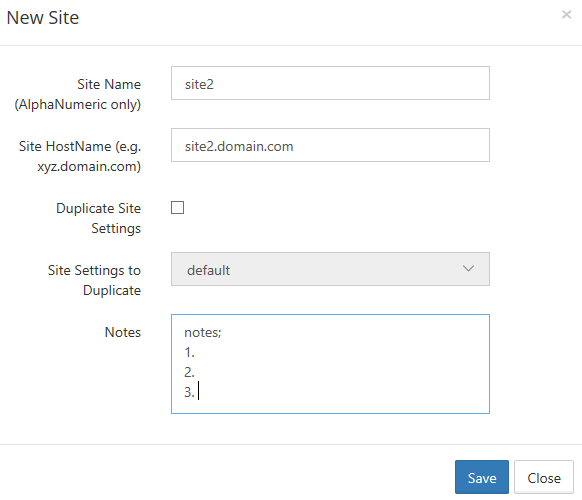
To add a new site, click on the Add Site button to open the New Site dialog box.
-
Provide a Site Name, you cannot change the Site Name later. The Site Name must be alphanumeric and is used to prefix database names for this site.
-
Provide the Site HostName (for example: site1.xyzcompany.com). Do not provide any http or https prefixes. The character @ is not permitted in site names.
-
Make sure to add a DNS entry for the domain name to point to the server running FileCloud.
-
You can duplicate the site settings by checking the Duplicate Site Settings check box and selecting a site in Site Settings to Duplicate. The new site is created with the settings from the selected site.
-
Notes is optional.
| 
View Site Settings
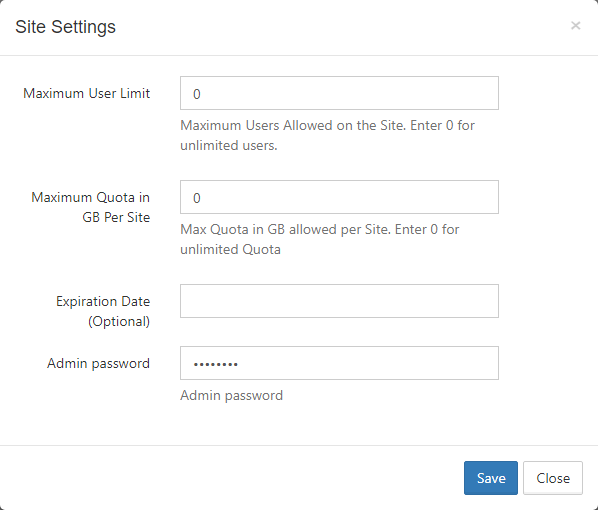
Site settings can be used to enforce limits on the total number of users and total storage quota in GB per site.
When Maximum User Limit is specified for a site, FileCloud does not allow additional users to be added when the limit is reached. 0 implies there is no limit to the number of users that can be added.
When Maximum Quota in GB Per Site is specified for a site, FileCloud limits the total GB of files added to ensure that total size of all files added will not be more than the quota specified. 0 implies unlimited quota.
Note: If the User Storage Quota (set in users' policies) for all users combined exceeds Maximum Quota in GB Per Site then new user creation is blocked. To enable admins to create additional users, the Superadmin must do one of the following:
-
Increase Maximum Quota in GB Per Site.
-
Set Maximum Quota in GB Per Site to 0 (unlimited).
-
Set User Storage Quota (in all user policies) to 0 (unlimited).
When Expiration Date is specified, users cannot log in to the site after the expiration date is passed.
It is possible to set up an Admin password for a site directly in the Site Settings dialog box.