.svg)
An administrator can set up a Task Scheduler/cron job for a multi-tenancy site with a SPLA license, so that license renewal and reporting will occur automatically.
If a Task Scheduler (Windows) or cron job (Linux) is not set up for a multi-tenancy site with an SPLA license, then license renewal and reporting does not happen automatically.
The site won’t automatically acquire a monthly license; only the admin can acquire it by logging in. If the monthly report is not completed, then users will get a license error when they log in.
Name resolution and HTTPS:
-
The URLs of all tenants must be resolvable on the FileCloud server. A workaround is to enter the tenant URLs in the local hosts file.
-
If HTTPS is used, the SSL certificates must be installed in Apache even if the SSL termination is done in an external load balancer.
If site licensing expires every month and is not renewed automatically when using the SPLA license, please follow the steps below to troubleshoot.
-
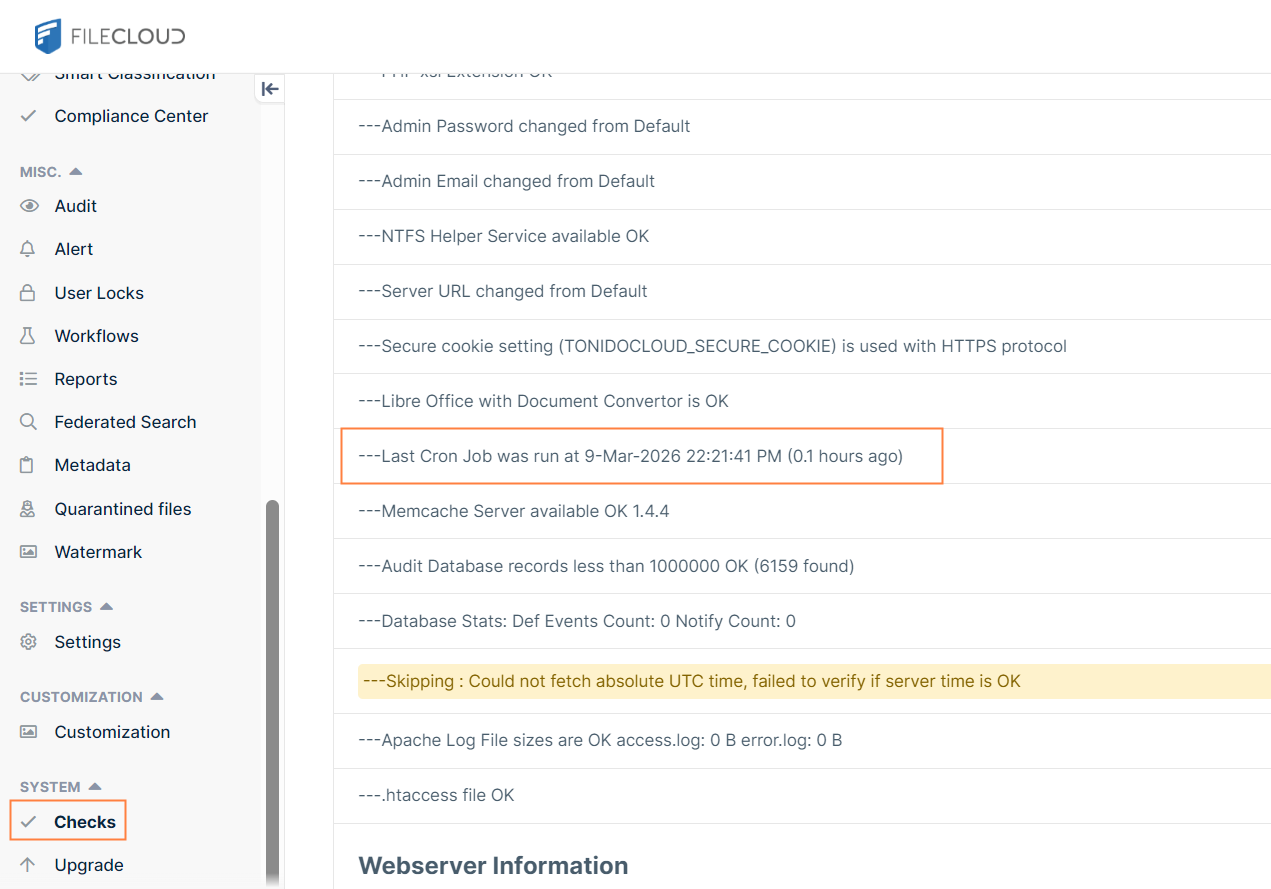
Open the admin portal for the specific site; click Checks and verify that the cron job was run recently.
-
If the cron job was not run recently, it is critical that a Task Scheduler or cron job be set up to run properly when running a multi-tenant system. See instructions on how to set this up. When running cron jobs in multi-tenant scenarios, ensure all site domain names are resolvable on the system running the cron job.
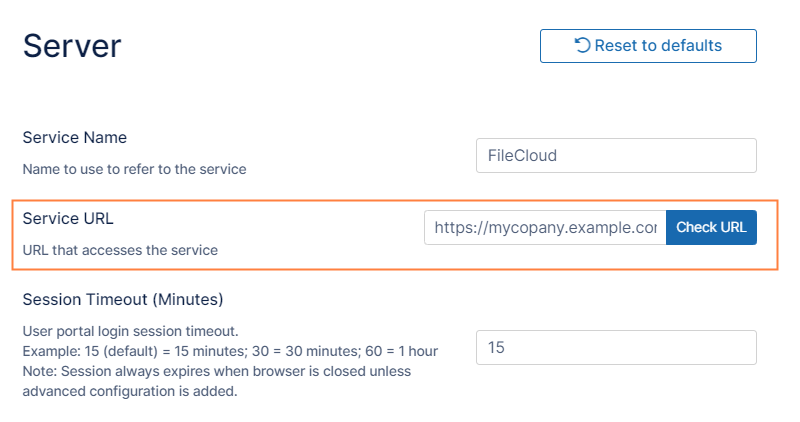
The cron job uses the Server URL setting specified in the Server settings page to access the site. Make sure the Server URL works on the local system correctly.
If you are using an HTTPS site, ensure that the Server URL has the correct prefix (https instead of http). After making the Server URL change, wait some time to see if the cron job is now reported as working correctly.
Note: If your DNS doesn't resolve the site URL inside the FileCloud server, you can work around it by adding an entry to the domain name to the local Windows HOSTS file in the server.