.svg)
As an Administrator, you can configure proxy network settings.
To configure proxy settings:
-
In the FileCloud admin portal's left navigation bar, scroll down and click Settings. Then, on the Settings navigation page, click Misc

By default, General settings are opened. -
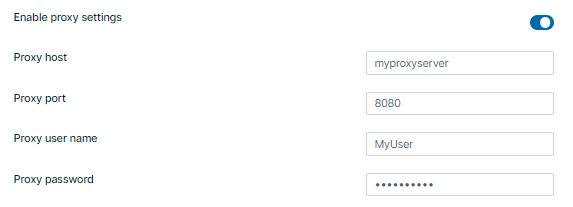
Scroll down to Enable Proxy Settings, and enable it.
Additional proxy settings appear. -
Enter values for Proxy host, Proxy port, Proxy user name, and Proxy password.
-
Click Save.