.svg)
Beginning with version 23.253, FileCloud uses a dynamic CSP by default.
A dynamic Content Security Policy (CSP) adds protection to a site depending on which features you are using. This enables a granular level of security that allows potentially harmful resources to be blocked when not essential, but permitted when necessary. For example, in FileCloud, certain resources could be permitted if your system were integrating with Google Apps, but blocked if Google Apps resources were not required.
By default, FileCloud uses a dynamic CSP to offer you protection according to your specific implementation.
Disabling dynamic CSP
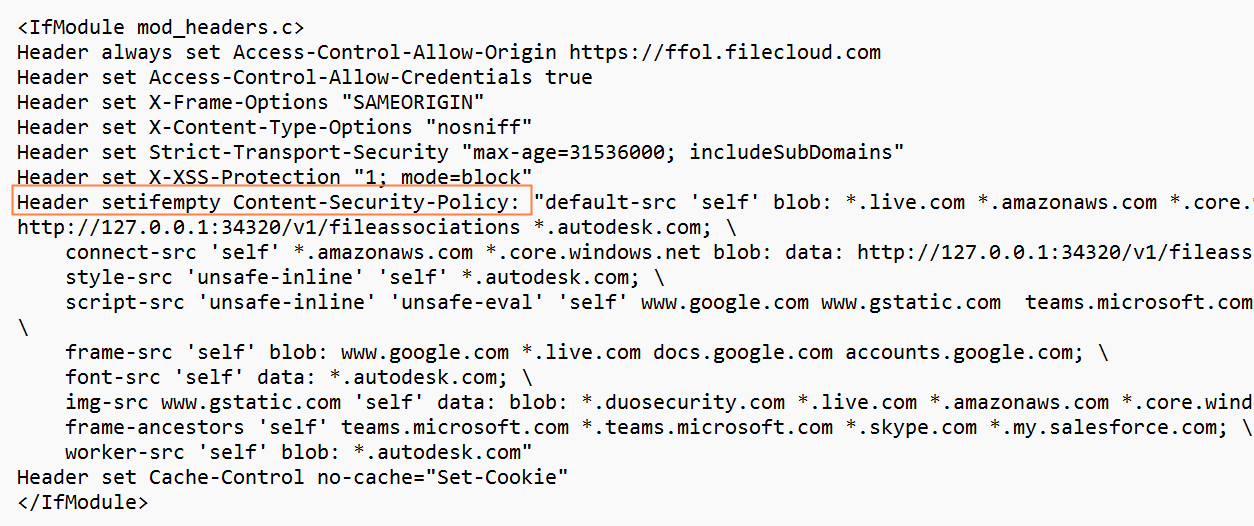
If you want a stricter or more permissive security policy, you may disable dynamic CSP and use the content security policy included in the .htaccess file.
To disable dynamic CSP:
-
In the FileCloud admin portal, go to Settings > Misc > CSP Rules.
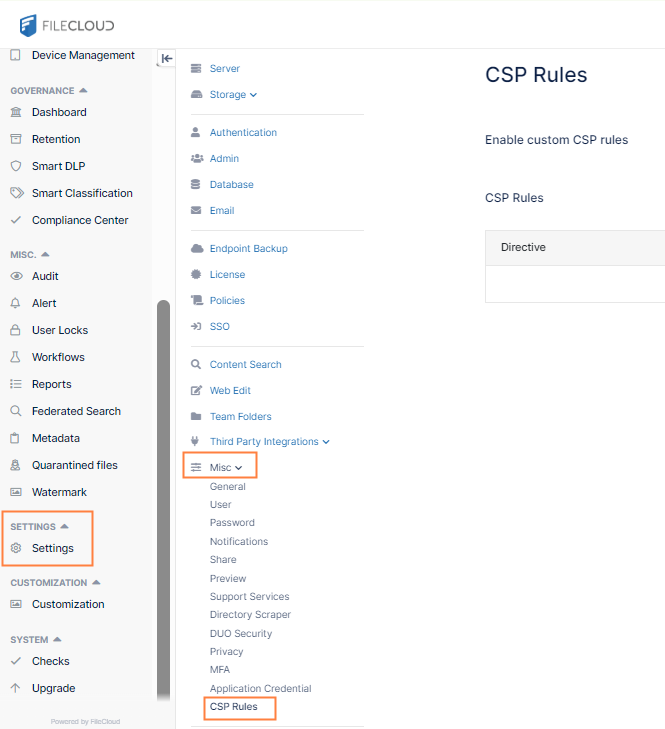
By default, Enable custom CSP rules is toggled on.
-
Toggle Enable custom CSP rules off.
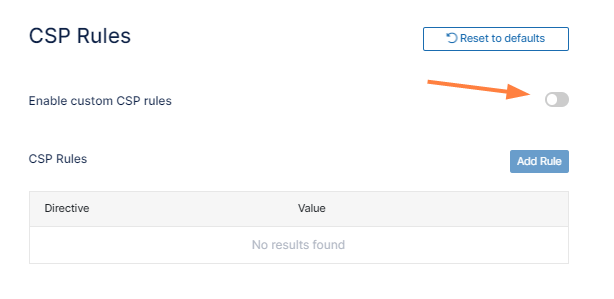
Once you disable dynamic CSP, FileCloud uses the content security policy in your .htaccess file.
Creating custom rules for dynamic CSP
In addition to the rules that dynamic CSP automatically applies after determining which features your system uses, you may create custom rules for dynamic CSP. You add a custom CSP rule by choosing a directive (which specifies a resource type) and then entering the source or sources (which specify where the resource may be accessed from).
To create custom rules for dynamic CSP:
-
Toggle on Enable custom CSP rules if it is not already toggled on.
-
Click Add Rule.
The Add CSP Rule dialog box opens.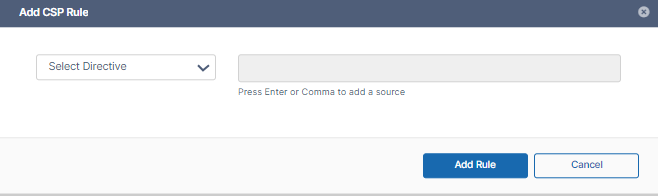
-
In the Select Directive drop-down list, choose a directive.
-
Then in Add source, enter the source or multiple sources.
To save a source in Add source, enter a comma or click [Enter].
For example, in the following image, the directive chosen is script-src and the permitted sources entered are amazon.com and skype.com. The rule specifies that scripts may only be imported into your site from the amazon.com and skype.com domains.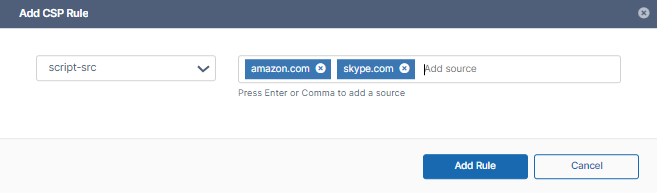
-
Click Add Rule.
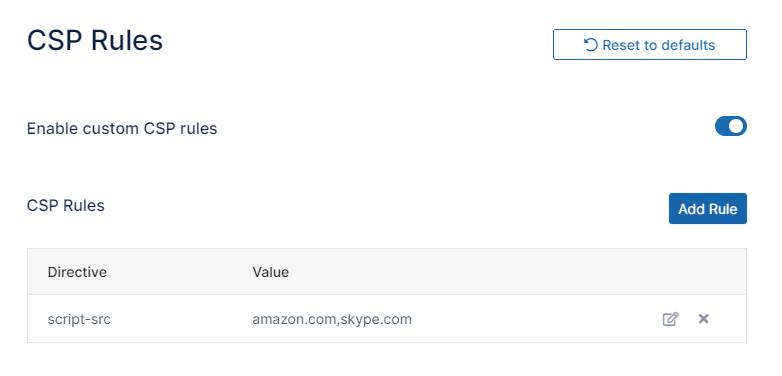
The rule is added to the list of CSP rules.
-
Add any number of CSP rules.
Note: if a directive exists in a default dynamic CSP rule and a custom dynamic CSP rule, the sources in both the default and custom rules are permitted.
Customizing the CSP in the .htaccess file
If you have disabled dynamic CSP, you may customize the CSP rules for the static CSP in the .htaccess file.
To customize the CSP in the .htaccess file:
-
Open the file in:
Windows:
C:\xampp\htdocs\.htaccess
Linux:
/var/www/html/.htaccess -
Add your custom rules to the Content-Security-Policy header, indicated below. Use the format:
directive source1 source2 . . . sourceN;