.svg)
It is possible to preload user account with a set of sample files and folders. This could be useful to pre-populate a new user account with some help files etc.
To set up sample data folder when creating user account:
-
Open the User settings page.
To open the User settings page
-
In the FileCloud admin portal's left navigation bar, scroll down and click Settings. Then, on the Settings navigation page, click Misc

-
In the inner navigation bar on the left of the Settings page, expand the Misc menu, and click User, as shown below.
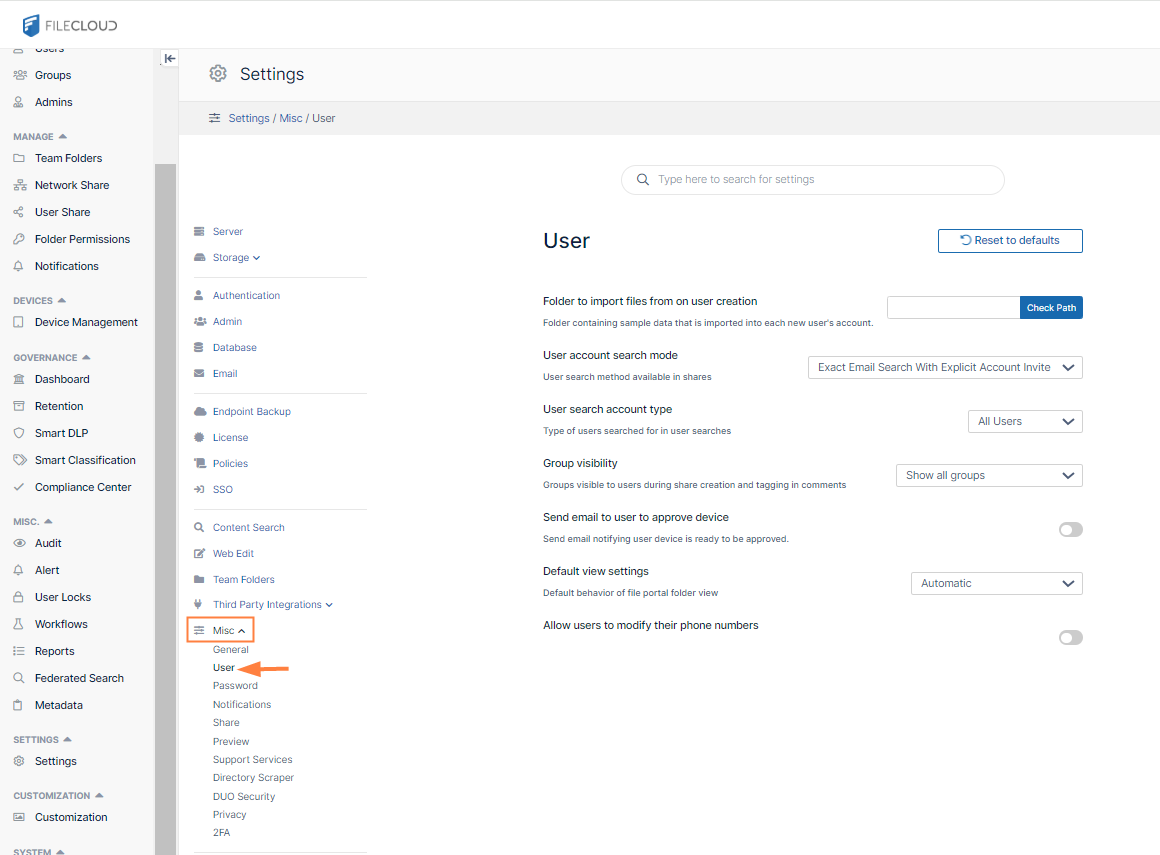
The User settings page opens.
-
-
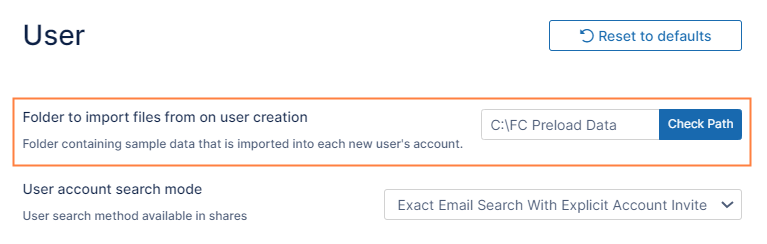
In Folder to import files from on user creation enter the path containing the files and folders, and click Save.
Note: The following files are not imported:
-
-
Files in the server root in Linux and Windows
-
In Windows, files in xampp* paths
-
In Linux, files in the paths:
/etc
/var
/usr
/bin
/sbin
/lib
-