.svg)
Administrators can manage the storage space allotted to a user account or a group of users through Policies.
-
Use the Global Default policy to set a quota for all user accounts
-
Use a custom policy to set a quota for a specific user or for a select group of users
Set a Quota for a Specific User
To set a storage quota for a specific user, create a custom policy and assign the user to that policy.
Create a Custom Policy for one user
-
In the FileCloud admin portal's left navigation bar, scroll down and click Settings. Then, on the Settings navigation page, click Policies

The Policies page opens..png?cb=f11a08db8bd48fc3b7c4186cbd5a4c98)
-
Create the custom policy. See Policies.
-
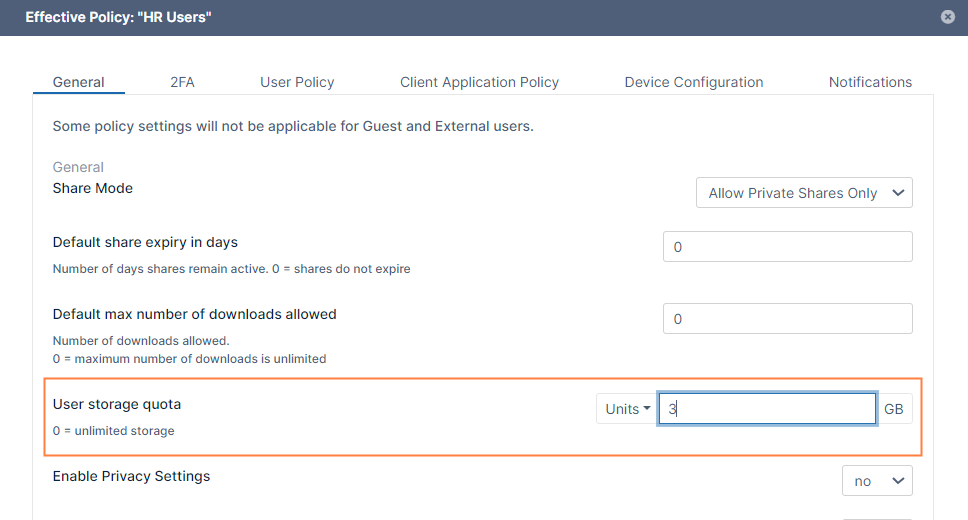
Click the edit icon for the new policy, and in the General tab, in the User storage quota field, enter the storage quota for the user.
-
Click Save.
-
Click the user icon for the policy.
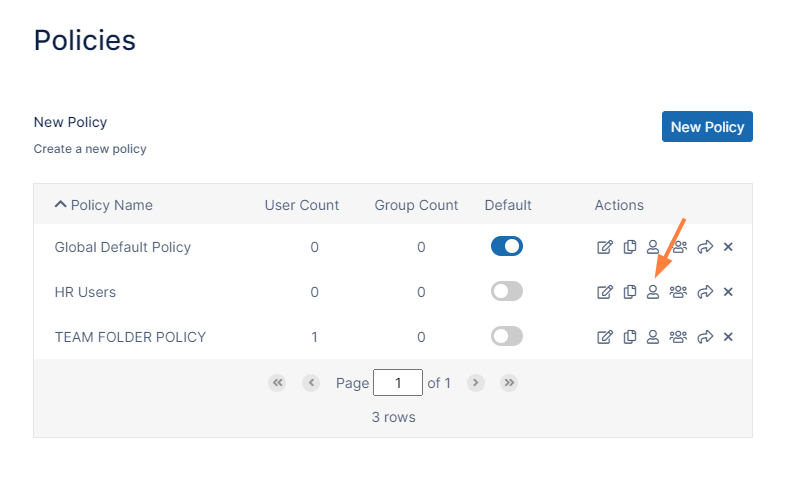
The Manage Policy Users dialog box opens. -
Select the user in the Available Users box, and click the arrow to move the user into the Policy Users box.
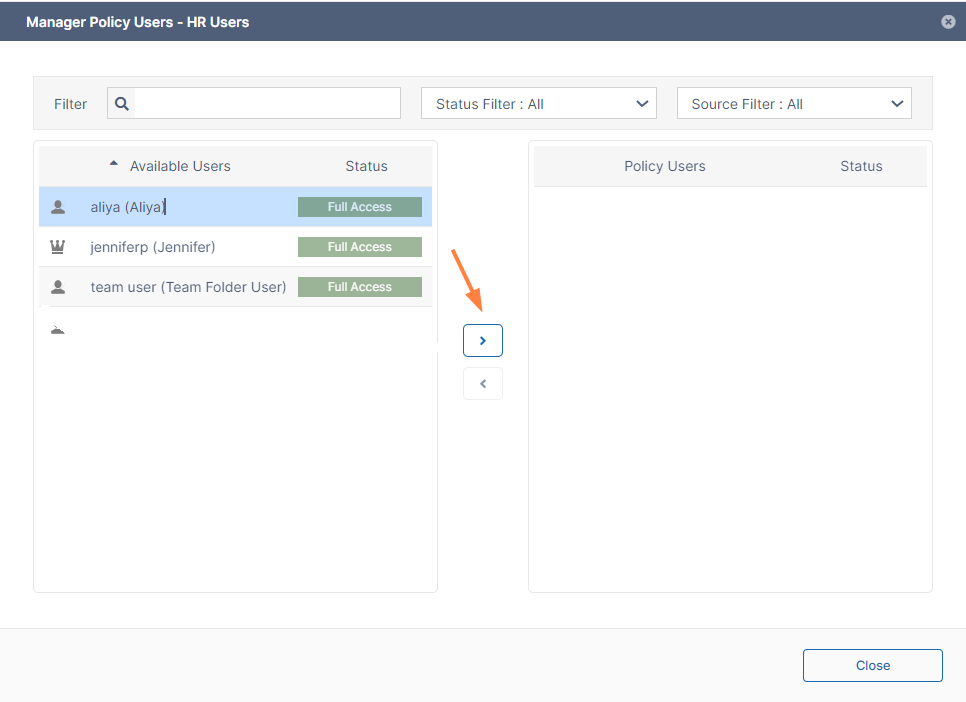
The new policy automatically becomes the user's effective policy. -
Click Close.
-
Confirm that the user's storage quota has changed by clicking Users in the navigation pane, and clicking the edit button for the user.
In the User Details box that opens, the total quota should reflect the new value: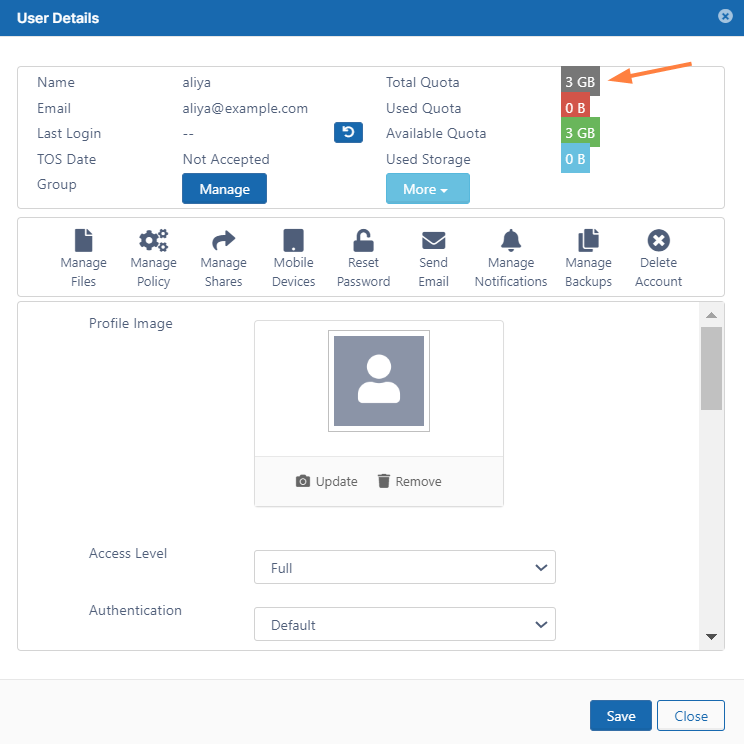
Set a Custom Quota for a Group
To set a storage quota for a specific group, create a custom policy and assign the group to that policy.
Create a Custom Policy to set the quota for a group of users
If you need to change the quota for a custom group of users, you can create a custom policy.
To create a group custom policy:
-
Follow steps 1 to 4 in Set a Quota for a Specific User, above.
-
Click the group icon for the policy.
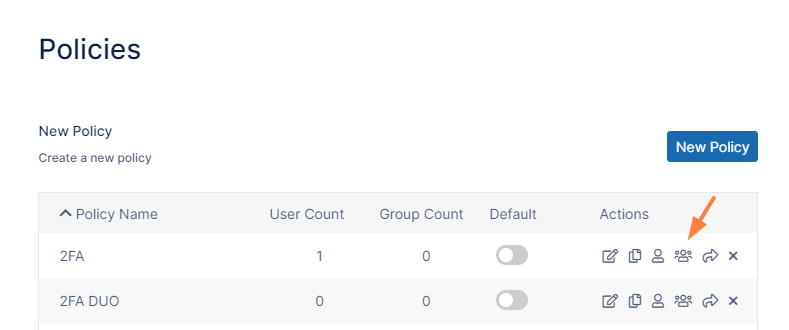
The Manage Policy Groups dialog box opens. -
Select the group in the Available Groups box, and click the arrow to move the group into the Policy Groups box.
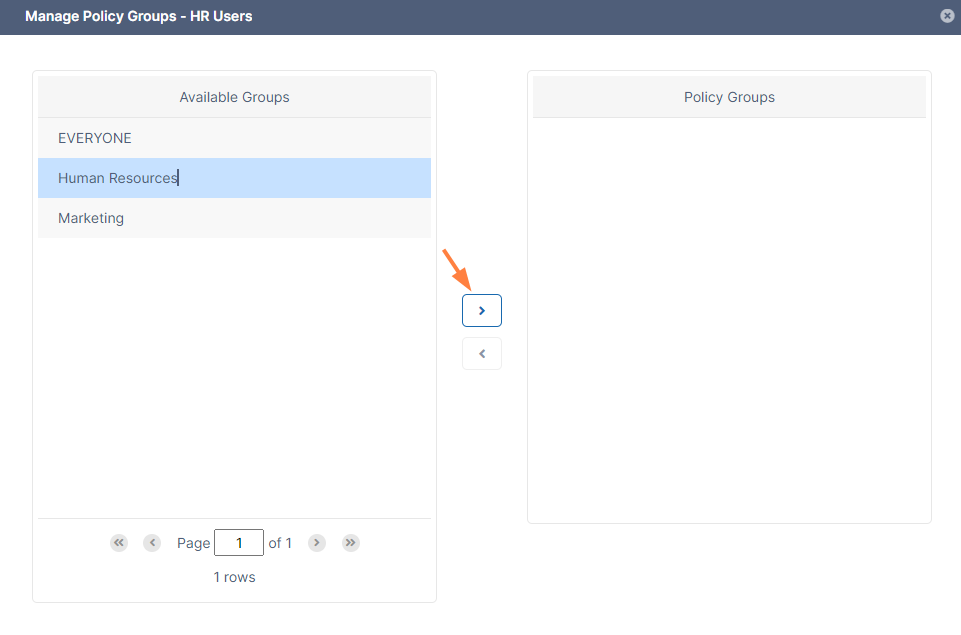
The new policy automatically becomes the group's effective policy. -
Click Close.
Set a Default Quota for All Users
To change the default storage quota, change the User Storage Quota in the Global Default Policy.
Edit the Global Policy
-
In the FileCloud admin portal's left navigation bar, scroll down and click Settings. Then, on the Settings navigation page, click Policies
The Policies page opens. -
Click the edit icon for the Global Default Policy.
-
On the General tab, enter the new value in User Storage Quota.
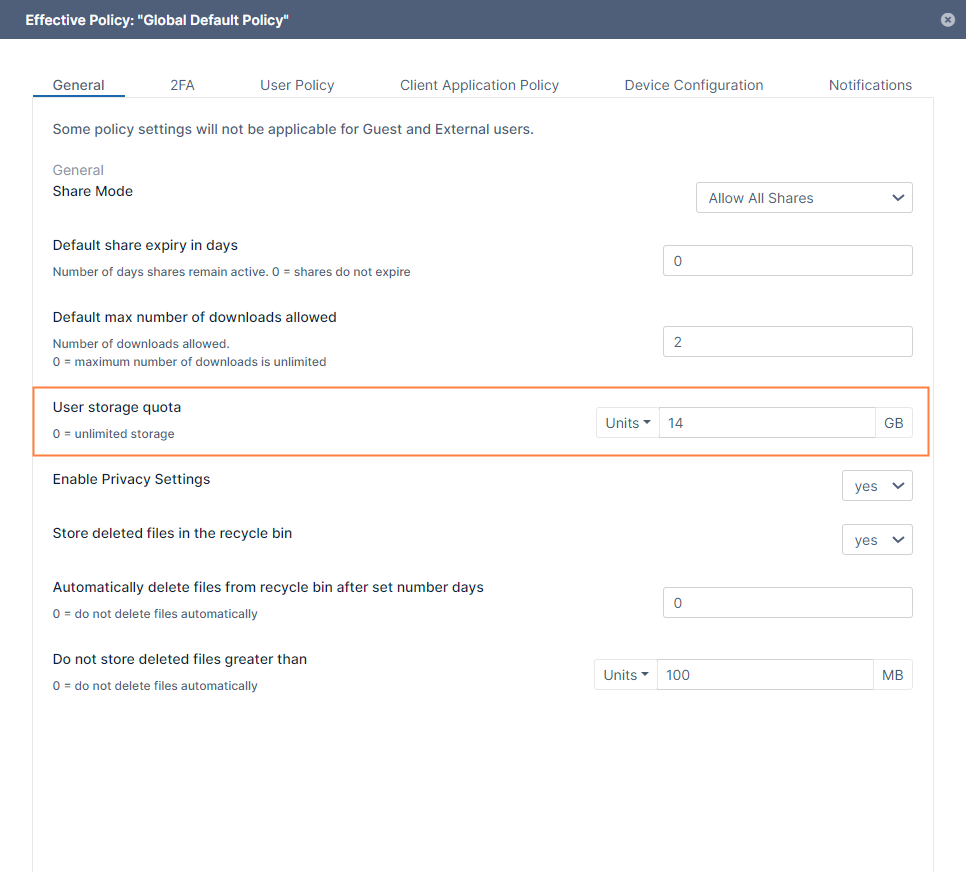
-
Click Save.