.svg)
To allow an administrator to manage the ServerSync configuration remotely, you first need to enable this option.
-
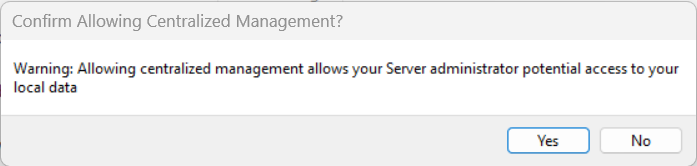
Enabling this option gives your server administrator potential access to your local data
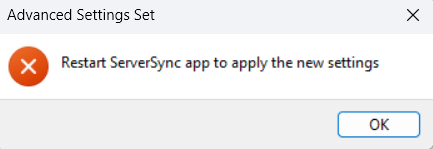
After you make this change, you must restart ServerSync for the changes to take effect.
To allow ServerSync to be managed remotely:
-
In the system tray, right-click on the ServerSync icon, and then select Settings.
-
On the Settings window, in the Other Settings section, click Edit.
-
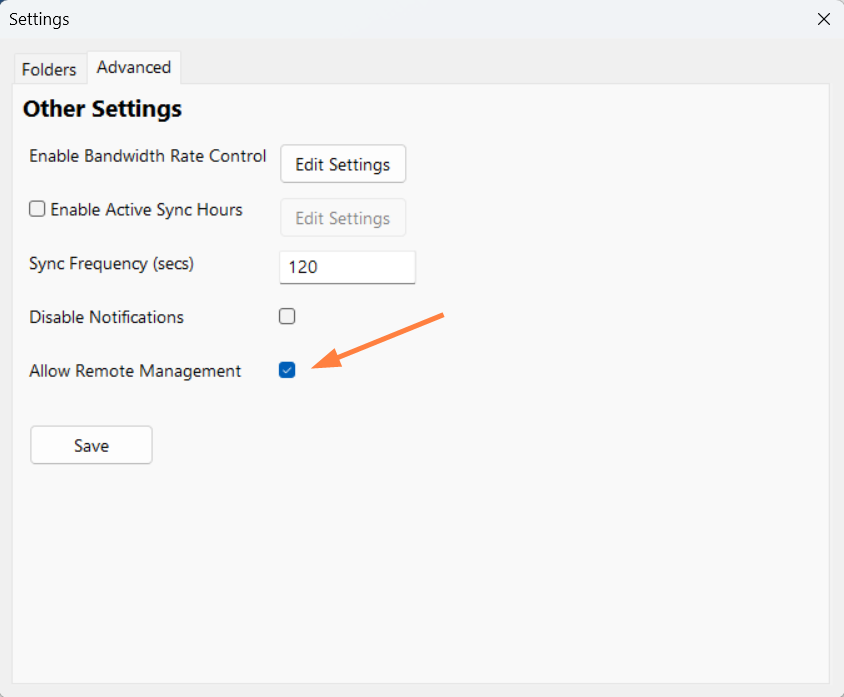
On the Settings window, on the Advanced tab, select the Allow Remote Management checkbox.
A confirmation dialog box opens:
-
On the confirmation dialog, click Yes.
-
Click Save.
You are notified that you must restart ServerSync:
-
Click OK and restart ServerSync.