.svg)
|
The installation process on Windows includes the following steps:
|
Install Optional Components
After a successful installation check, the basic FileCloud service is ready.
Before running post-installation checks on everything that is installed, you can add any of the following optional services to include them in the post-installation verifications:
-
Events API (Beta) - Required for running Network Share Scanner.
-
Network Share Scanner (Beta) - Monitors file system events on LAN-based Network Folders, enabling use of advanced FileCloud features with files in Network Folders.
-
Etcd (Beta) - Required for running Network Share Scanner.
-
Async (Beta) - Use Async orchestrator instead of Message Queue to lower database load and lets the server handle more tasks at once. We recommend you enable this in a non-production environment only.
-
WebDRM Service - Enables users to share files with the protection of digital rights management (DRM) by requiring them to be viewed through FileCloud's Secure Web Viewer.
-
Push Service - Open two-way connection for certain client-server processes to improve response time.
-
FileCloud Helper - Enables certain searches and NTFS checks on Network Folders.
-
Memcache - Improves performance when using Network Folders with NTFS permissions.
-
Document Preview - Enables previewing of document contents.
-
Content Search - Enables you to index and search the contents of files.
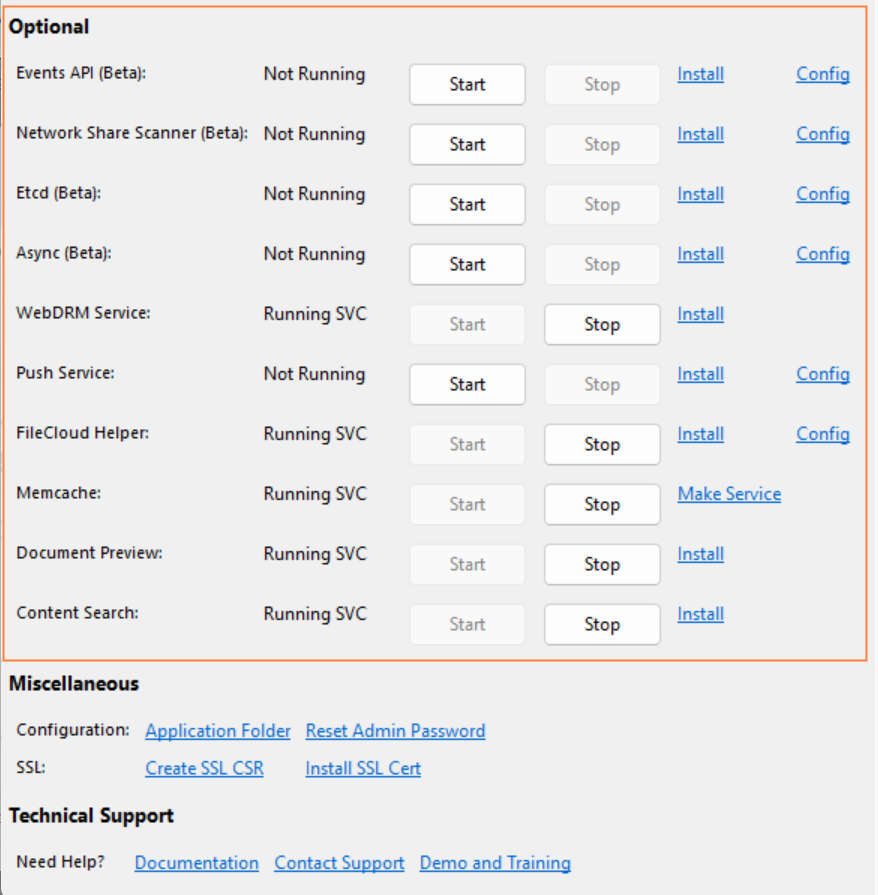
Because these components are optional, they can be added or removed at any time from the FileCloud Control Panel.