.svg)
You can view the metadata attributes for a file, or add an attribute if your administrator allows it.
To view or add metadata:
-
In your system tray, right-click the Sync icon and choose Open.
-
At the bottom of the the mini-dashboard, click the folder icon. In your Sync folders, navigate to the file or folder.
-
Right-click the file or folder and choose Show More Options. In the next menu choose FileCloud Sync > View properties.
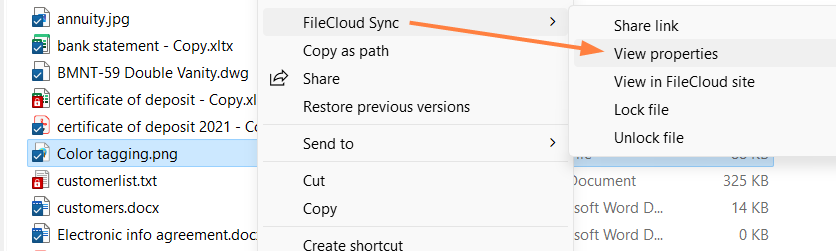
A Properties dialog box opens to the Details, Metadata, and Versions tabs. -
Click the Metadata tab.
The metadata sets available for the file or folder are listed.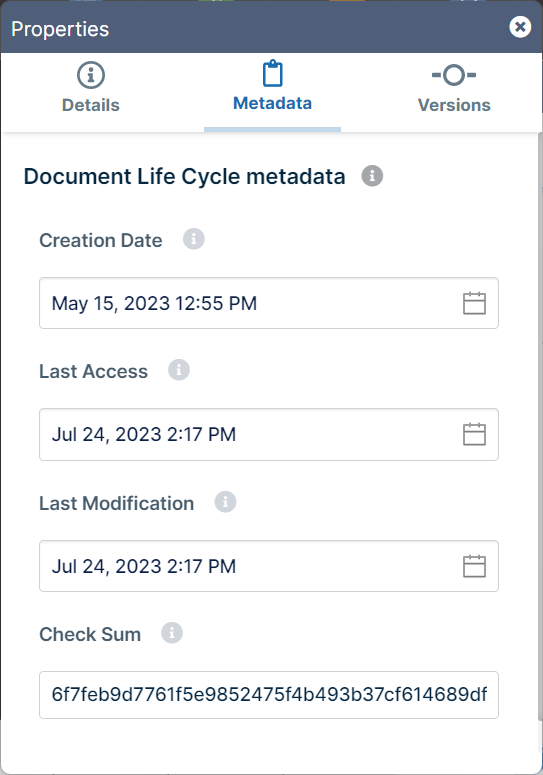
-
View and if you have permission, add or modify metadata values.
For more information about metadata in FileCloud, see Managing Metadata.