Breadcrumbs

Sharing Files in Sync

File sharing allows you to provide public or private access to files stored in FileCloud and saved in your Sync folders.

While files can easily be shared by emailing them to someone, sharing files using Sync allows you to:

  • Keep track of who you have shared a file with

  • Add comments about the file

  • Monitor file versions

  • Control changes people make to the file or folder by setting a combination of permissions.

  • Have an allocated amount of personal file storage in a common file system

You can share a file in many different ways. 


Requires a FileCloud Account

Set Permissions

Set Options

Share with Everyone 

Share with a Specific User 

Public

https://fileclouddocs.atlassian.net/wiki/s/1623602073/6452/05f502871a457750e4d6a5e1f585bce5603b62b2/_/images/icons/emoticons/error.png   Anyone with the link

can access

https://fileclouddocs.atlassian.net/wiki/s/1623602073/6452/05f502871a457750e4d6a5e1f585bce5603b62b2/_/images/icons/emoticons/check.png View

https://fileclouddocs.atlassian.net/wiki/s/1623602073/6452/05f502871a457750e4d6a5e1f585bce5603b62b2/_/images/icons/emoticons/check.png Download


https://fileclouddocs.atlassian.net/wiki/s/1623602073/6452/05f502871a457750e4d6a5e1f585bce5603b62b2/_/images/icons/emoticons/check.png Share Name

https://fileclouddocs.atlassian.net/wiki/s/1623602073/6452/05f502871a457750e4d6a5e1f585bce5603b62b2/_/images/icons/emoticons/check.png  Expiration

https://fileclouddocs.atlassian.net/wiki/s/1623602073/6452/05f502871a457750e4d6a5e1f585bce5603b62b2/_/images/icons/emoticons/check.png  Restrict Downloads

https://fileclouddocs.atlassian.net/wiki/s/1623602073/6452/05f502871a457750e4d6a5e1f585bce5603b62b2/_/images/icons/emoticons/check.png Notifications

https://fileclouddocs.atlassian.net/wiki/s/1623602073/6452/05f502871a457750e4d6a5e1f585bce5603b62b2/_/images/icons/emoticons/check.png  Require Password

  https://fileclouddocs.atlassian.net/wiki/s/1623602073/6452/05f502871a457750e4d6a5e1f585bce5603b62b2/_/images/icons/emoticons/check.png

  https://fileclouddocs.atlassian.net/wiki/s/1623602073/6452/05f502871a457750e4d6a5e1f585bce5603b62b2/_/images/icons/emoticons/check.png

Private

https://fileclouddocs.atlassian.net/wiki/s/1623602073/6452/05f502871a457750e4d6a5e1f585bce5603b62b2/_/images/icons/emoticons/check.png Invite those without

an account to create one

https://fileclouddocs.atlassian.net/wiki/s/1623602073/6452/05f502871a457750e4d6a5e1f585bce5603b62b2/_/images/icons/emoticons/check.png View

https://fileclouddocs.atlassian.net/wiki/s/1623602073/6452/05f502871a457750e4d6a5e1f585bce5603b62b2/_/images/icons/emoticons/check.png Download

https://fileclouddocs.atlassian.net/wiki/s/1623602073/6452/05f502871a457750e4d6a5e1f585bce5603b62b2/_/images/icons/emoticons/check.png Share

https://fileclouddocs.atlassian.net/wiki/s/1623602073/6452/05f502871a457750e4d6a5e1f585bce5603b62b2/_/images/icons/emoticons/check.png Share Name

https://fileclouddocs.atlassian.net/wiki/s/1623602073/6452/05f502871a457750e4d6a5e1f585bce5603b62b2/_/images/icons/emoticons/check.png  Expiration

https://fileclouddocs.atlassian.net/wiki/s/1623602073/6452/05f502871a457750e4d6a5e1f585bce5603b62b2/_/images/icons/emoticons/check.png Notifications

  https://fileclouddocs.atlassian.net/wiki/s/1623602073/6452/05f502871a457750e4d6a5e1f585bce5603b62b2/_/images/icons/emoticons/error.png Add Groups to share

with multiple users at once

  https://fileclouddocs.atlassian.net/wiki/s/1623602073/6452/05f502871a457750e4d6a5e1f585bce5603b62b2/_/images/icons/emoticons/check.png With a FileCloud account


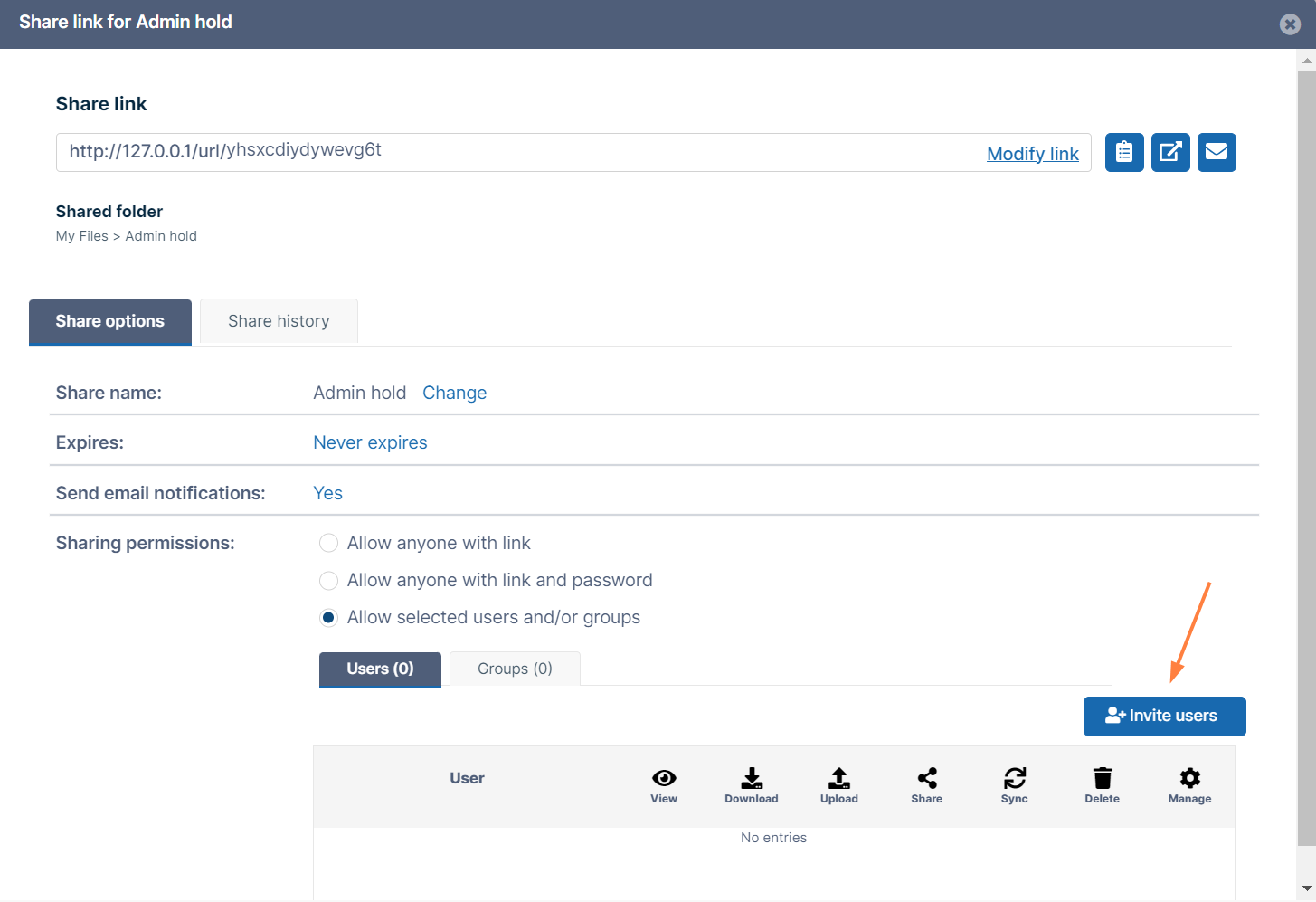
To create a share or manage it, select the Share Link option from the right-click menu.

https://fileclouddocs.atlassian.net/wiki/s/1623602073/6452/05f502871a457750e4d6a5e1f585bce5603b62b2/_/images/icons/emoticons/lightbulb_on.png  If the file is already being shared, click the Share Link option to edit or manage the share.

The Share link window opens. By default, the share is private but no recipients are included. You can add recipients, or make the share public (allow anyone with the link to view the share), and send the link to the person or people you want to share it with.
SharedSync.png

In this section: