.svg)
This action:
-
Is recorded in the Audit log as: "Action performed by ADMIN"
-
CANNOT be undone
As an administrator, you can delete a user's files and folders.
After you delete files and folders, they are normally placed in the user's Recycle Bin, which you can also manage.
-
If you have a policy that stores deleted files, they are saved in the Recycle Bin
-
This means that they can be recovered if deleted by mistake or are needed again at a later time
-
You can also set the Recycle Bin to automatically delete through a policy
Manage the Recycle Bin Using a Policy
Go the the recycle bin
To go to a user's recycle bin:
-
In the Admin portal, go to the Users page, select a user, and click the edit icon. In the User Details dialog box, click Manage Files.
-
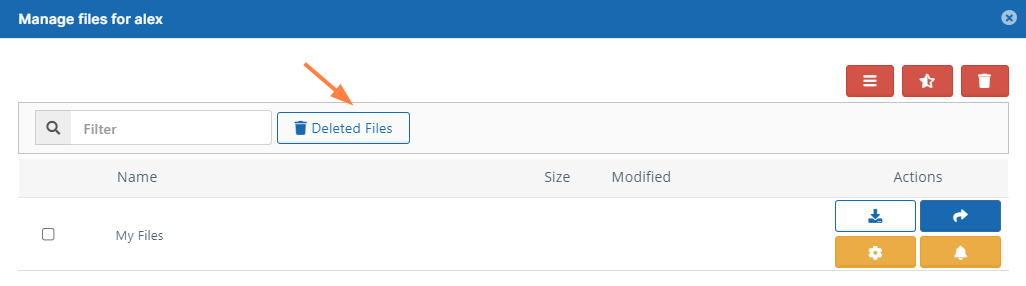
Click Deleted Files to view the contents of the recycle bin:
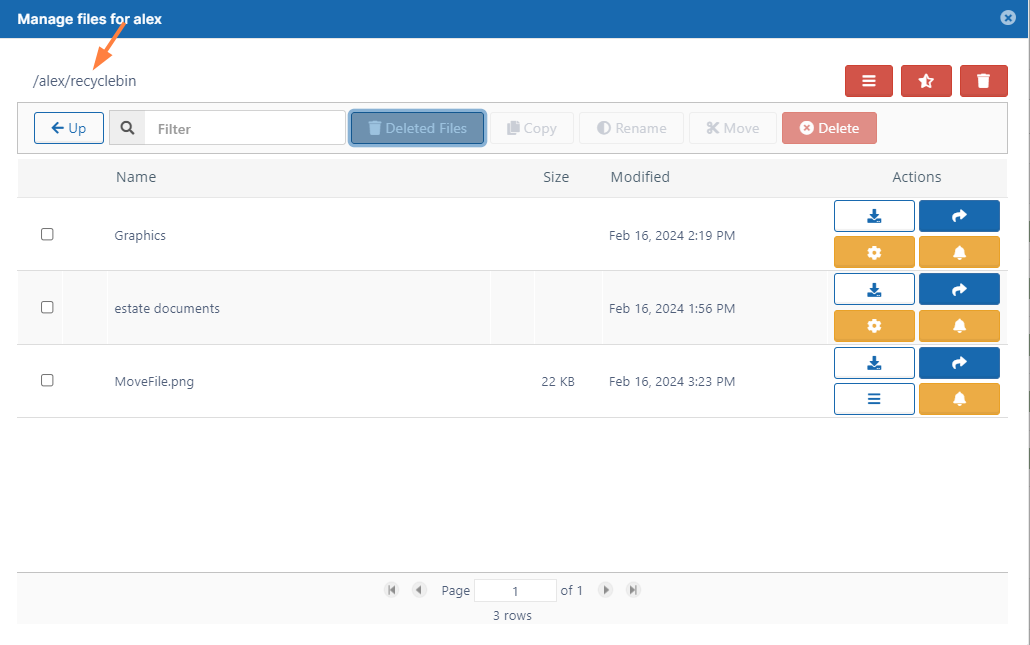
The recycle bin opens and displays deleted files. If the deleted files are in subfolders, navigate into the subfolders to locate them.
Clear a deleted file or folder
To clear a deleted file or folder from a user's recycle bin:
-
Follow the steps above to go to the recycle bin.
-
Navigate to the file or folder you want to delete from the recycle bin.
-
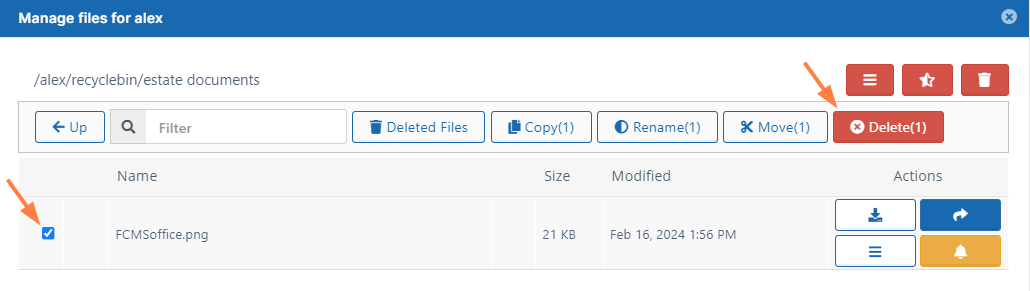
Check the file or folder.
-
Click Delete.
-
In the Confirm dialog box, click Yes.
The file or folder is deleted from the recycle bin (permanently removed from FileCloud).
Clear all deleted files
Only recycle bins with contents less than 16 MB of data can be cleared using this method.
To clear all files and folders from a user's recycle bin:
-
Follow the steps above to go to the recycle bin.
-
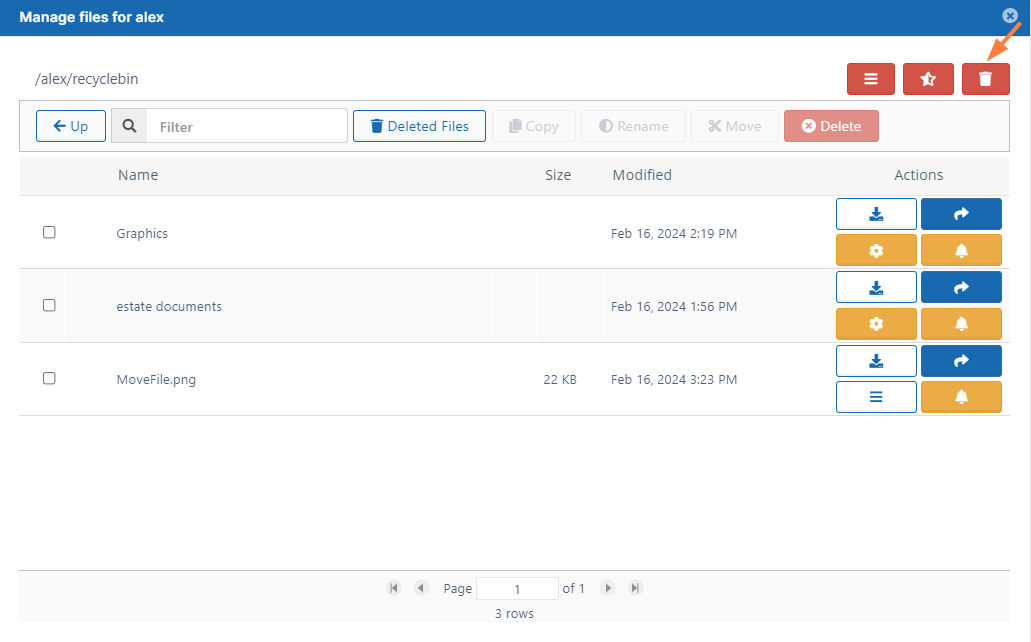
Click the trash icon in the upper right corner.
-
In the Confirm dialog box, click OK.
All files and folders are deleted from the recycle bin (permanently removed from FileCloud).
Run a tool to clear a recycle bin larger than 16 MB
If you have a folder with a large number of files, more than 16 MB, and you delete this folder, it is moved to recycle bin.
-
When you try to delete the folder or empty recycle bin, the request will fail
A new utility has been added to help an administrator empty the recycle bin when it contains a large folder that won't delete.
-
The utility is at WWWROOT/fileutils/rmutil.php
-
This tool can be used not only for emptying recycle bin, but also any folder path. Please use it with caution.
-
Usage:
[Optional] -h <host> Site host name or 'default' for default site. If not specified, command uses default site.
[Required] -u user account whose files are being removed from the recycle bin
[Required] -p path to the user's recycle bin which you want to delete
[Optional] -r 1 remove files in the destination (For a test run, do not specify this option.)
[Optional] --useaggregation Use this to prevent orphaned files from remaining if delete operation only partially finishes. Instead of relying on parent/child relationships, this causes the command to reconstruct the path of each file and folder after the initial delete operation, enabling it to identify and delete orphans.
To run the utility:
-
Open a command line prompt.
-
Use the following code to navigate to the directory containing the utility
cd C:\xampp\htdocs\resources\tools\fileutils
3. Use the following command to delete files and folders under the path /user1/recyclebin/ (replace the sample parameters with your own data)
C:\xampp\php\php.exe rmutil.php -h default -u jdoe -p /jdoe/recyclebin/ -r 1
To run the utility with the option to delete orphaned files:
C:\xampp\php\php.exe rmutil.php -u jdoe -p /jdoe/recyclebin -r 1 --useaggregation