.svg)
You can send feedback about FileCloud Desktop for macOS to FileCloud directly from the dashboard.
To send feedback:
-
From any tab in the dashboard, click Send Feedback.
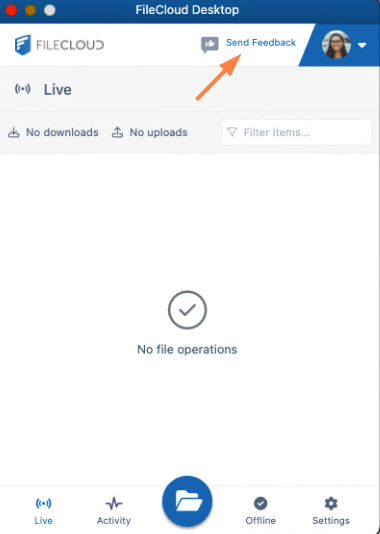
A Send Feedback screen opens:

-
To send a message about something you like or dislike:
-
Click I like something or I dislike something, and enter your email and comment.
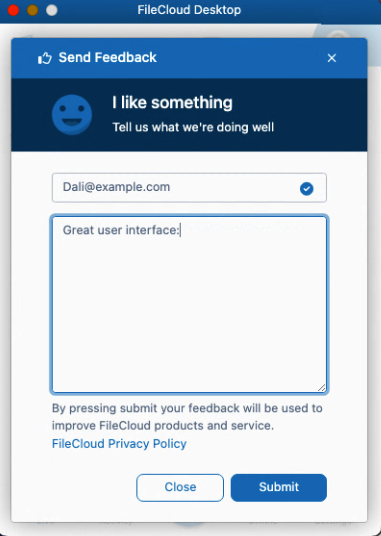
-
Click Submit.
A message tells you that the FileCloud Product Management team will review your message.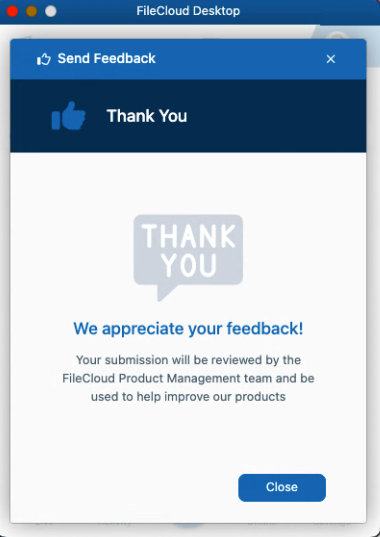
-
-
To share an idea, click I have an idea.
You are taken directly to the FileCloud Ideas forum, where you can enter your idea.