.svg)
Server Version 23.232.0.24769
The January 2024 release of FileCloud (version 23.232) is now available.
|
New installation: Installing FileCloud Server
|
|
Upgrade to access new and enhanced features. Latest SHA256 release checksums
Security Advisories
PDPL Compliance Added to Compliance Center
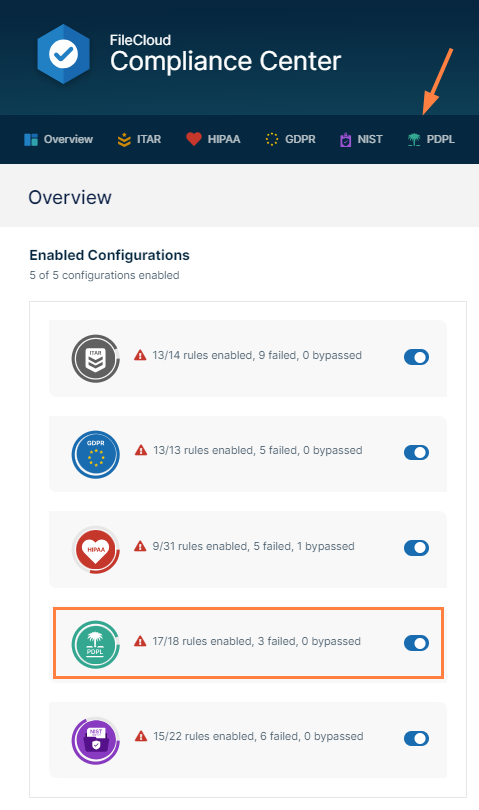
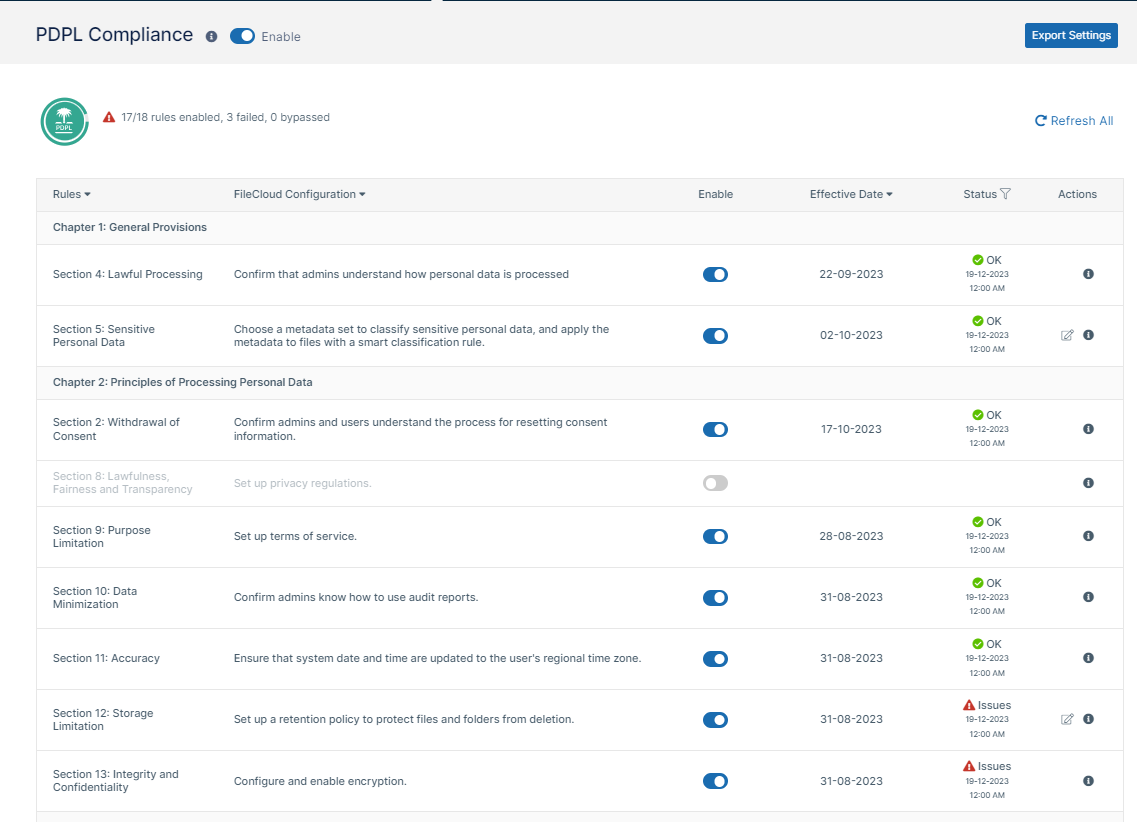
With Version 23.232, FileCloud adds Saudi Personal Data Protection Law (PDPL) to the list of regulations that can be monitored and configured in the Compliance Center. The Saudi PDPL became active in September, and includes a set of rules that must be followed to protect personal data processed and transferred by Saudi companies or companies handling Saudi data.
NIST 800-171 Compliance Support
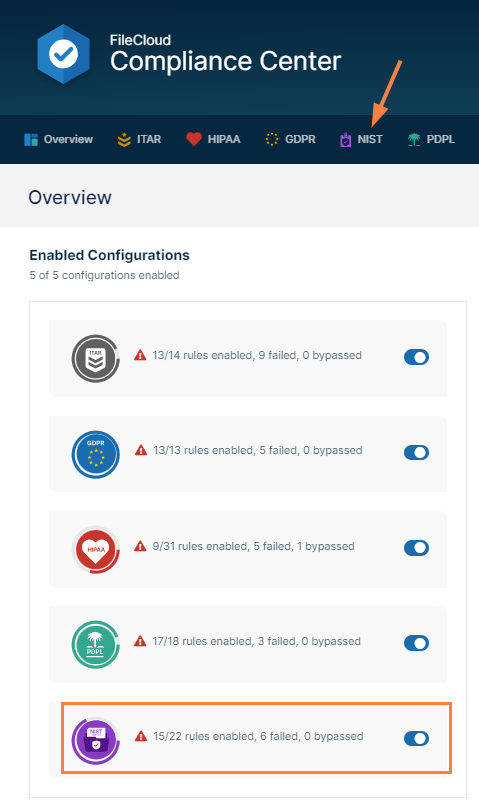
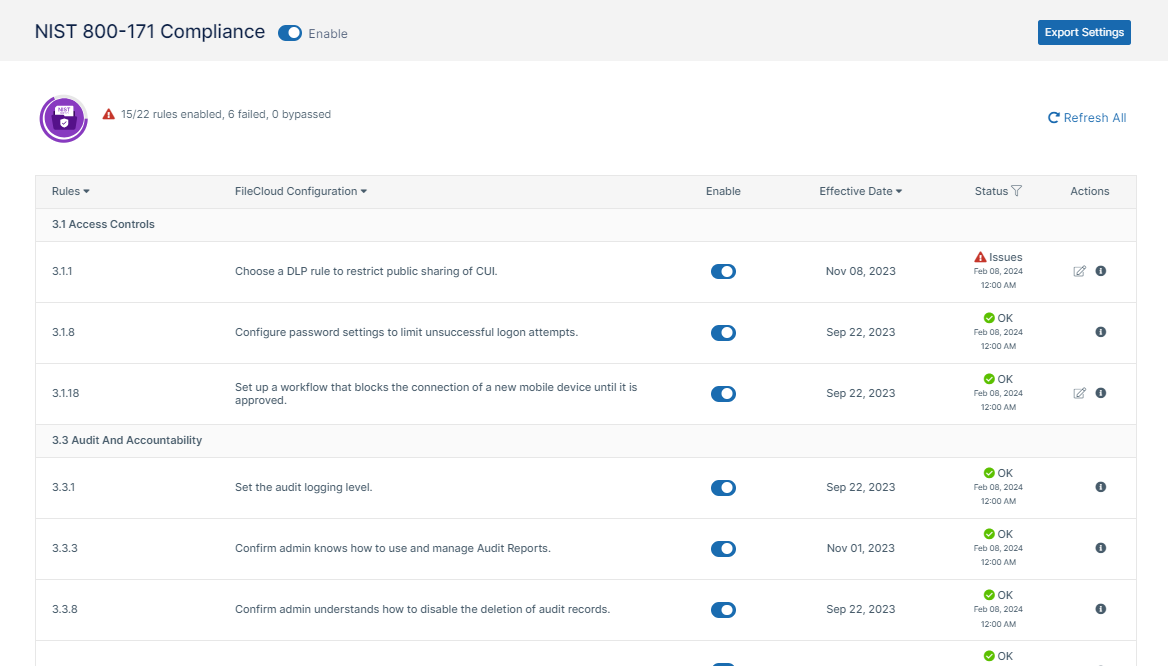
In addition, FileCloud has added NIST 800-171 compliance to the regulations covered by the Compliance Center. NIST 800-171 is a US compliance that regulates how controlled unclassified information (such as personally identifiable information and proprietary business information) is shared, and what details must be made available to subjects about their personal information.
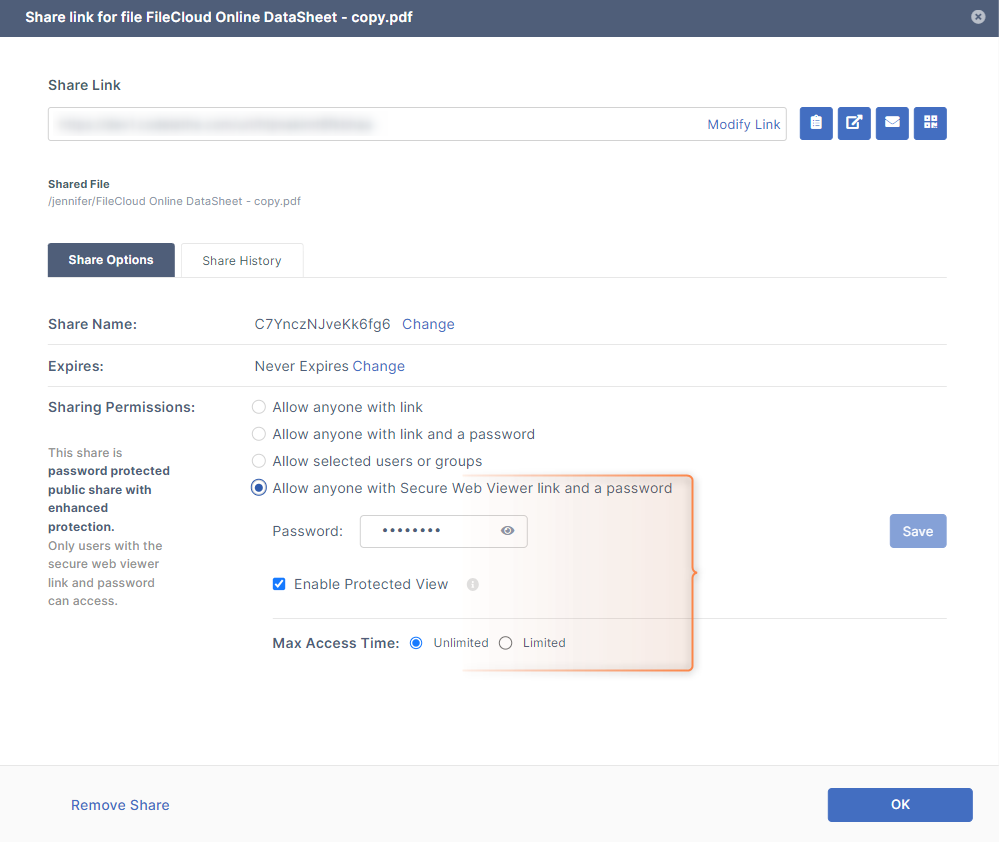
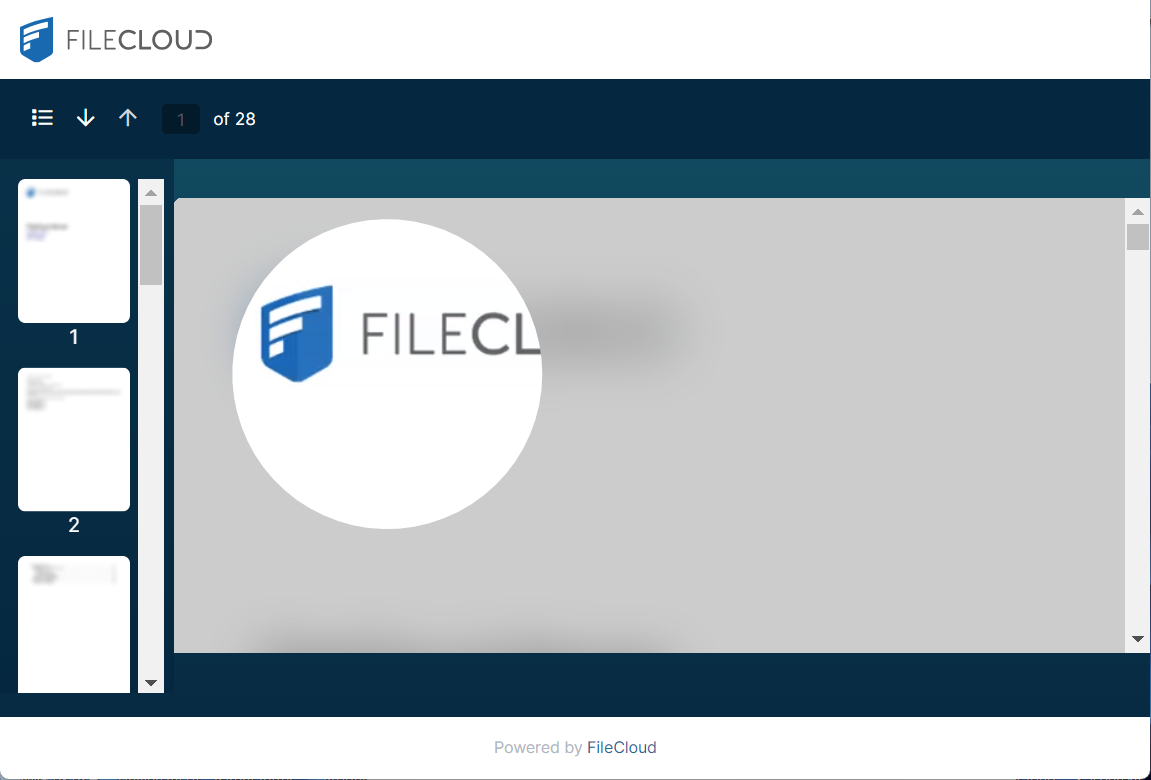
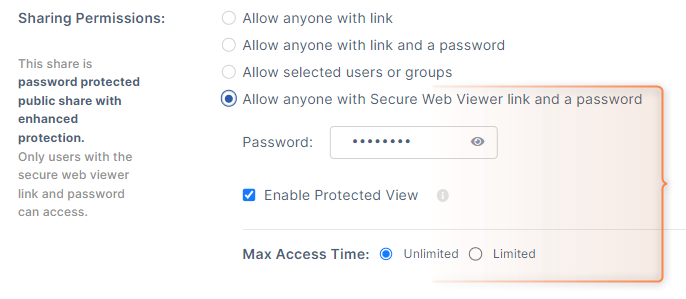
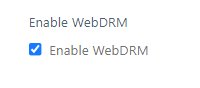
FileCloud introduces its Secure Web Viewer which enables users to publicly share files while ensuring they are DRM-protected. When a user shares a jpg, png, pdf, docx, or pptx file, a new sharing permission, Allow anyone with Secure Web Viewer link and a password, now appears in the Share Link screen. When a user chooses this permission, a share link that accesses the Secure Web Viewer is created along with a password for opening the shared file in the Viewer. If Enable Protected View was checked when the share was created, small portions of the screen can only be viewed at a time using a moveable lens.
Updated Smart Classification User Interface with AI Classifier
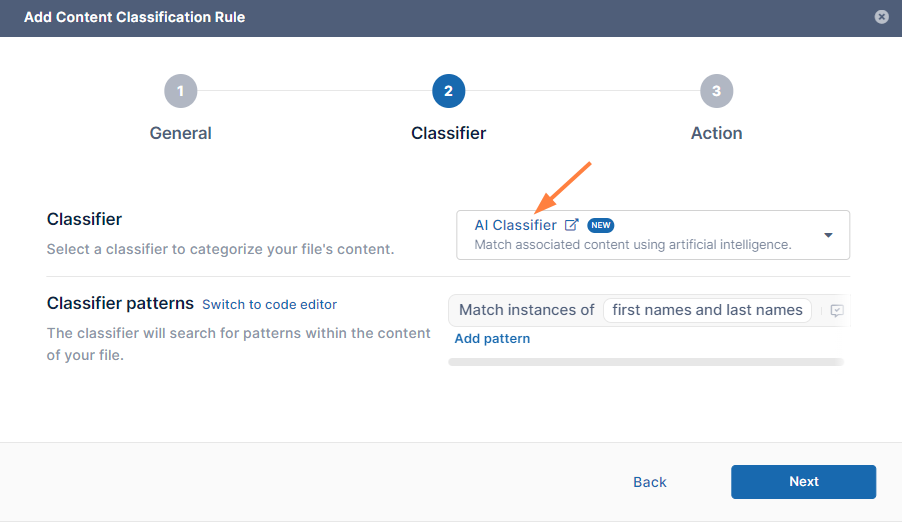
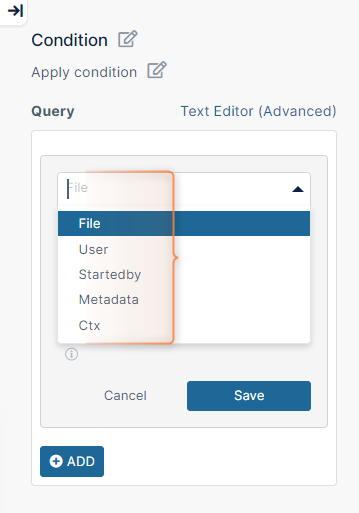
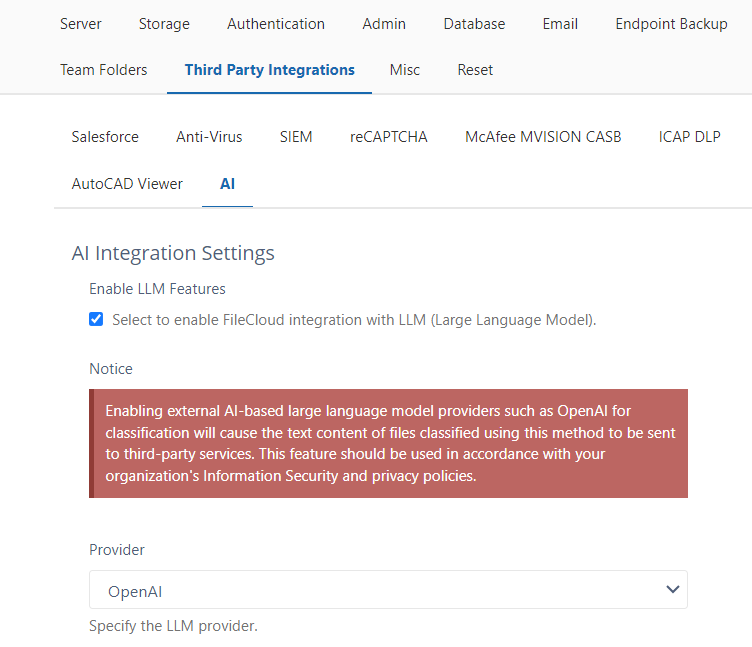
The new Smart Classification user interface includes a code-free three-step wizard that makes it fast and easy to create a rule. In addition, a new AI classifier has been added for finding broader ranges of results.
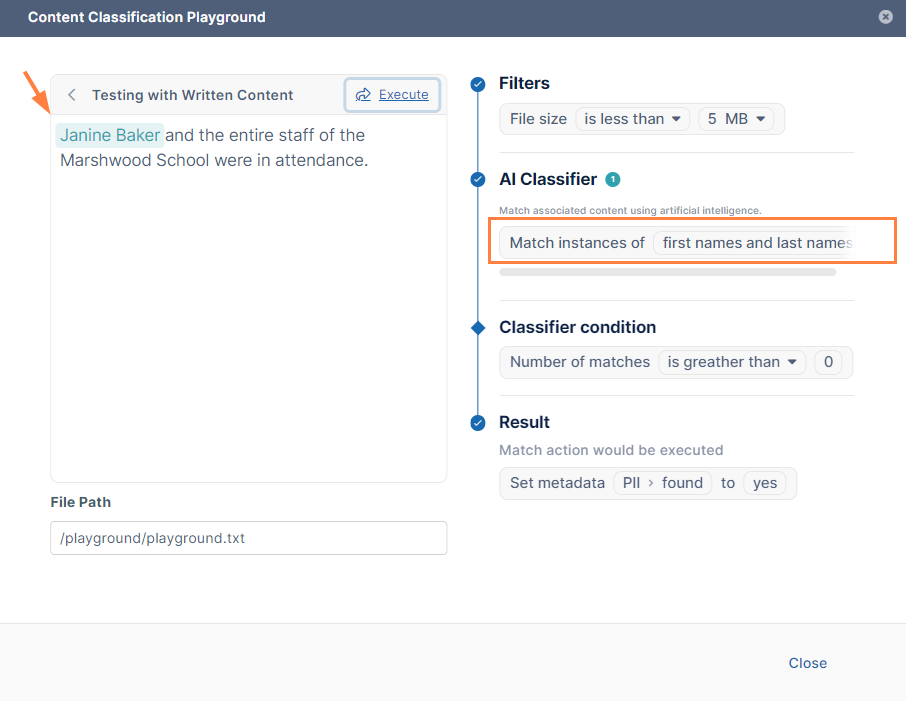
The new Smart Classification interface also includes a testing function that enables you to test if your classifier can successfully match patterns.
Advanced Telemetry (collection of product usage data)
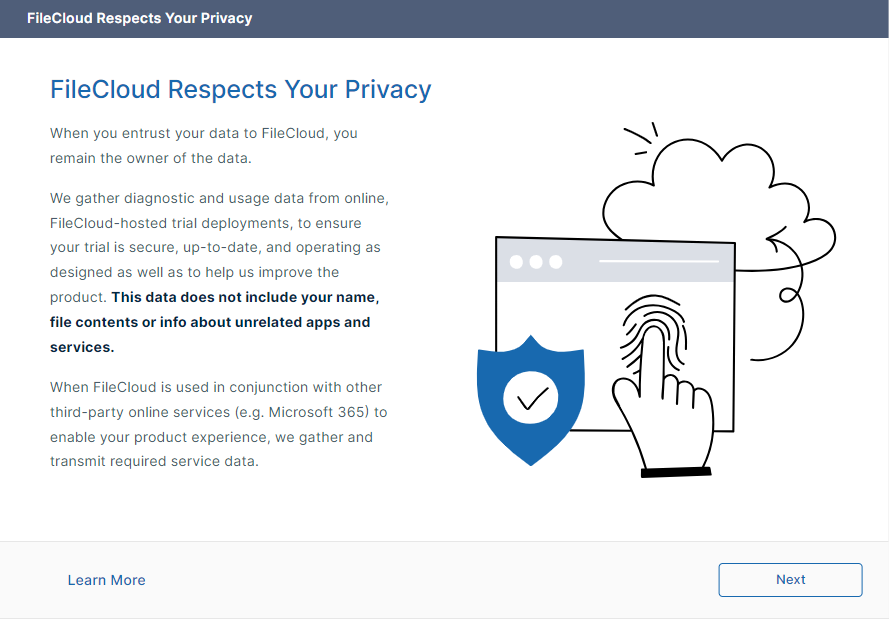
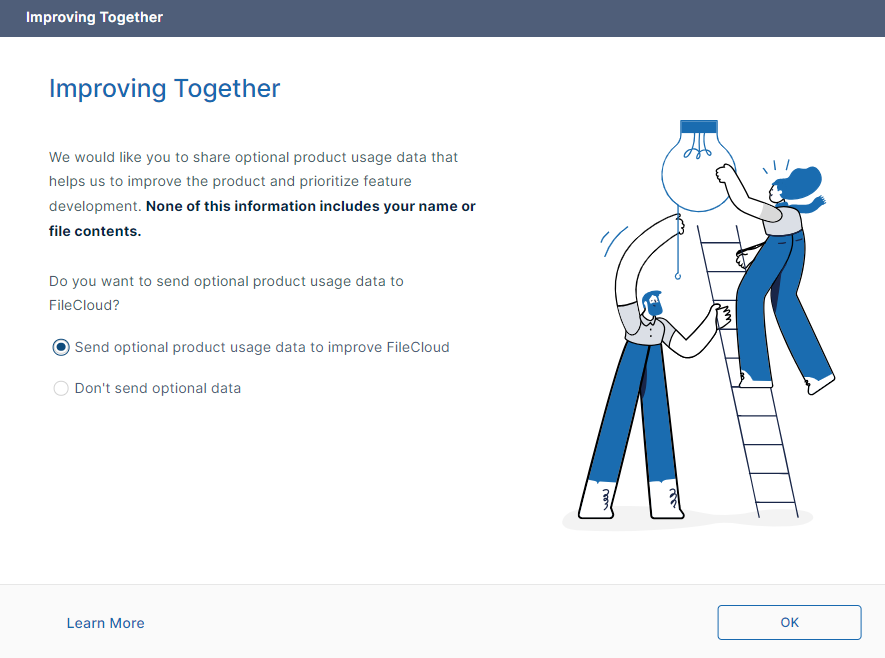
FileCloud is now collecting product usage data for FileCloud Online trial deployments. Admins also have the option of sending product usage data to FileCloud during Server trial deployments, and after conversion of Online and Server trial licenses to product licenses.
UI Changes in FileCloud 23.232
User Portal
|

|
|
|
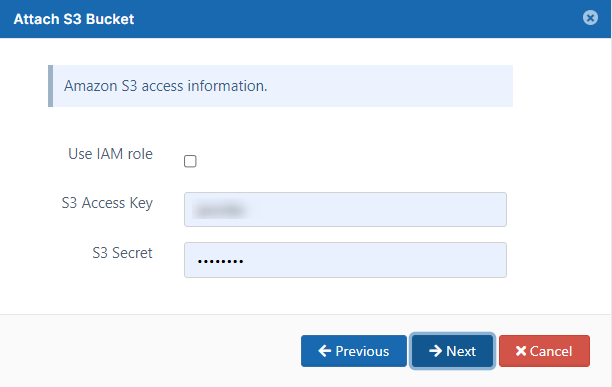
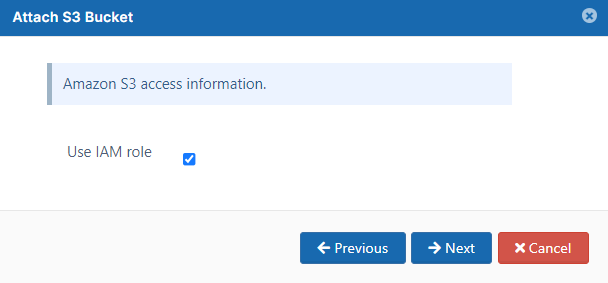
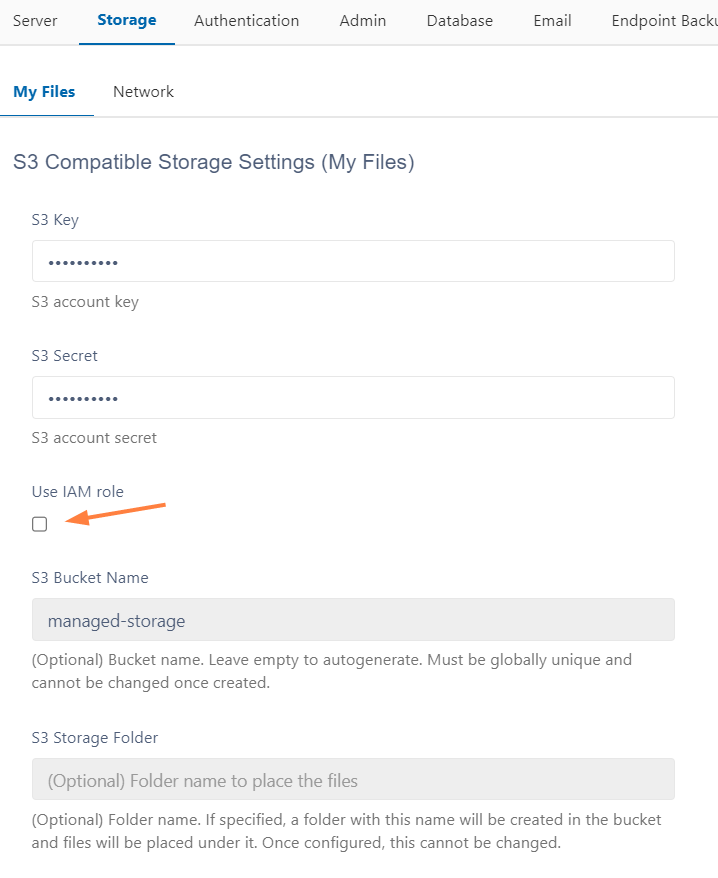
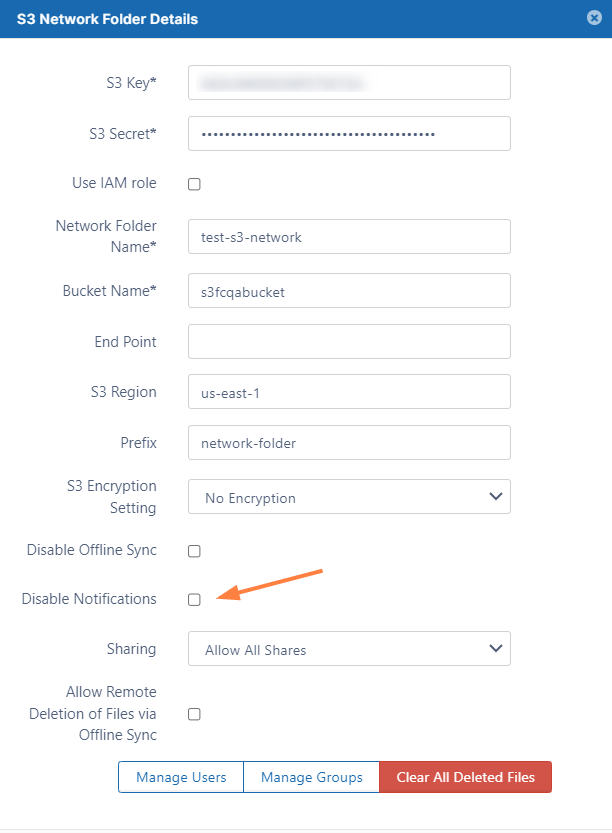
A checkbox for changing the option is also available now in the edit dialog box for S3 Network Folders from the Manage Network Folders screen, and from the Storage > My Files screen when S3 Compatible storage is configured.
|
|
|
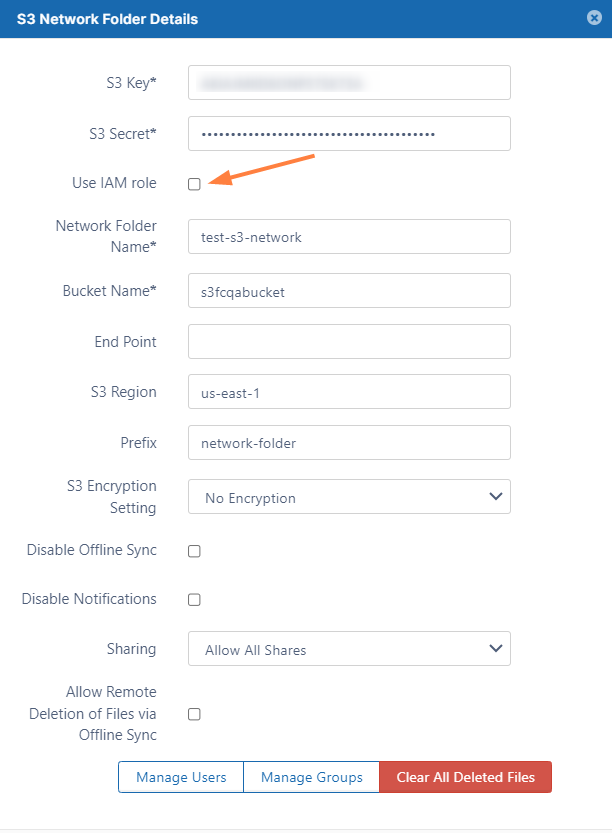
A Disable Notifications setting for S3 Network Folders has been added to the edit dialog box.
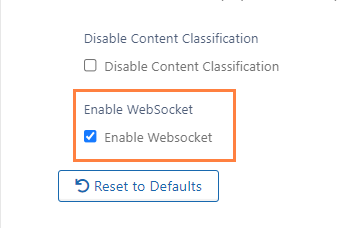
In the admin portal, on the Settings > Misc > General page, an Enable WebSocket checkbox now appears. When enabled, push messaging occurs if the service is enabled for FileCloud Server users.
Client apps
-
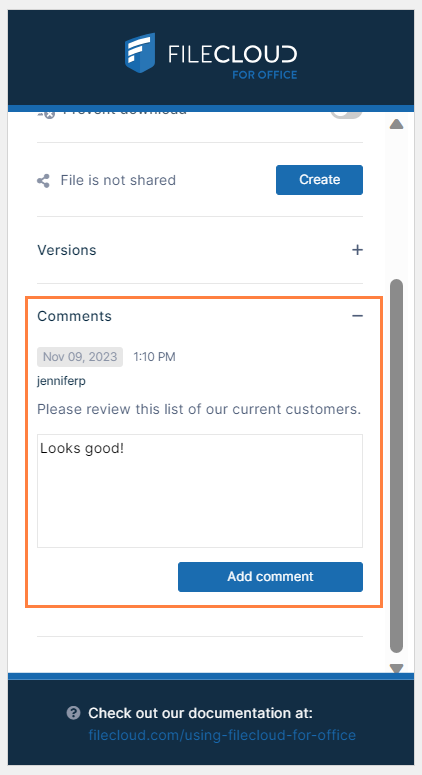
A Comments field now appears in FileCloud for Office:
Information for Admins
|
Enhancements
|
Reference Number |
Area |
Feature |
Notes |
|
Server |
|
|
|
|
CL-14063 |
Audit |
FileCloud Desktop has been added as an agent that audit logs can be filtered on. |
|
|
CL-13319 |
Authentication |
To reduce possibility of user enumeration, all authentication failure messages (except 2FA) have now been standardized as "Invalid Username or Password. Password is Case Sensitive." |
|
|
CL-13130 |
Automated workflows |
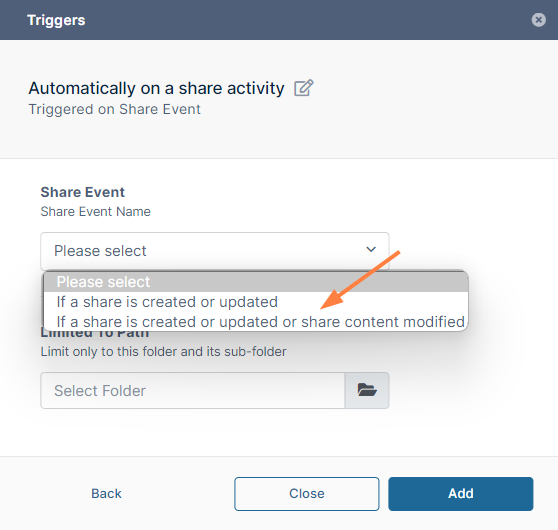
A new workflow trigger, "If a share is created or updated or share content modified," has been added to enable users to send shares back for approval if the file shared is modified. |
|
|
CL-12973 |
Automated workflows |
For clarity, variable names for the user who started the event are now prefixed with "Started by User" instead of "User." |
|
|
CL-13017 |
Automated workflows |
Now, when a share approval workflow is active and a share is created, if Send Email is checked for an invited user the email is sent after the share is approved, not when the share is created. In addition, if the share creator attempts to send an email when editing the share, a notification indicates that the message cannot be sent. |
|
|
CL-13687 |
Download |
When downloading multiple files as a zip file, the zip file name and its text file contained the word "FileCloud." Now "FileCloud" is replaced with the value in Settings > Service > Server Name. |
|
|
CL-13108 |
Previews |
Three new values are available for including in watermark previews: ^SHARE_OWNER^, ^FILE_OWNER^, and ^OWNER^, where ^OWNER^ is the user who shared the file if the file is shared, or the owner of the file if the file is not shared.
|
|
|
CL-13112 |
Search |
Some searches and reports were taking too long to process. Their speed has been improved. |
|
|
CL-13967 |
Search |
A new setting enables user interface searches to begin from the current path shown on the screen but also give users the option of performing a global search. |
|
|
CL-13637 |
Settings |
An admin portal setting has been added to Misc > General settings for enabling or disabling push messaging. |
|
|
CL-13766 |
Shares |
In share emails, a share owner can now check a box in the advanced Customize Email screen to send themself a copy of the email. |
|
|
CL-13494 |
Team Folders, Share emails |
For added security, when an admin shares a Team Folder with a user, the admin can no longer add or edit From, Reply to, and BCC fields in the email. |
|
|
CL-13146 |
Workflows |
The "If a new user is created" workflow now includes an optional flag to automatically mark email verification as complete so users can log in immediately. |
|
|
CL-13179 |
Workflow |
A new workflow has been added that performs a specified action on user accounts created before a certain date. Parameters considering users who are inside or outside of a certain domain have also been added to this workflow and to the "if a user's last login is older than" workflow. |
|
|
Drive/Drive for Mac |
|
|
|
|
CL-13110 |
2FA |
When users logged in to Drive using 2FA, then logged out and logged in again, they were not required to enter a 2FA code. Now users are required to enter a new 2FA code on re-login. |
|
|
Drive for Mac |
|
|
|
|
CL-13897 |
macOS |
Drive for Mac now supports macOS 14 (Sonoma). |
|
|
FileCloud for Office |
|
|
|
|
CL-13757 |
Comments |
The ability to add comments to a file has been added to FileCloud for Office. |
|
Bug Fixes
|
Reference Number |
Area |
Description |
|
Server |
|
|
|
CL-14141 |
2FA |
The setting "Enable Two Factor Authentication For Admin Logins" at Settings > Admin was not being honored for promoted admin users. This has been fixed. |
|
CL-13227 |
AD |
When admins imported groups from AD, only the first 1000 groups appeared in the list and could be imported. This has been fixed. |
|
CL-13170 |
Audit log |
A problem causing the audit log to show two records for an action that occurred once has been fixed. |
|
CL-13690 |
Audit log |
An issue preventing audit logs from being exported has been fixed. |
|
CL-12994 |
Auto-archive |
When an error prevented a temporary audit-archive db collection from being deleted, auto archive failed because the new one couldn't be created. This has been fixed. |
|
CL-13682 |
Automated workflows |
For a File Approval workflow requiring approval for a new folder, the approval page attempted to show a preview of the folder which failed because folders cannot be previewed. This has been fixed; the page now displays the folder path instead of attempting to show a preview. |
|
CL-12973 |
Automated workflows |
Although workflow variables existed for users who performed the action triggering the workflow, they were not properly labelled. The labels now begin with "Started by User . . ." instead of "User . . ." so they can be identified. |
|
CL-13127 |
Customization |
Custom code provided for headers and footers caused problems with the user interface. This has been fixed by adding new tabs for Custom Header and Custom Footer HTML in the Customization screen. |
|
CL-13974 |
Device authentication |
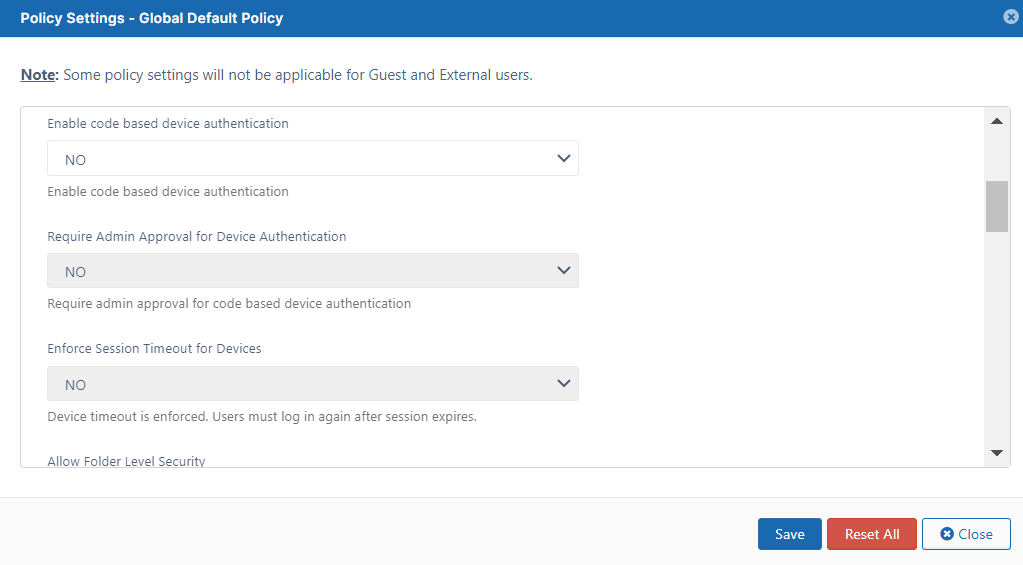
In Settings > Policies > User Policy, the settings Admin Approval Required for Code Based Authentication and Enforce Session Timeout for Devices are now only enabled if the setting Enable Code Based Device Authentication is set to YES since they only function if it is enabled. |
|
CL-13478 |
Downloads |
Some single file shares of encrypted zip and mp4 files failed to download unless the default max execution time was increased. This was fixed, and these files now download within the default max execution time. |
|
CL-13374 |
Downloads |
An issue enabling users who only had preview permission for PDFs to download them has been fixed. |
|
CL-13957 |
|
The Secure Cookie Setting warning appeared in the Daily Admin Summary email. The warning has been removed from the email. |
|
CL-13654 |
|
The Daily Admin Summary email displayed "Mod Proxy HTTP Apache Check Failed" although the check did not fail. This has been fixed and the inaccurate failure warning no longer appears. |
|
CL-13814 |
FFO |
In some builds, when Sync or Drive was updated and FFO was chosen, the option to enable FFO in the app did not appear. This has been fixed. |
|
CL-13842 |
File/Folder names |
File and folder names with tab characters in them were causing issues with syncing and other operations. To resolve the issue, tab characters are now replaced with blank characters. |
|
CL-11938 |
Folder move |
While a large folder was being moved into another folder and another operation occurred on one of the folders, the operation could fail and data could be lost without warning. This has been fixed so that both processes are not performed simultaneously and an error message tells the user that the second operation cannot yet be performed. |
|
CL-13801 |
Folders |
Folders with numerical names were allowed to have trailing spaces which caused file uploads to them to fail although they were noted as successful. To fix this, FileCloud now removes leading and trailing spaces from all folder names. |
|
CL-13679 |
Logs |
An issue causing Linux server logs to fail to close has been fixed. |
|
CL-13562 |
Reports |
Report generation of the "Get download files" report failed when there were a large number of files. This has been fixed. |
|
CL-13500 |
Recycle bin |
When the user policy option "Enable Recycle Bin Clear Feature" was set to NO, although users should still have been able to delete files individually, they could not. This has been fixed. |
|
CL-13966 |
Search |
The user portal was not returning partial results as long running searches ran. This has been fixed. |
|
CL-13140 |
Shares |
Emails sent for public shares with passwords were missing the recipient name in the subject and incorrectly had an unsubscribe link at the bottom. These issues have been fixed. |
|
CL-13820 |
Shares |
A scenario in which groups but not users could be selected in a share has been fixed. |
|
CL-13884 |
Shares |
Admins were unable to save a letter as upper-case when they changed a share link in the admin portal. This has been fixed. |
|
CL-13776 |
Shares, previews |
On view-only shares of PDFs, previews showed a print button that did not work. Now view-only shares of PDFs do not show a print button. |
|
CL-13883 |
Shares,
|
A problem causing the invite users and groups options to not appear in the share screen for Team Folders when "Disallow default share settings change" was set to "Yes" in the Team Folder policy has been fixed. |
|
CL-13578 |
Team Folders |
When a user who shared files in a Team Folder had their access to the Team Folder revoked, all sharing details were not removed, so a share link with the same custom name could not be created. This has been fixed. |
|
CL-14017 |
Team Folders |
For Team Folders in the admin portal, the "Check Access" function did not show the correct permissions under certain conditions. This has been fixed. |
|
CL-13663 |
Team Folders |
When users tried to upload multiple folders to Team Folders, only some of the folders were uploaded. This has been fixed. |
|
CL-13657 |
Upload |
Uploads of empty folders were not successful. This has been fixed. |
|
CL-13532 |
User portal interface |
On Google Chrome version 114.0.5735.91, the show password icon did not appear correctly. This has been fixed. |
|
CL-13226 |
User portal interface |
When a user selected a folder and edited its share and then clicked OK in the share link dialog box, although the details panel showed the folder's details it displayed the name of its parent folder. This has been fixed. |
|
CL-14099 |
User portal interface |
A problem causing the Security tab in the right panel to sometimes disappear has been fixed. |
|
Security |
|
|
|
CL-13864 |
Automated workflows |
Checks for unsafe data in input fields in automated workflows were not rigorous enough. This has been fixed. |
|
CL-13595 |
2FA |
Admin 2FA codes were able to be used more than once. This has been fixed by invalidating codes after they are initially used. |
|
CL-14168 |
ACL |
Users without manage permissions for a folder were able to view the Security tab in the user portal and manage the ACL. This has been fixed by hiding the Security tab when the user does not have manage permission for the folder. |
|
CL-13767 |
Backup |
The FileCloud version number was exposed in the file manifest file of the backup agent which could make FileCloud vulnerable to attacks. This has been fixed. |
|
CL-13727 |
Folder rename |
A rename to a folder could be configured to create a popup notification that could cause an XSS vulnerability. This has been fixed. |
|
CL-14024 |
Logout |
Actions were able to be performed in certain client apps after users logged out. This has been fixed. |
|
Drive and
|
|
|
|
CL-13180 |
2FA |
After logging into Drive, if a user enabled 2FA and then restarted Drive an error occurred. This has been fixed. |
|
CL-13834 |
AutoCAD |
Attempts to import layout sheets in AutoCAD failed because the files did not appear in the Import Layout dialog box. This has been fixed. |
|
CL-13543 |
Certificate file |
SSL certificate files in Drive have been updated to enable all users with valid certificates to log in. |
|
CL-13962 |
Login |
Users were unable to log in to Drive after updating their passwords from AD. This has been fixed. |
|
CL-13707 |
Mass deployment |
When Drive was installed with mass deployment, the maxdownloadsizeinmb parameter was not applied. This has been fixed. |
|
CL-13651 |
Opening files |
An issue causing Drive for Mac to crash when opening certain xlsx files has been fixed. |
|
Sync |
|
|
|
CL-13790 |
Proxy |
When a user logged in to Sync with a proxy, some actions caused the application to freeze. This has been fixed. |
|
CL-13789 |
Sync Selected Folders |
If the Sync Selected Folders option was selected, when the Sync dashboard was opened and the Cloud Storage tab was clicked, the selected folders were not initially listed. This has been fixed. |