.svg)
In addition to providing content search capabilities for managed storage files, admins also can configure FileCloud to provide content search for network shares.
To configure FileCloud with Solr:
-
Ensure you are familiar with indexing for Network Folders and have configured FileCloud Helper for indexing.
-
Login into admin UI. Navigate to Network Folders tab. Select an existing network share or create a new share with required permissions.
-
Open the properties of the share, by clicking on the "Edit" button.
-
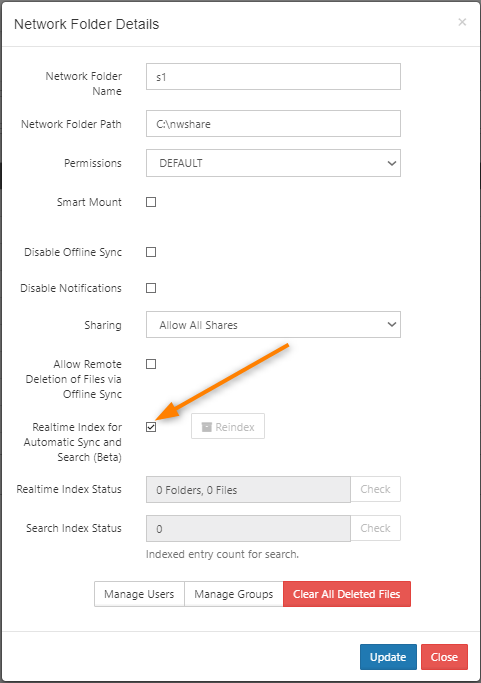
In the share settings dialog, select the check box labeled Realtime Index for Automatic Sync and Search (Beta)
-
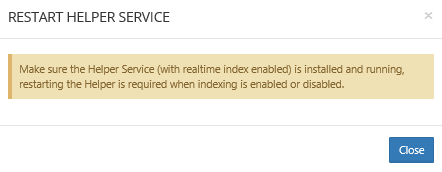
Click Update. A popup prompting you to restart NTFS helper service opens. Remember to restart the NTFS helper server. Without a restart, the changes do not go into effect.
-
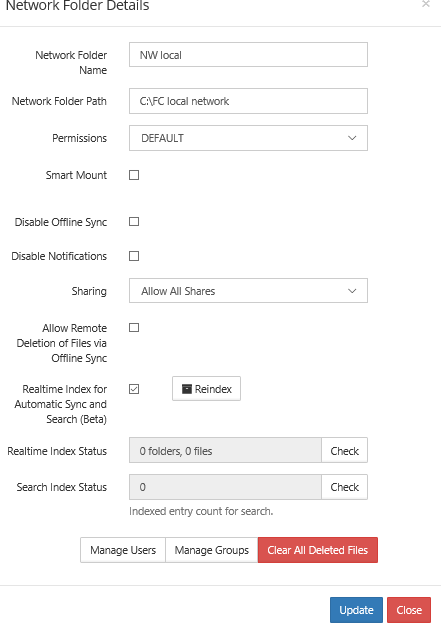
Select the same share again and open the settings dialog for the share. Now the dialog has status information on realtime indexing and content search.
Note: Depending on the number, size and type of files in the share, full indexing will take a few minutes to hours.