.svg)
In FileCloud Server, the IP address used when an administrator or user requests data is checked against the IP stored on the session.
-
This means that the session is invalidated if the user IP address changes (the user is automatically logged out).
-
For some environments, the IP address change is common and expected.
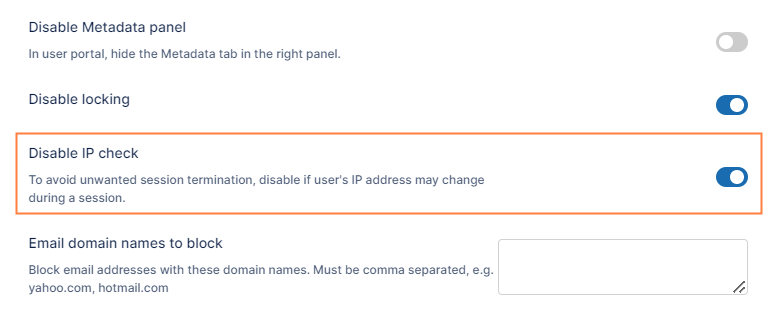
Now there is a setting labeled Disable IP Check that allows an administrator to control this behavior.
-
Enable the setting to disable the IP check on every request. This allows you to avoid IP comparison on cookies.
-
The use of this option is only recommended if your IP address can change while using the system.
To configure this option:
-
In the FileCloud admin portal's left navigation bar, scroll down and click Settings. Then, on the Settings navigation page, click Misc

By default, General settings are opened. -
Scroll down to the Disable IP Check checkbox, and enable it.
-
Click Save.