.svg)
You can integrate FileCloud with Microsoft Office Online to allow your users to edit documents in a browser. FileCloud uses the WOPI protocol for this integration.
Administrators can configure Web Edit in the following ways:
|
FileCloud can integrate with your Microsoft-hosted Office online server to edit office documents. |
|
|
FileCloud can integrate with your on-premises Office online server installation to edit office documents. |
Troubleshooting Office Web Editing
Document always opens in read-only mode
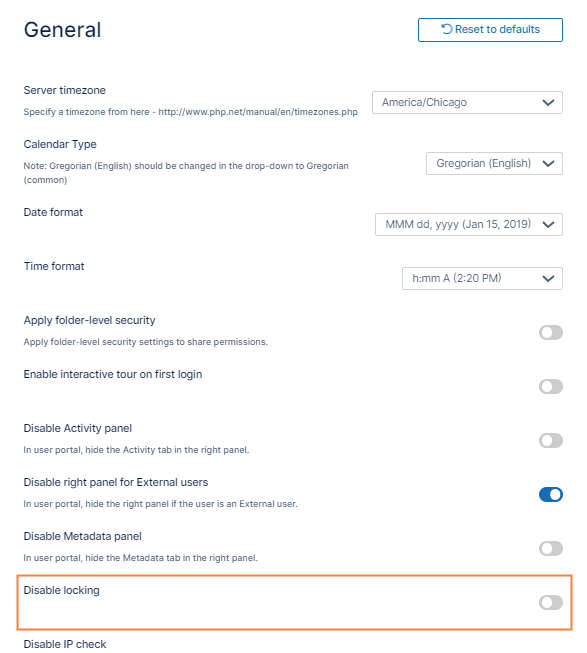
This issue can happen if locking is disabled.
To enable locking:
-
In the FileCloud admin portal's left navigation bar, scroll down and click Settings. Then, on the Settings navigation page, click Misc

By default, General settings are opened. -
Scroll down to the Disable Locking setting, and disable it.
-
Click Save.