.svg)
Starting with version 20.2, FileCloud supports editing markdown files from within a browser session. It also supports editing readme files, which are a form of markdown files and use the same types of editors.
To create a new markdown or readme file, see New Document Creation via Web Browser
Editing markdown and readme files
To edit a markdown or readme file:
-
Navigate to the file, hover over it, and click the Edit icon.
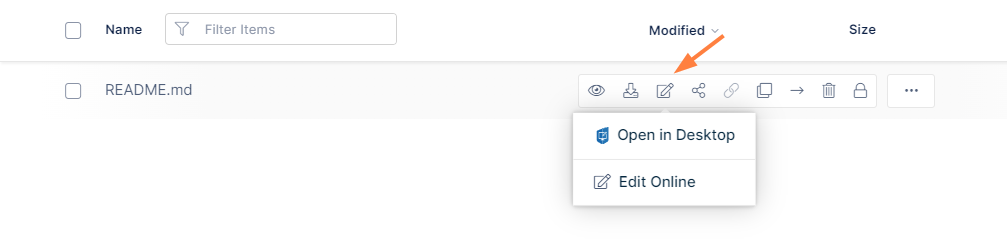
-
Choose the edit option (there may be one or more).
The file opens in the text editor you have chosen..There can only be one readme file in a folder, and it is always named readme.md. After you create the file, it is displayed in the About section to the right of the page when you select the folder.