.svg)
FileCloud supports editing text files from within a browser session. This support is enabled regardless of WOPI configuration, as editing of text files uses a built-in widget.
To create a new text file, see New Document Creation via Web Browser
Editing text files
To edit a text file:
-
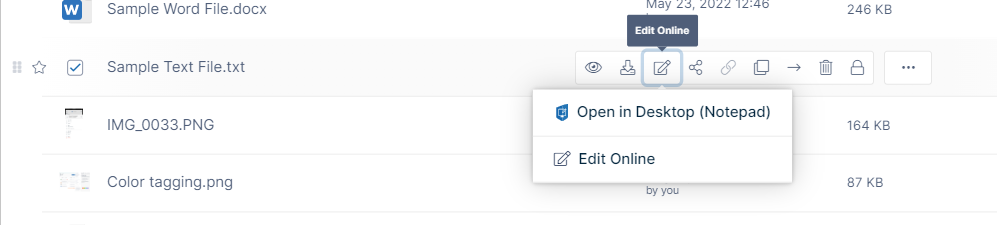
Navigate to the text file, hover over it, and click the Edit icon.
-
Choose the edit option (there may be one or more).
The file opens in the text editor you have chosen.. -
Edit and save the file.
Note: You can also add and read comments about the file in the right panel.