.svg)
The most important ways that policy types differ is:
-
What actions are blocked
-
How long the policy is effective
-
What happens when a policy expires
The following table identifies what actions are blocked for each type of retention policy.
|
Policy Type |
Reads Blocked |
Moves Blocked |
Copies Blocked |
Updates Blocked |
Deletes Blocked |
Policy Length |
Expiration Actions |
|---|---|---|---|---|---|---|---|
|
Admin Hold |
NO |
YES |
NO |
YES |
YES |
|
|
|
Legal Hold |
NO |
YES |
NO |
YES |
YES |
|
|
|
Archival |
NO |
NO |
NO |
NO |
YES |
|
|
|
Retention |
NO |
NO |
NO |
NO |
YES |
|
|
|
Trash Retention |
NO |
NO |
NO |
NO |
YES |
|
|

How Policy Lengths Differ
Any time you configure when a policy should expire, keep in mind that all expiration dates are dictated by when the next Cron job is run.
You can specify when a policy should expire.
-
This helps an administrator set up a process to run automatically in the future. For example, if phone records only have to be kept for 5 years, then the Administrator doesn't have to remember to delete current records in 5 years.
-
This allows a process to run independent of an employee's length of service. For example, if the same employee is no longer an Administrator in 5 years, but the old records still need to be deleted, they will be.
The following options can be selected depending on which type of Retention Policy you are creating:
|
Policy Length |
Available on Types |
Description |
|
|---|---|---|---|
|
Indefinite |
|
A policy never expires. For example, if you are required to retain accounting records for the entire length of your company's existence, you can never delete your accounting records |

|
|
Fixed Date |
|
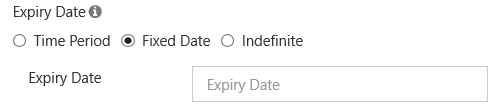
The date a policy expires with no exceptions. This means you are locked out of the policy at 11:59:59 PM on that calendar date. Policy expiration is end of day (midnight), UTC adjusted. The ACTUAL expire time is the time of the next Cron run.
|
|
|
Time Period - not Renewed on Access |
|
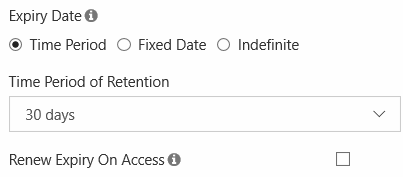
A set number of days or years that is used to calculate when the policy expires based on the creation date. For example, if a file is created on March 1, 2019 and you select 30 days, the policy on that file will expire on April 1, 2019. You can select from:
|
|
|
Time Period - Renewed on Access
|
|
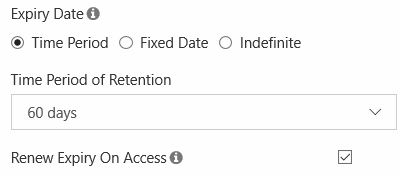
A set number of days or years that is used to calculate when the policy expires based on the last access date. For example, if on March 2, 2019, for an X-ray, you set expiry to:
Then the policy will expire on May 2, 2019 UNLESS:
Then the 60-day time period will be reset to July 1, 2019. The ACTUAL date is reset by a user every time they access the file. |
|
How Expiration Actions Differ
When a policy expires, you can configure it to move or delete files. This is another way that policies interact with files.
Expiration actions allow you to provide any special instructions for use of the content after the policy expires.
|
Policy Type |
Expiration Actions |
Notes |
|---|---|---|
|
Admin Hold |
|
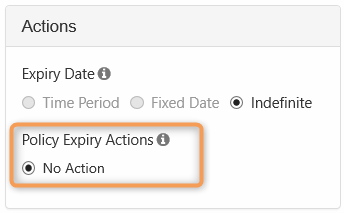
An administrative hold is designed to help an administrator block access to files and folders so that they can determine what should happen next.
For example:
|
|
Legal Hold |
|
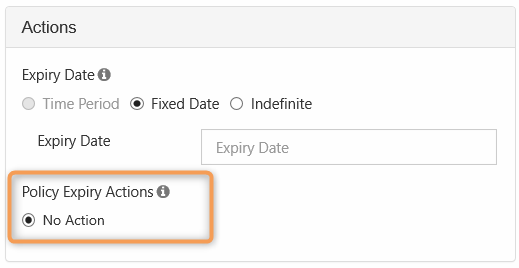
A Legal Hold is designed to retain data, therefore, there is no deletion or move option available when the policy expires.
|
|
Retention |
|
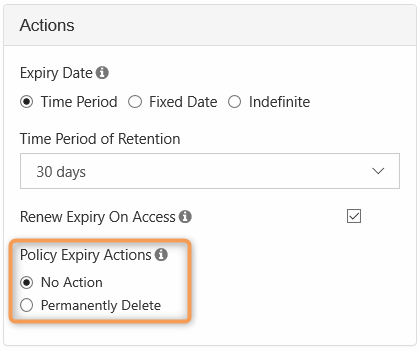
Retention policies are designed to keep digital content around for a specified amount of time. When a retention policy expires, it can automatically:
|
|
Archival |
|
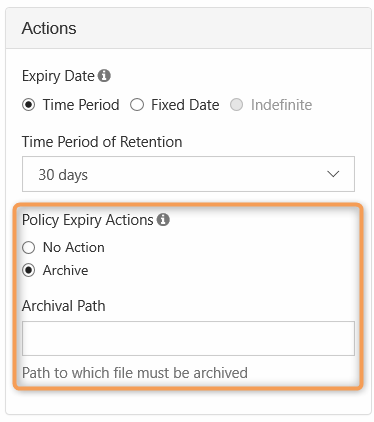
An Archival policy type is designed to help you create a more cost effective systems for long term. Therefore, you can create a policy to move and store old organizational content in the following ways:
This type of policy helps an administrator plan for the future by setting up a process to run automatically when the time comes. For example:
This also allows a process to run independent of an employee's length of service. For example: if the same employee is no longer an Administrator in 5 years, but the old records still need to be moved, they will be. |
|
Trash Retention |
|
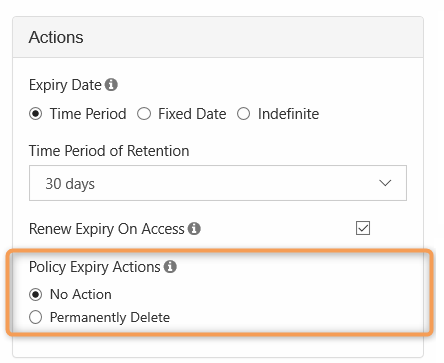
The Trash Retention policy is designed to help you control if files in the Trash Bin can be permanently deleted from FileCloud.
|