.svg)
To delete files or folders permanently:
-
Open the FileCloud App.
-
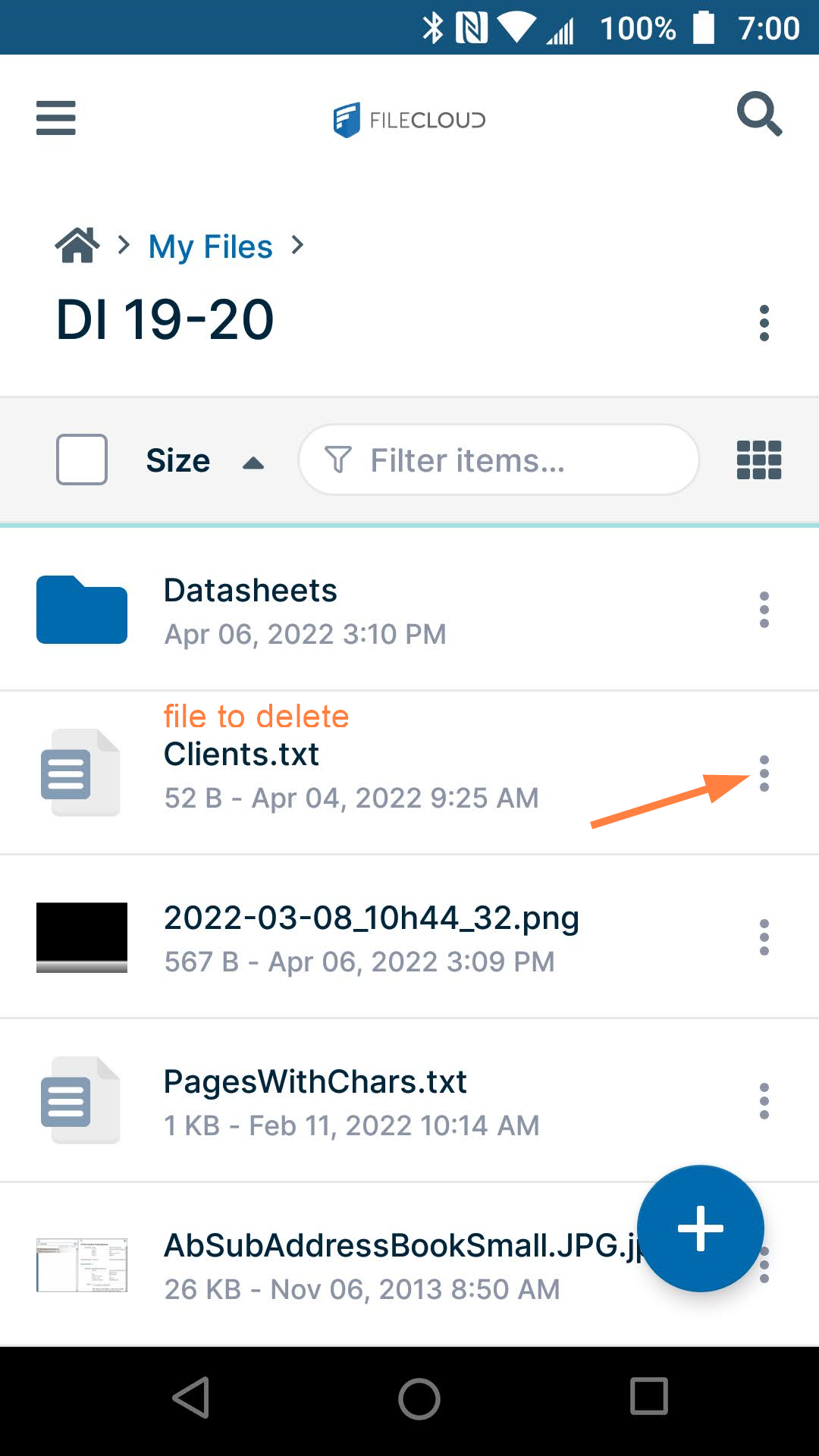
Navigate to the file or folder you want to delete.
-
Tap the more (three dot) icon next to the file or folder.
-
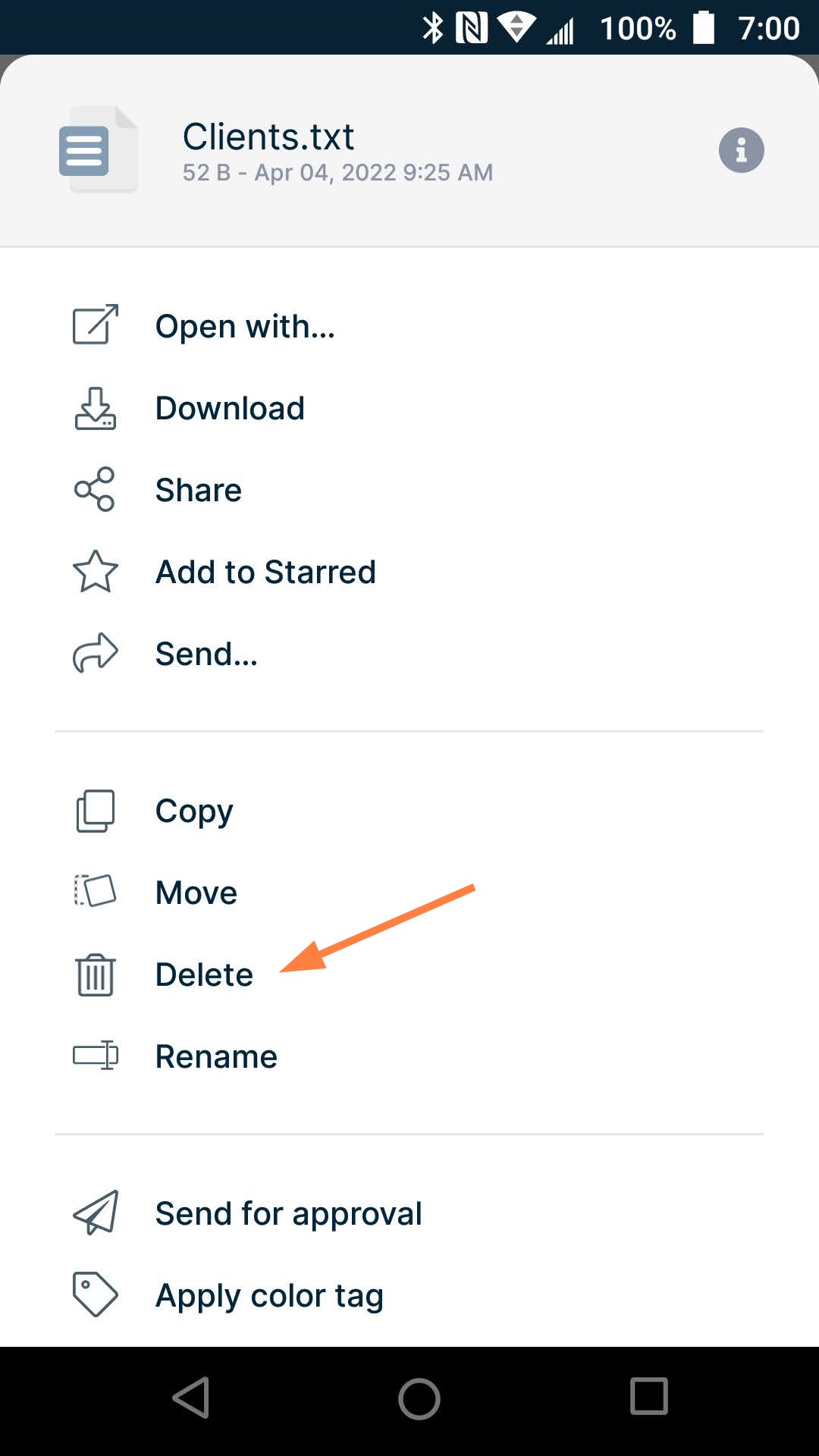
Tap Delete.
You are prompted to confirm. -
Confirm the deletion.
-
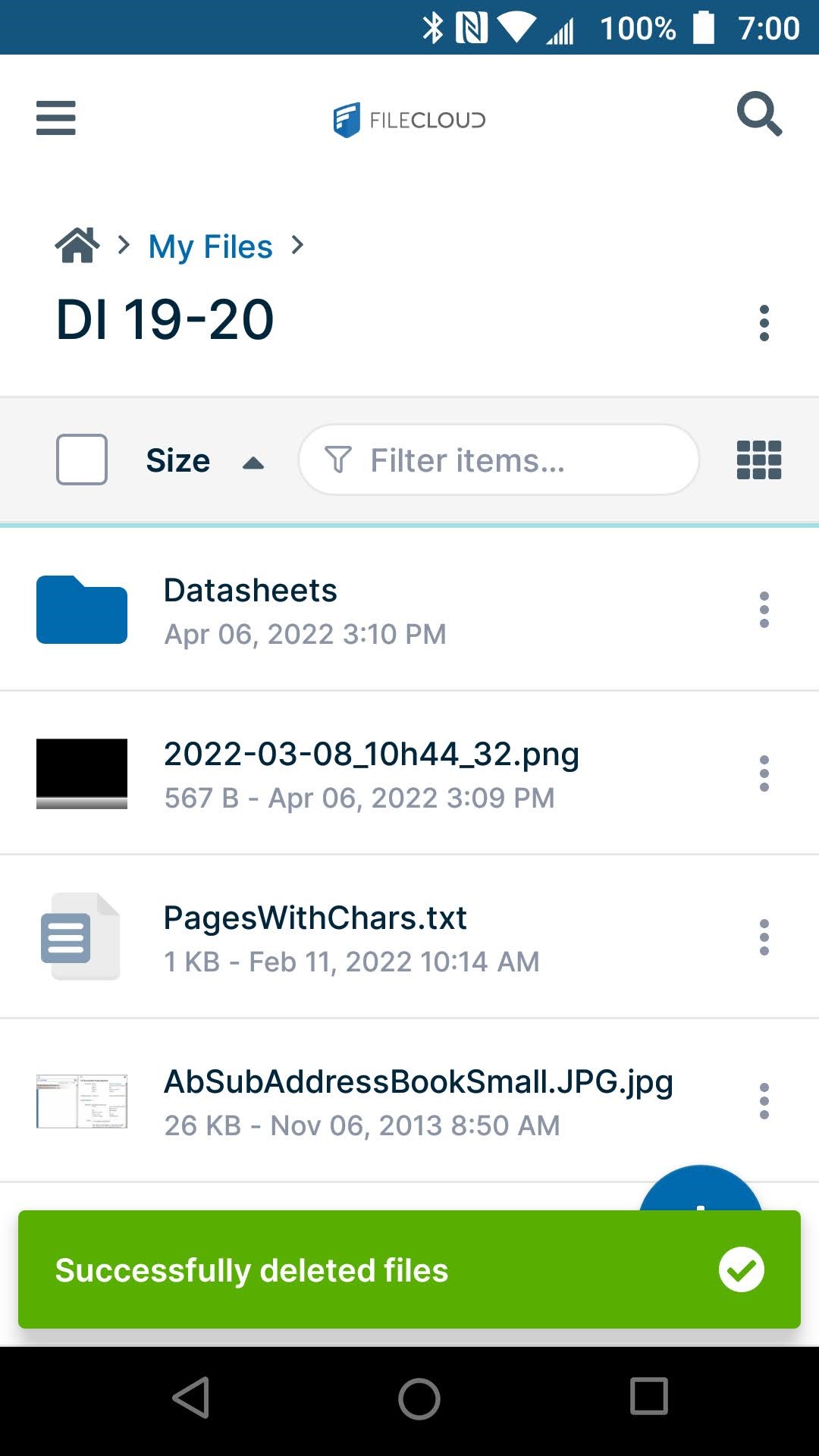
You are notified that the file or files have been deleted.
Note: If you are deleting a folder, the folder as well as the files in it are deleted.