.svg)
Starting in FileCloud Version 20.1, you can enable right-click support in Drive for Mac.
To enable right-click support in Drive for Mac:
-
Start FileCloud Drive for Mac.
-
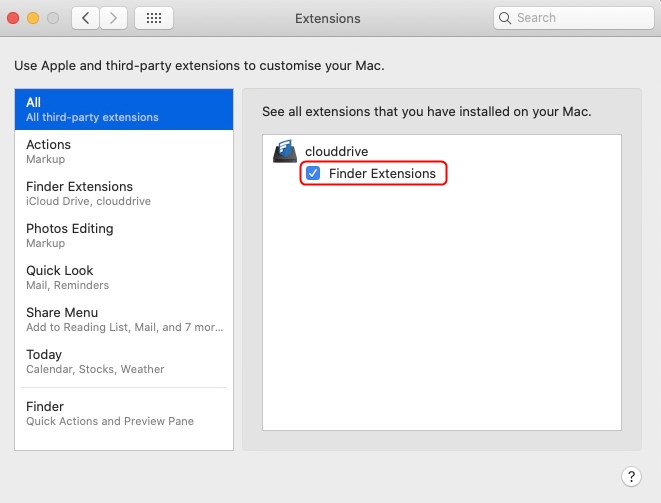
Click the Apple logo in the top left corner of the page and choose System Preferences > Extensions.
-
In the left pane, click All.
-
Under clouddrive, check the box for Finder Extensions.
-
To relaunch Finder, click the Apple logo in the top left corner of the page and choose Force Quit -> Finder -> Relaunch.
-
Restart your computer.
-
Start FileCloud Drive for Mac again.