.svg)
|
To view the contents of one of the main folders, either click the folder name in the navigation pane,
|
|
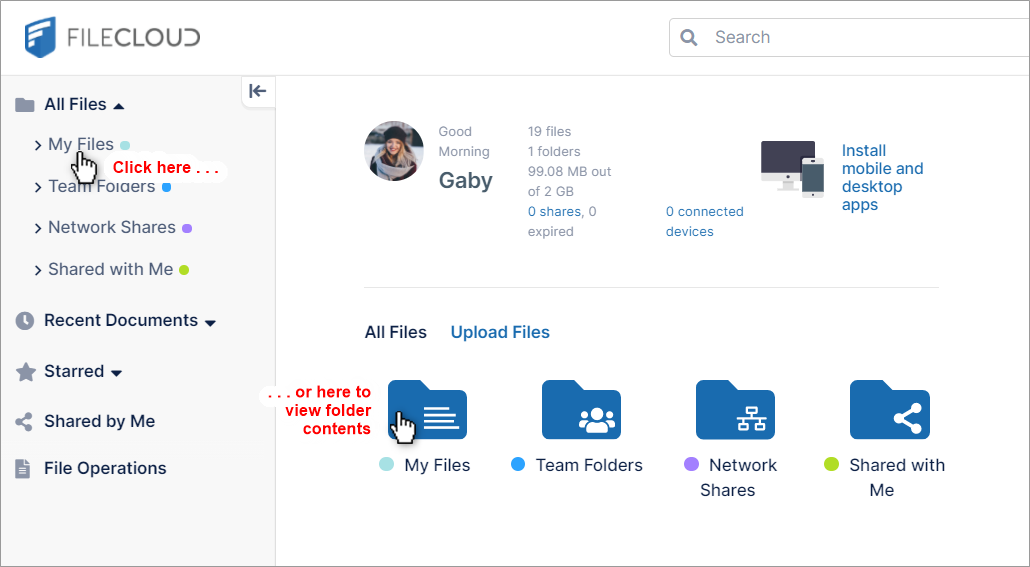
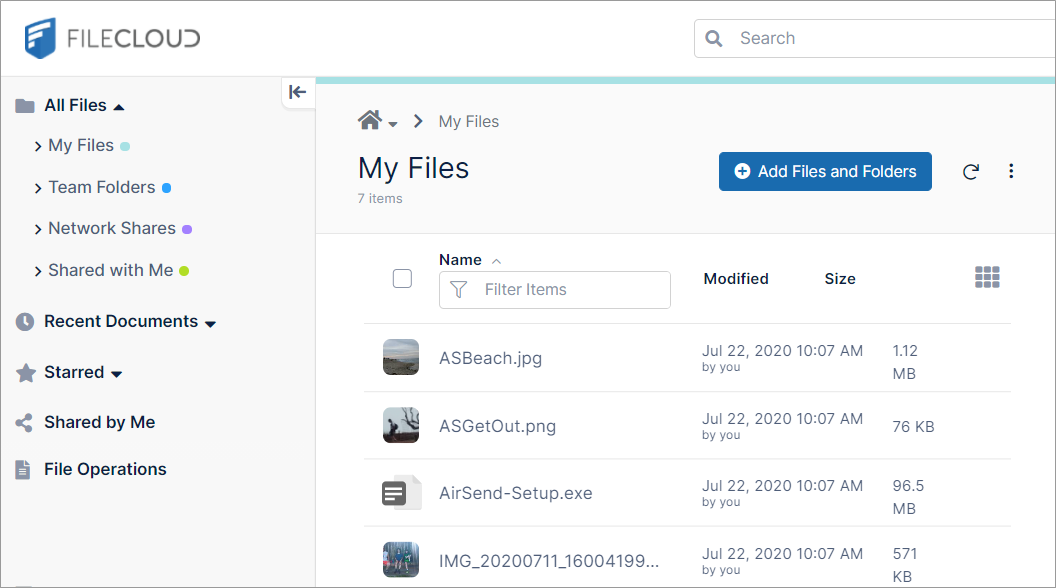
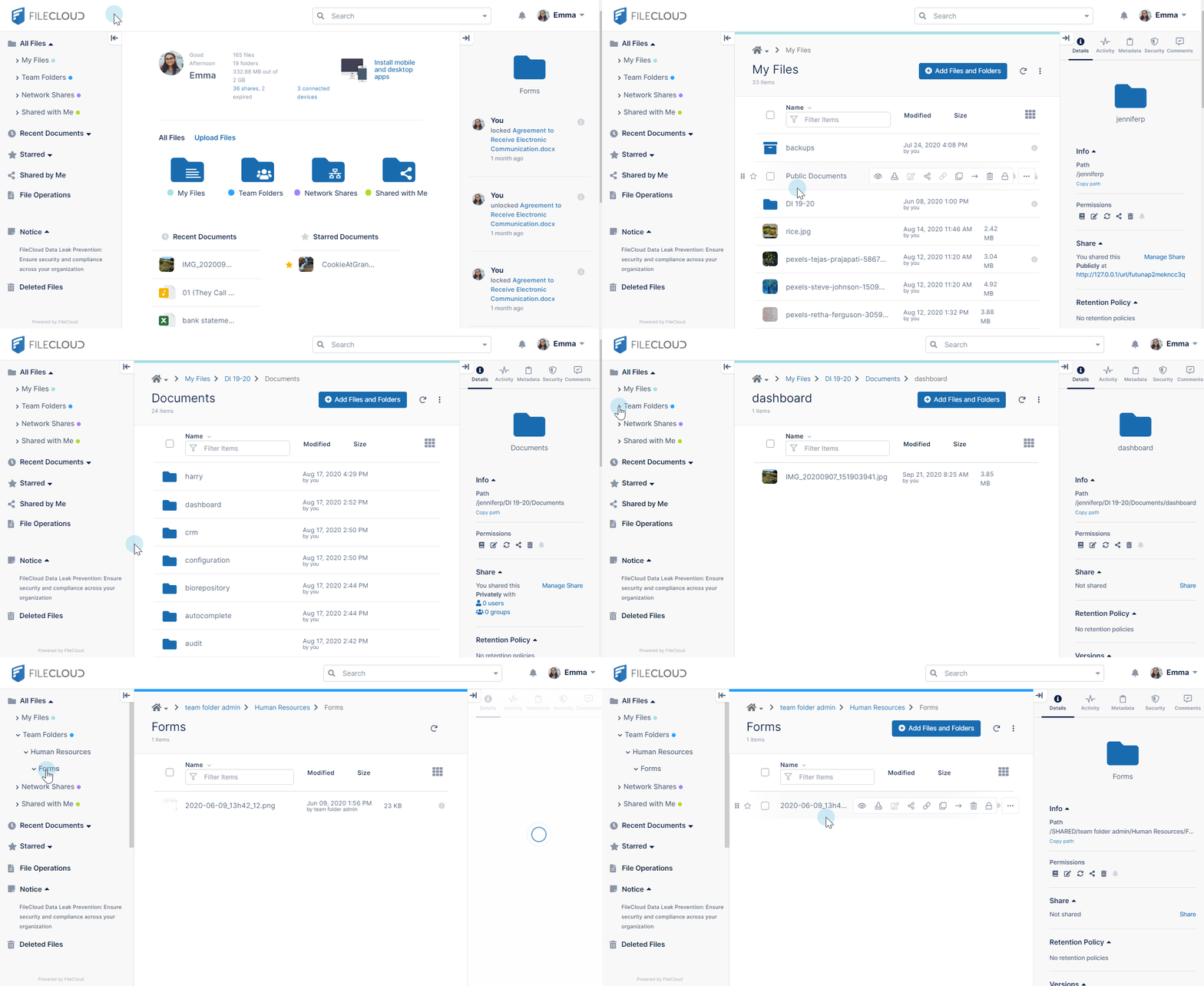
To browse folders for content click the folders in the main section of the screen or expand the folders in the navigation panel.
Sorting, switching views, and hiding panels
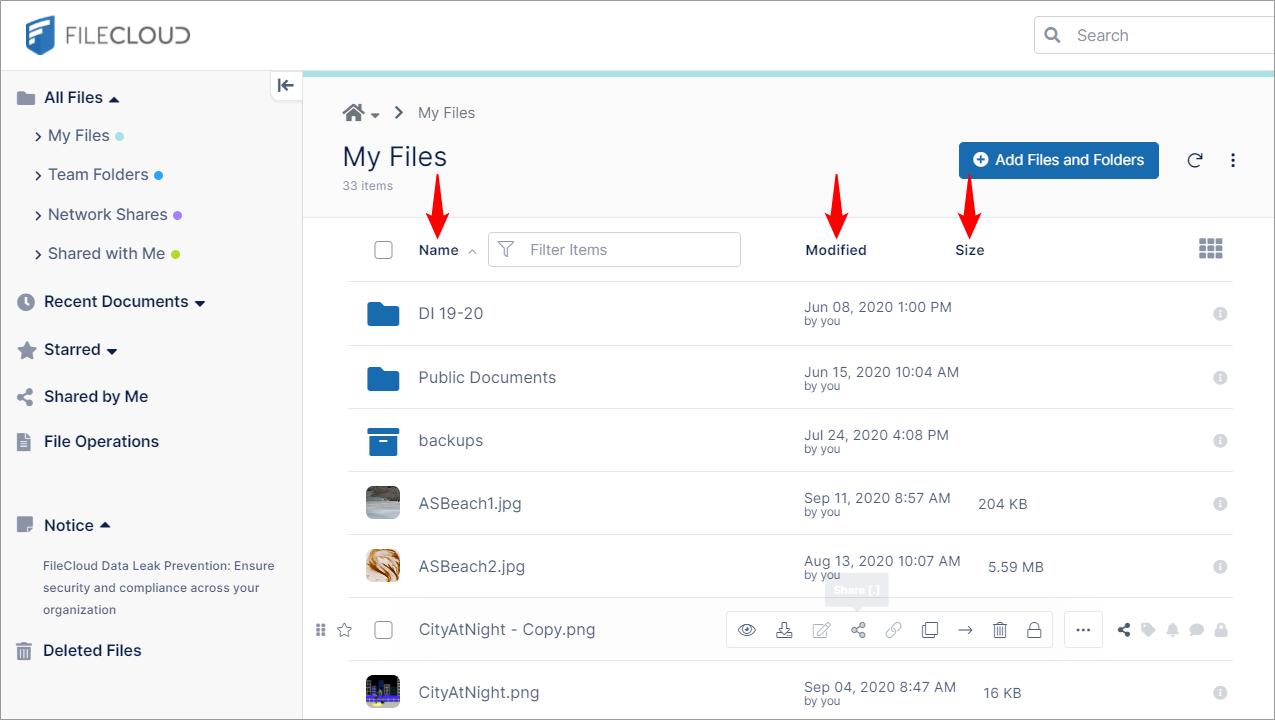
To sort the contents on your screen by name, modified date or size, click the labels at the top of the list.
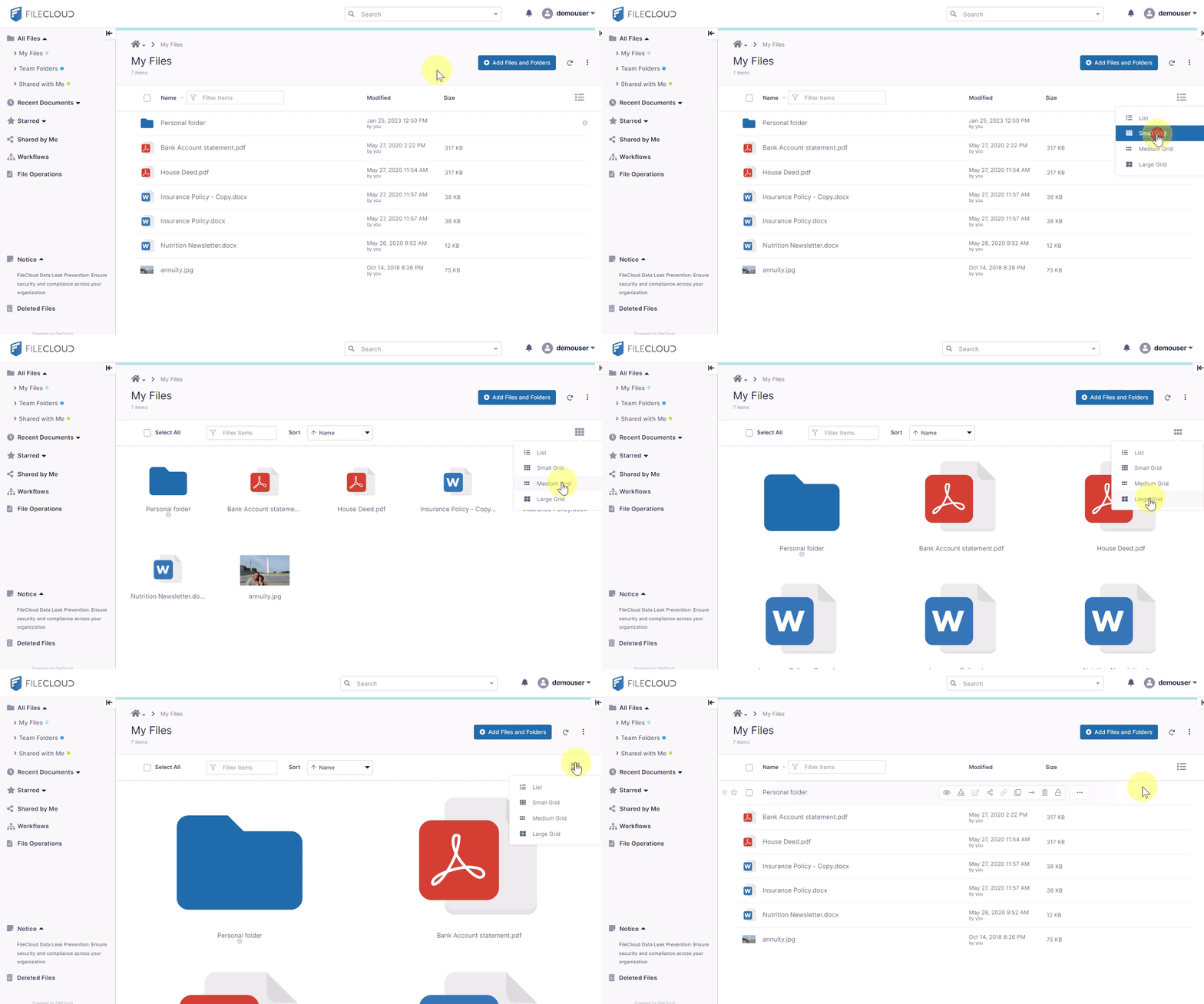
To switch between list view and small, medium, and large grid views, click the icon in the upper-right.
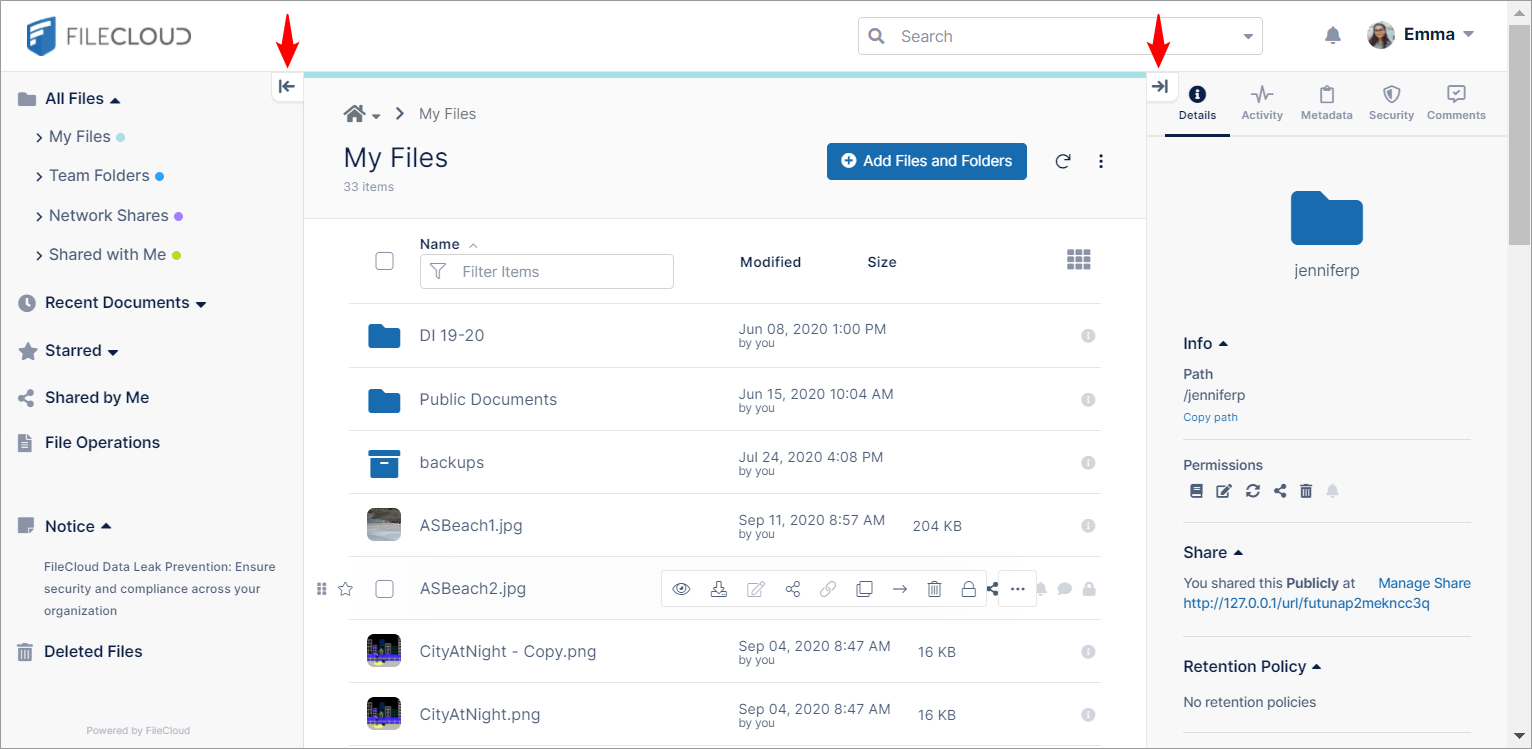
To hide and show the left and right panels, click the arrows beside them.