.svg)
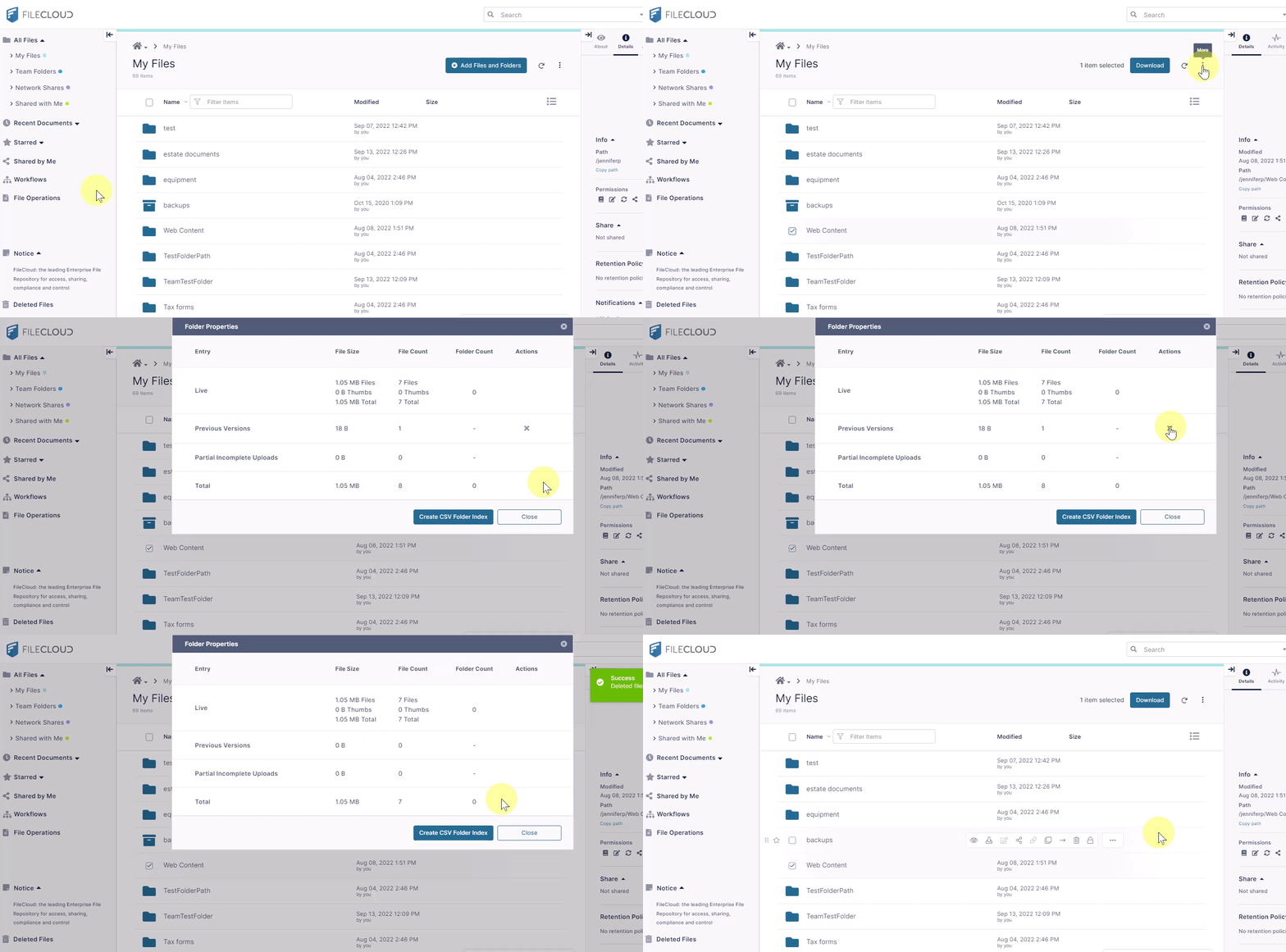
You can view a folder's properties to see how much storage space it is using and how many files it contains.
To view folder properties:
-
Leave all folders unchecked to view the combined size and count of all folders or check the box next to a folder to view only that folder's size and count.
-
Click the More icon at the top of the screen, and choose Properties.
A properties box that shows you sizes and counts of files and folders in the folder opens. It enables you to delete previous versions of files. -
To export a list of the files and folders inside the selected folder to a csv file, click Create CSV Folder Index at the bottom of the properties box.