.svg)
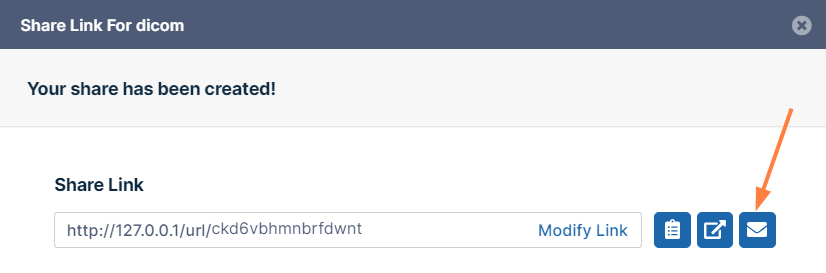
From the Share Link dialog box, you can email a link to users to give them initial access to your share or to resend a private link to share recipients.
-
In the Share Link dialog box, click the Email icon next to the share link.
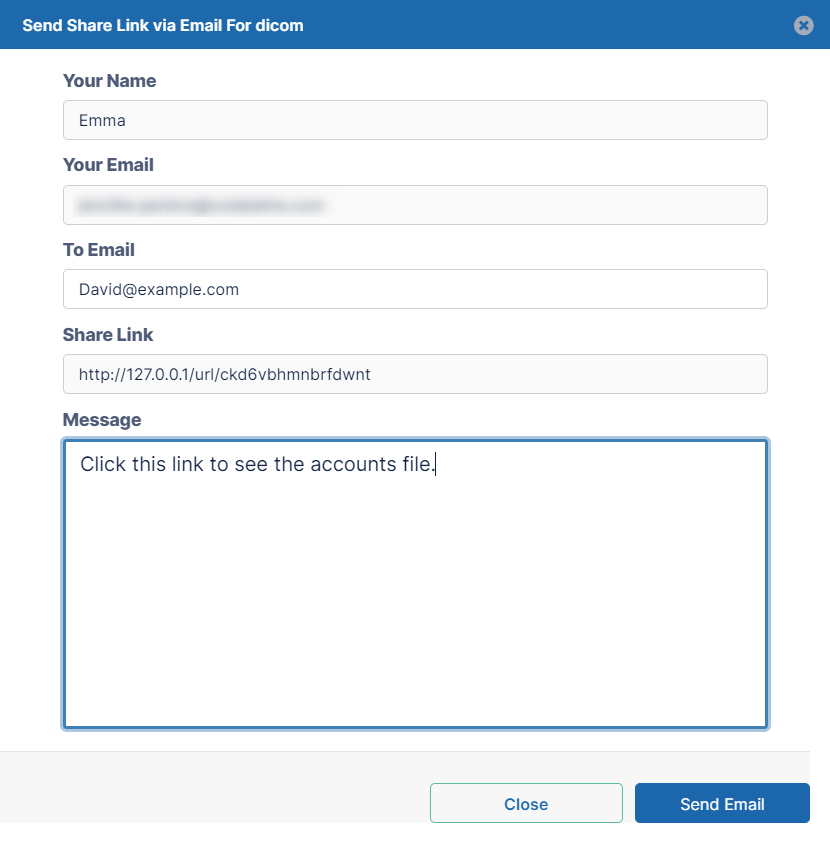
A Send Share Link via Email dialog box opens. -
Enter a To address and a message.
-
Click Send Email.