.svg)
When users preview supported file types directly in the User Portal through the web browser, they can see part of the file without having to install the application that created it.
This type of preview commonly uses the Quick JS Preview feature which enables previewing of DOCX, PPTX, XLSX, and PDF files when DocConverter is enabled. See LibreOffice Windows Instructions.
-
When a user selects a file in the User Portal, a Preview button becomes available.
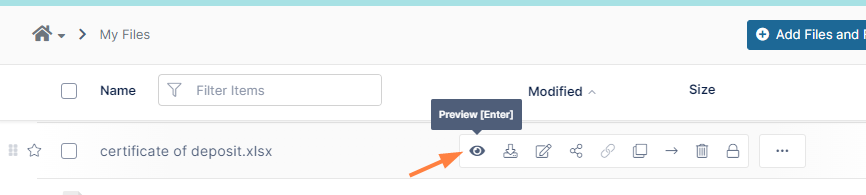
-
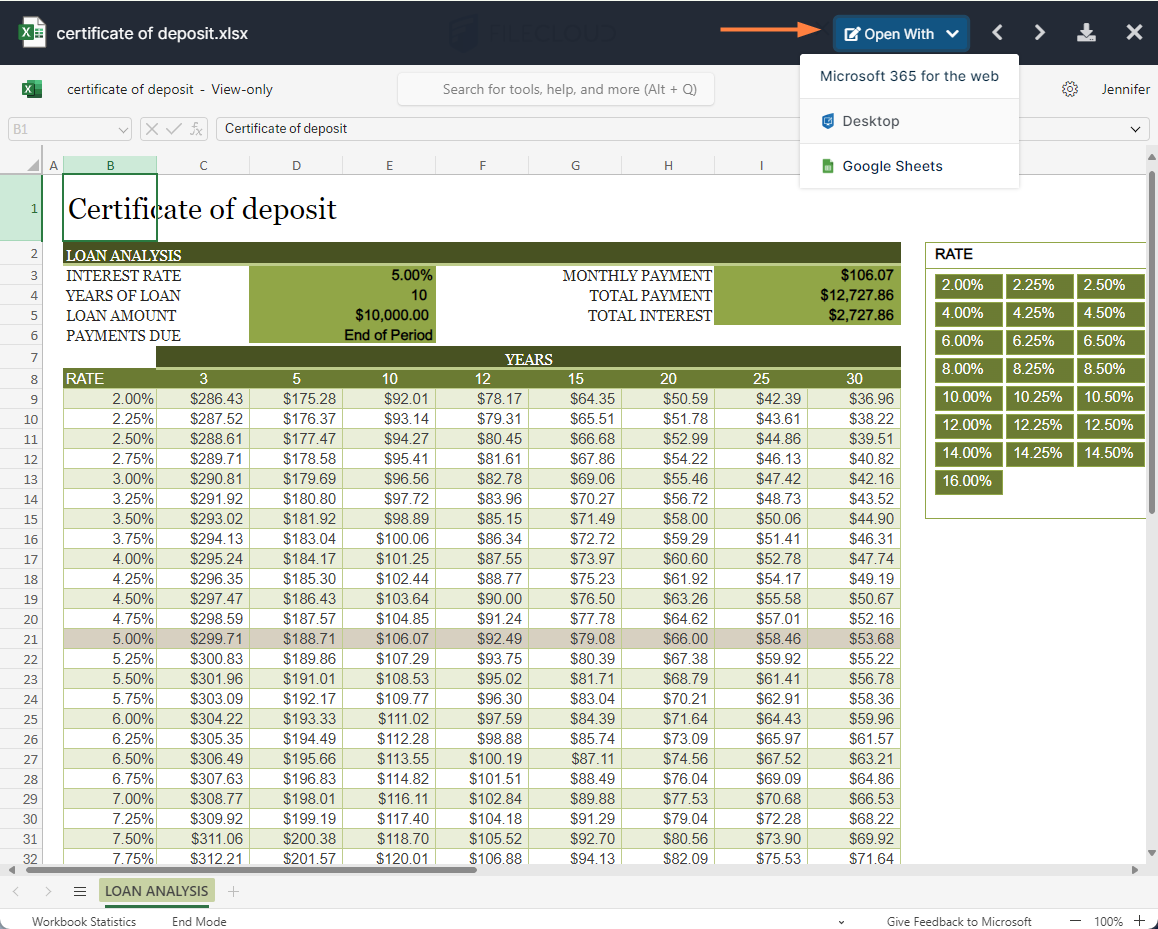
When the user clicks the Preview button, a separate window opens showing an image of the file.
Beginning in FileCloud 22.1, many of the previews can be edited with the same Web edit/Office Online and Edit in Desktop applications that are available for editing the file from the file listing.
To include watermarks on previewed documents, see Watermark Settings.
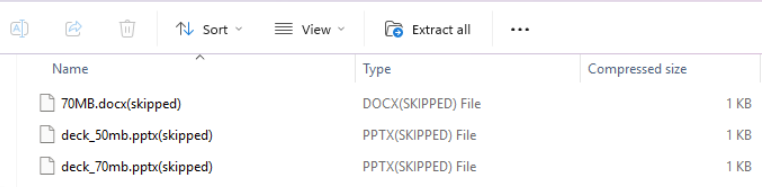
When watermarks are enabled for previews, Office files larger than TONIDOCLOUD_DOCPREVIEW_SIZELIMIT are listed but not downloaded in the Zip file containing the previewed files and skipped appears beside them:
File types that can be previewed
|
|
Extension |
Registered To |
Available in FileCloud Version |
Description |
|---|---|---|---|---|
|
Illustrator |
.AI |
Adobe |
18.2 |
An Adobe Illustrator format is a proprietary file format developed by Adobe Systems for representing single-page vector-based drawings in either the EPS or PDF formats. |
|
DICOM |
.DICOM |
DICOM |
18.2 |
Medical files such as X-rays, CT scans, Ultrasounds and MRIs.
|
|
|
.DWF, .DWG, .DXF
(and 60+ other AutoCAD formats). |
AutoCAD |
22.1 |
2D and 3D architectural drawings in AutoCAD file formats. |
|
High Efficiency Image Container |
.HEIC |
|
23.251 |
.HEIC files are compressed image files, often used on iOS devices. |
|
Oasis graphic and spreadsheet files |
.ODF
|
|
|
Binary files used to define data structures. |
|
OpenDocument text |
.ODT |
|
|
Documents created by word processors that use OpenDocument Text File format, such as LibreOffice and OpenOffice. |
|
|
|
Adobe |
4.0 |
Portable Document Format (PDF) is a file format used to present documents in a manner independent of application software, hardware, and operating systems. Each PDF file encapsulates a complete description of a fixed-layout flat document, including the text, fonts, graphics, and other information needed to display it. |
|
Photoshop |
.PSD |
Adobe |
18.2 |
A .PSD file is a layered image file used in Adobe PhotoShop. PSD, which stands for Photoshop Document, is the default format that Photoshop uses for saving data. PSD is a proprietary file that allows the user to work with the images’ individual layers even after the file has been saved. |
|
Microsoft |
|
|
|
|
|
|
.DOC |
Microsoft |
4.0 |
Microsoft WORD files created in versions 2003 and earlier. |
|
|
.DOCX |
Microsoft |
4.0 |
Microsoft WORD files created in versions 2007 and later. |
|
|
.PPT |
Microsoft |
4.0 |
Microsoft PowerPoint files created in versions 2003 and earlier. |
|
|
.PPTX |
Microsoft |
4.0 |
Microsoft PowerPoint files created in versions 2007 and later. |
|
|
.XLS |
Microsoft |
4.0 |
Microsoft Excel files created in versions 2003 and earlier. |
|
|
.XLSX |
Microsoft |
4.0 |
Microsoft Excel files created in versions 2007 and later. |
|
Apple iWork Suite |
.pages, .numbers, .key |
Apple |
23.252 |
Apple's app suite for documents, spreadsheets, and presentations Currently, .numbers file previews appear with table gridlines and numbers only. Additional table formatting does not appear in the previews. Preview only. Editing is not available from the previewed files. |
|
Video formats |
.MP4
|
|
|
The video files listed can only be viewed correctly if they have video and audio codecs in the following formats:
.WEBM - VP8 video codec and Vorbis audio codec .OGV - Theora video codec and Vorbis audio codec; .OGV file viewing is not supported in Safari .MOV - H.264 video codec and AAC audio codec |
|
Audio formats |
.MP3
|
|
|
|




PDF file preview will work even if Document Preview is not installed. Document Preview is required to preview files like PSD and AI.
Previewing AutoCAD files is available in FileCloud 22.1 and later, when you configure AutoDesk Viewer integration with FileCloud.
Note: Administrators can also show a sample of the content in a file through a thumbnail image shown beside the file where it is listed in the user portal using FileCloud Document Converter
Also see: Document Preview