.svg)
In the FileCloud Desktop folder in Windows explorer, any file or folder with a cloud next to it is online in FileCloud; when you edit or otherwise modify the file or folder from Windows explorer, you are actually modifying it in FileCloud, and the changes appear immediately in the files in the FileCloud user portal and other clients.
You can see this in the following video, which shows the online FileCloud files in Windows explorer and in the FileCloud user portal side by side. The folder is renamed from Wiki proposals to Wiki ideas in Windows explorer, and as soon as the user portal is refreshed, the change appears there as well. No sync action is needed.https://www.youtube.com/embed/ipun78UnVNc?si=iwHZMJg1VWGbwUDd
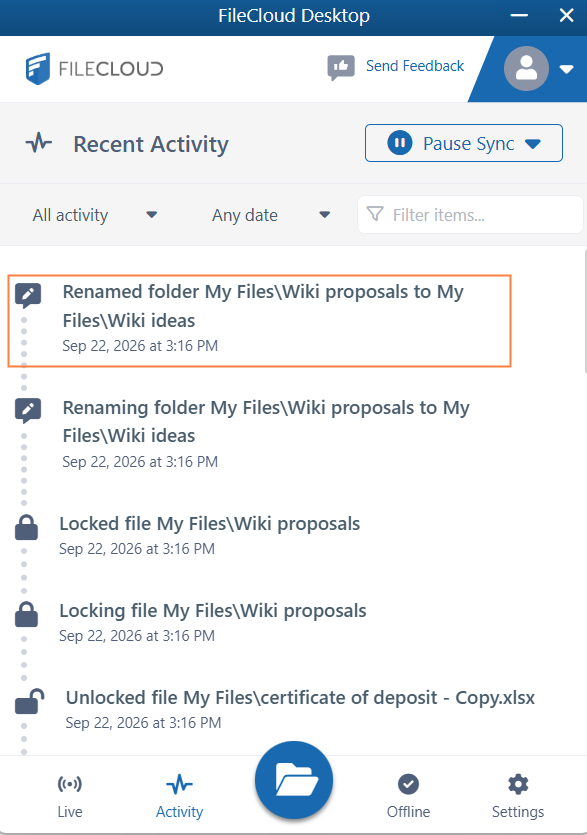
In the Activity tab of the FileCloud Desktop dashboard, you can see action for renaming the folder Wiki proposals to Wiki ideas:
The same is true if you edit, delete, create, or copy a file in either interface. It appears almost immediately on the other. (You can check the Activity tab to monitor when syncing has occurred.)
The following example shows how a file created in the FileCloud user portal automatically appears in the online folder in Windows explorer: