.svg)
Exception Renaming
Problem:
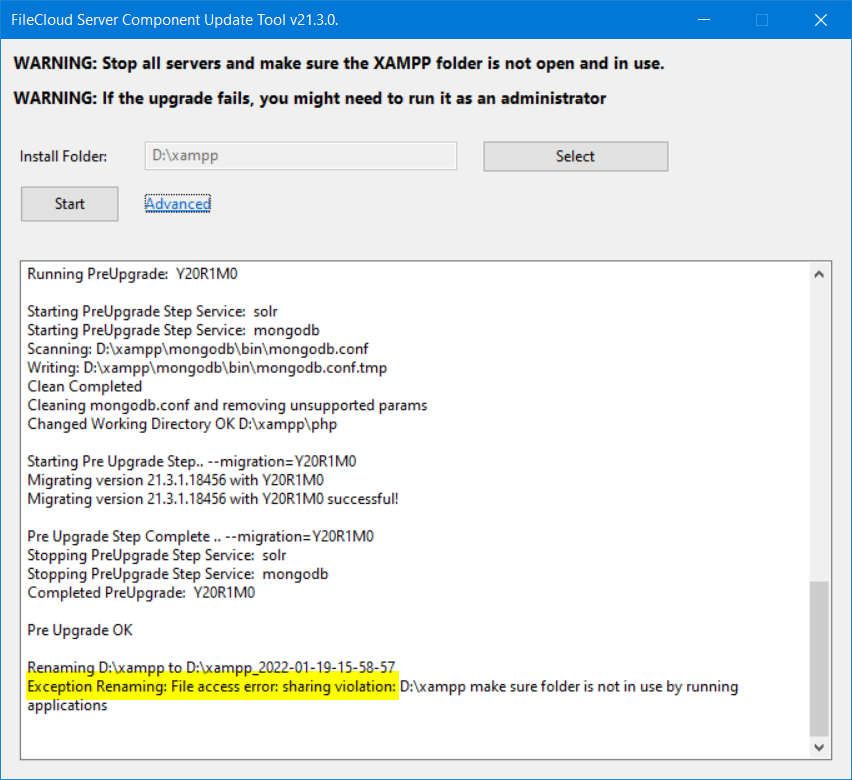
The upgrade tool returns the error Exception Renaming: File access error: sharing violation D:\xampp make sure folder is not in use by running applications as shown in the following screenshot:
Solution:
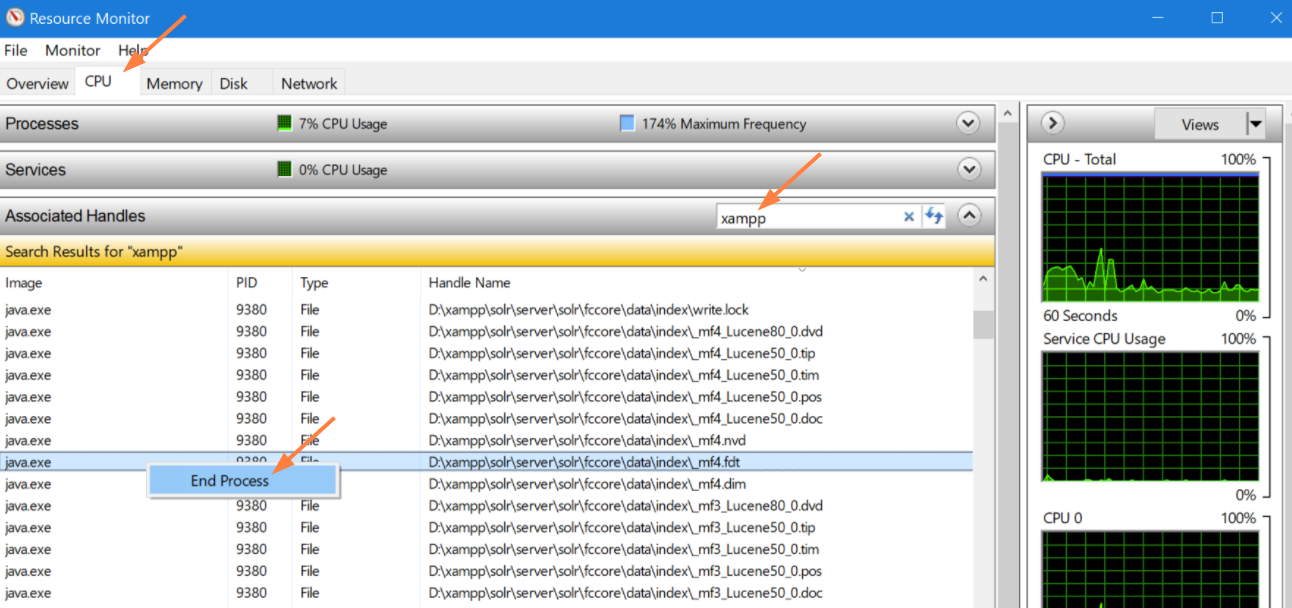
Use the Windows Resource Monitor to end the processes that are blocking the move:
-
Start the Resource Monitor by clicking Win-R, and then entering resmon.
-
Click the CPU tab.
-
Search for xampp in Associated Handles.
-
Right-click on each xampp process and choose End Process.
-
Click Start in the Update Tool interface again.