.svg)
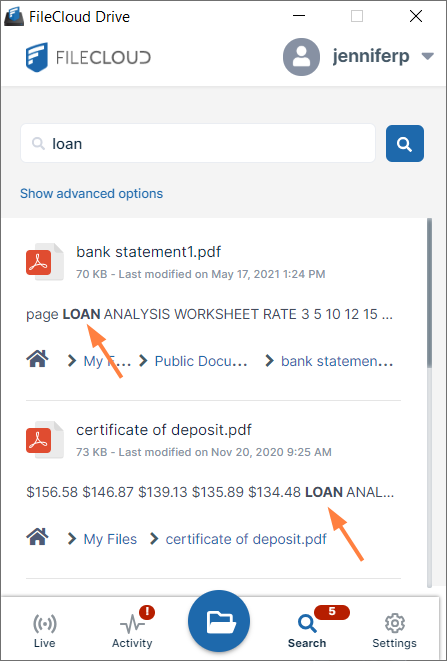
Content search enables you to search through the text in file types such as txt, pdf, doc, docx, xls, xlsx, ppt, pptx. Search results display the matching term in bold.
To perform a content search:
-
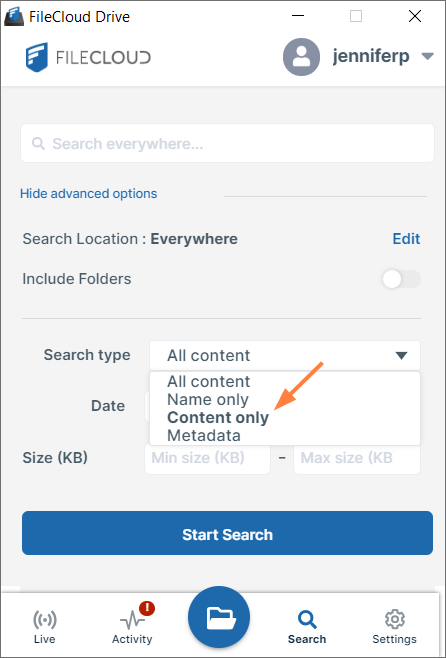
Click Show advanced options.
-
In the drop-down list, choose Content Only.
-
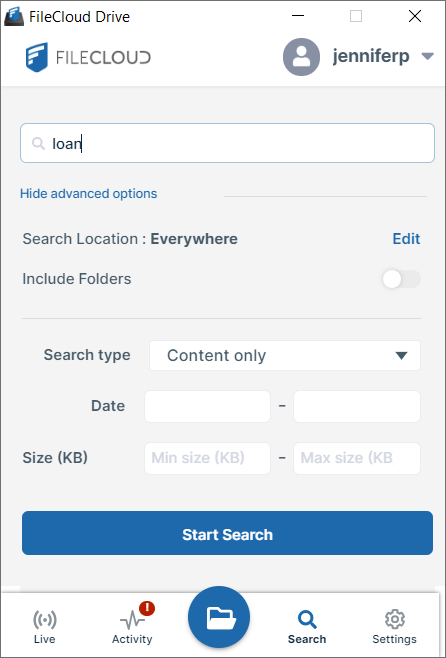
Enter a search term.
-
Click Start Search.
The search returns files that include the search term in their content. The phrase including the search term appears in bold.