.svg)
If you are receiving too many email messages, you can disable the notifications raised by ServerSync.
Notifications are normally sent for:
-
Errors
-
New files uploaded
-
New files downloaded
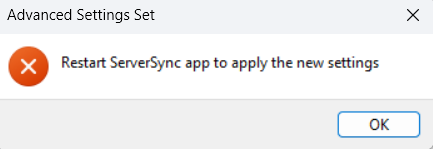
After you disable or enable notifications, you must restart ServerSync for the changes to take effect.
To disable all ServerSync notifications:
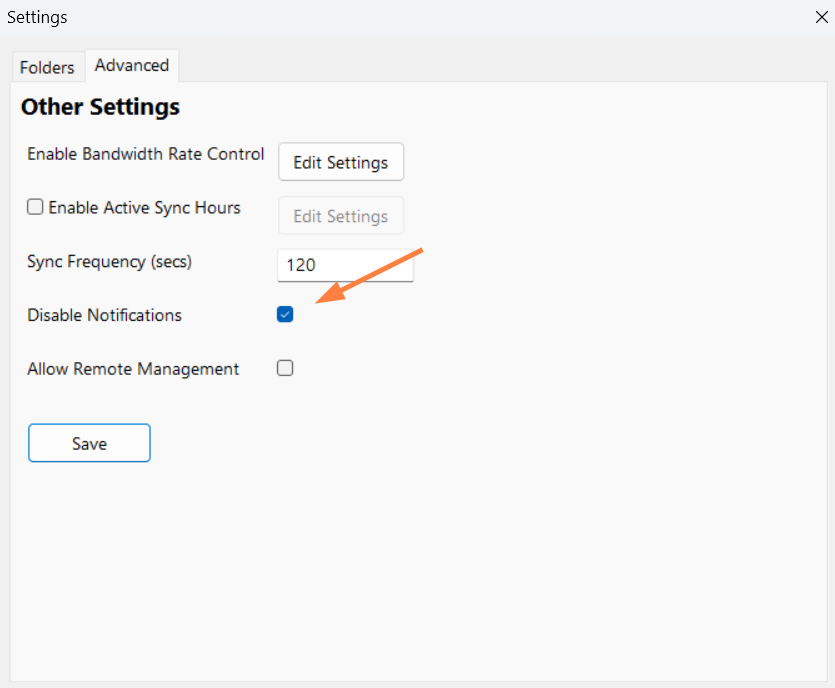
Clicking the Disable Notifications checkbox disables all notifications including sync client errors and version updates.
-
In the system tray, right-click on the ServerSync icon, and then select Settings.
-
On the Settings window, in the Other Settings section, click Edit.
-
On the Settings window, on the Advanced tab, select the Disable Notifications checkbox.
-
Click Save.
You are prompted to restart ServerSync.
-
Restart ServerSync.